10 Best Flowchart JavaScript Libraries To Visualize Workflows (2026 Update)
A flowchart is a diagram that uses shapes and connecting arrows to show the steps and decisions in a process. It can explain an approval workflow, map a decision tree, or document how an application moves from one action to the next.
JavaScript flowchart libraries let you create these diagrams directly in the browser. This post features 10 JavaScript libraries and jQuery plugins for drawing SVG and Canvas flowcharts, generating diagrams from text or source code, and building drag-and-drop workflow editors.
Originally published October 28, 2020. Updated October 11, 2026.
Quick Comparison
| Library | Technology | Used For |
|---|---|---|
| jquery.flowchart | jQuery | Drag-and-drop node editor |
| workflowChart.js | jQuery | Task and parent-node diagrams |
| flowSVG | SVG.js | Yes/no process branches |
| Flowy.js | Vanilla JS | Snap-together workflow blocks |
| Drawflow | Vanilla JS | Editable data-flow canvas |
| mermaid-element | Mermaid | HTML-embedded Mermaid flows |
| flowchart.js (text DSL) | JavaScript | Text syntax to SVG flowcharts |
| diagramflowjs | Vanilla JS | Interactive Canvas diagrams |
| obfc.js | Vanilla JS | Code-defined SVG symbols |
| js2flowchart | JavaScript | JavaScript code to SVG |
Best jQuery Flowchart Plugins
Drag'n'drop Flow Chart Plugin With jQuery And jQuery UI - flowchart.js
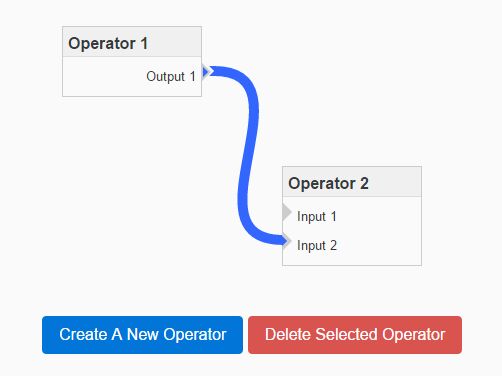
jquery.flowchart provides an editable flowchart for web apps that already use jQuery and jQuery UI. Drag operators onto the chart, connect their input and output ports, and customize how each node looks and behaves. The diagram can be saved and reopened for further editing.
Features
- Drag-and-drop operator positioning
- Create, move, edit, and delete nodes
- Connections between input and output ports
- Multiple ports on individual nodes
- Multiple links and expandable sub-connectors
- Link selection, removal, and color changes
- Custom node titles, content, and CSS classes
- Reusable operator types
- Custom connector labels and link styles
- Grid-based operator placement
- Horizontal or vertical connection layouts
- Save and restore diagram data
- Selection, creation, and deletion callbacks
- Programmatic node and connection updates
- Pan-and-zoom integration through position scaling
SVG Based Workflow Diagram Plugin With jQuery - workflowChart.js
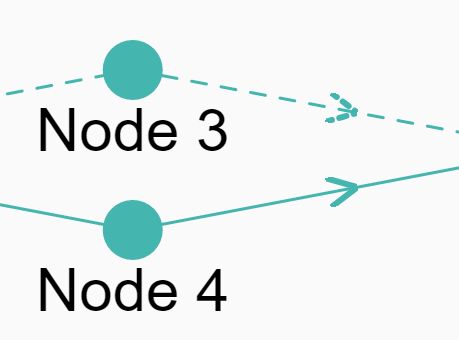
workflowChart.js draws an SVG workflow from a list of tasks and their parent relationships. Each step can have its own title and link, and individual tasks can be marked as optional. It is useful for displaying process steps inside an existing jQuery page.
Features
- Data-defined task nodes and relationships
- Parent-child workflow connections
- Optional step indicators
- Clickable links on workflow steps
- Custom chart height and node sizing
- Adjustable text size and chart colors
- SVG rendering through jQuery and SVG.js
Simple SVG Flow Chart Plugin with jQuery - flowSVG
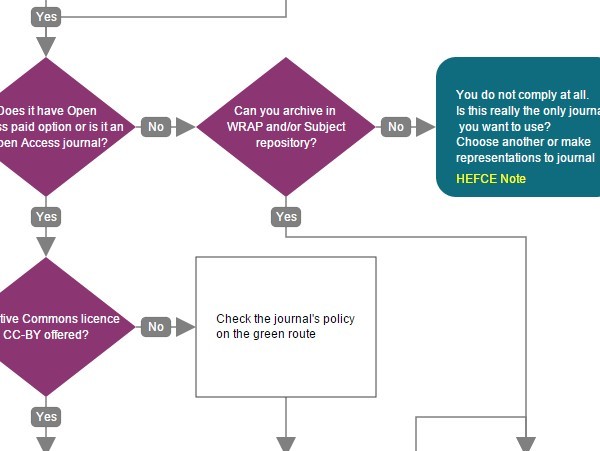
flowSVG works well for approval processes, troubleshooting trees, and other workflows that branch at a decision. Define the steps and their yes/no connections in JavaScript, and the library draws the resulting diagram in SVG. You can publish it as a static chart or let visitors navigate an interactive view.
Features
- Process, decision, and finish symbols
- Yes/no branches and next-step connections
- Static and interactive viewing modes
- Optional navigation buttons
- Smooth scrolling to linked steps
- Adjustable branch directions and shape positions
- Custom node dimensions and spacing
- Connector lengths, colors, and line widths
- Configurable fonts, fill colors, and branch labels
- Links inside process and decision nodes
- Popup tips on finish steps
- SVG.js rendering with optional jQuery scrolling
Best JavaScript Flowchart Editors and Renderers
Drag And Drop Flowchart Builder - Flowy.js
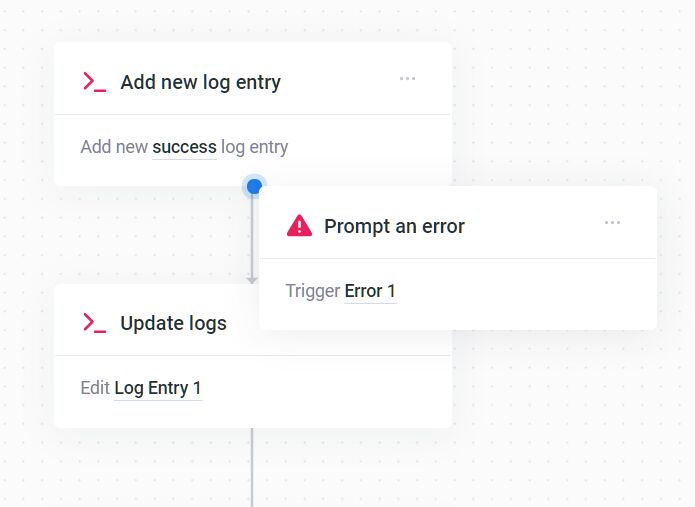
Flowy.js builds workflows from draggable HTML blocks that snap into a connected diagram. Blocks are easy to rearrange as the process changes, and custom markup lets each step display the content your application needs. Finished workflows can be saved and loaded again.
Features
- Responsive drag-and-drop blocks
- Automatic block snapping
- Automatic canvas scrolling
- Automatic block centering
- Block rearrangement
- Block deletion and full-chart clearing
- Custom HTML for workflow blocks
- Conditional snapping and removal
- Customizable spacing between blocks
- Import and export of saved diagrams
- Grab, release, snap, and rearrange callbacks
- Mobile and touch interaction
Drawflow: Drag-and-Drop Flowchart Builder in JavaScript
Drawflow is a node-based editor for building interactive workflows directly in the browser. Each node can contain custom HTML, including form controls, and complex processes can be organized into independent modules. You can edit connections, move between workflows, and save the diagram for later use.

Features
- Drag-and-drop node editing
- Multiple inputs and outputs per node
- Multiple connections on each port
- Create and delete nodes and connections
- Dynamically add and remove node ports
- Reroute connection lines with control points
- Live data synchronization in nodes
- Zoom and canvas navigation
- Multiple workflow modules
- Edit, fixed, and view modes
- Import and export of diagram data
- Node and connection lifecycle events
- Keyboard shortcuts and context-menu actions
- Mobile and touch controls
- Custom HTML inside nodes
- Optional Vue integration
Render Mermaid Diagrams in HTML with mermaid-element
mermaid-element renders Mermaid diagrams directly in HTML, which is especially useful for documentation, dashboards, and other pages where diagrams are written as text. Add a Mermaid definition to the custom element and it displays the result as SVG. Changing the source updates the diagram on the page.

Features
- Mermaid syntax directly inside HTML
- SVG diagrams in a Web Component
- Plain text, template, code, or preformatted definitions
- Reactive updates when the diagram changes
- Selectable Mermaid versions and module URLs
- Built-in Mermaid themes
- Bundled or remotely loaded Mermaid runtime
- Shared module caching
- Render and error events
- Open Shadow DOM and CSS styling parts
- Access to the rendered SVG
- Manual rendering when needed
Generate SVG Flowcharts from Text with flowchart.js
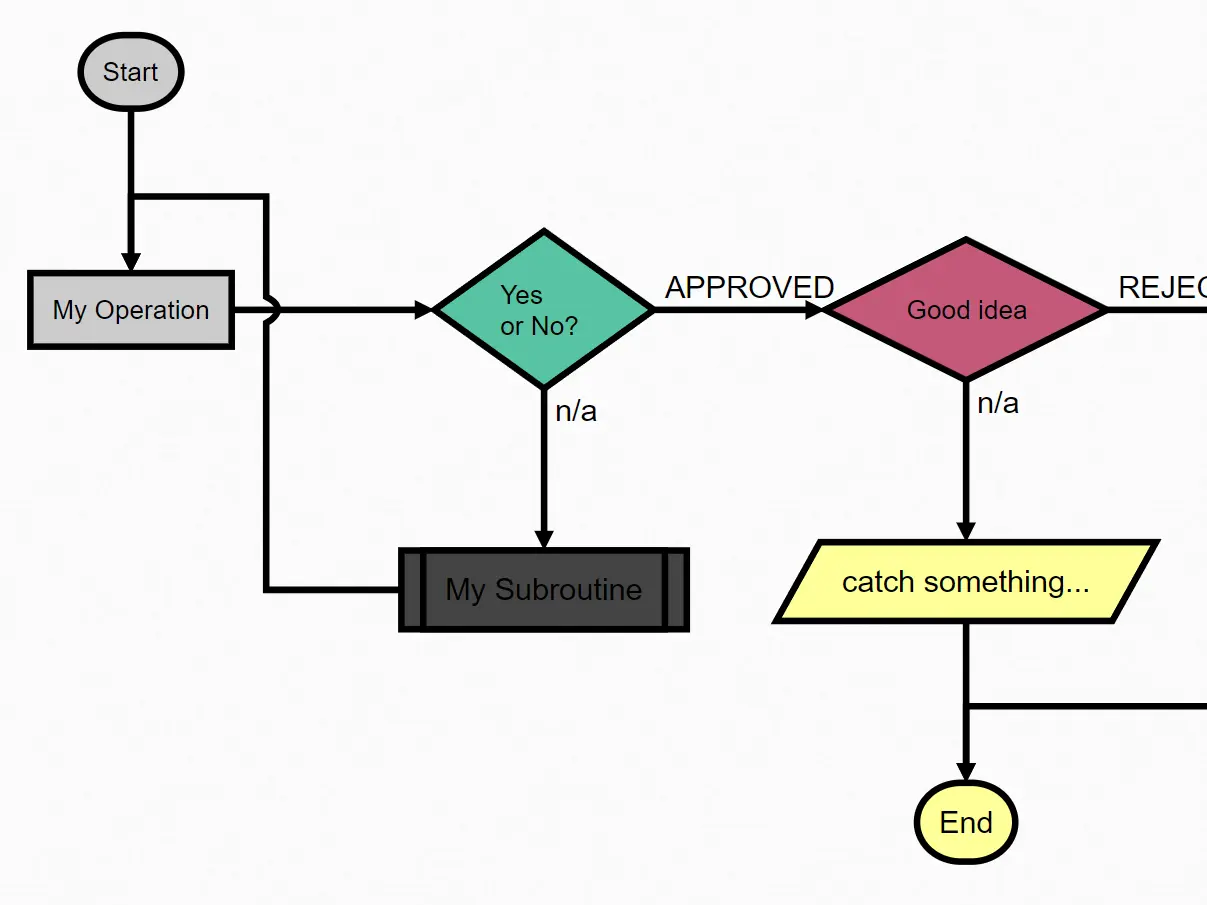
flowchart.js by adrai generates SVG flowcharts from compact text definitions. Write out the operations, decisions, and connections in its diagram syntax, and the library draws the resulting process. This works particularly well for diagrams kept alongside technical documents or generated from application data.
Features
- Text-based flowchart definitions
- Start, end, operation, and decision nodes
- Input, output, and subroutine symbols
- Parallel branches
- Yes/no and custom branch labels
- Directional connections
- Clickable links on nodes
- Per-node and per-connection styling
- Custom diagram colors, fonts, and spacing
- Configurable SVG scale and connector directions
- Browser SVG rendering through Raphaël
Create Interactive Flowchart With JavaScript And Canvas - diagramflowjs
diagramflowjs creates editable flowcharts on an HTML5 Canvas. Move or resize nodes, attach connections to their input and output points, and draw your own shapes for different kinds of steps. The library also supports a hand-drawn appearance through rough.js.

Features
- HTML5 Canvas rendering
- Drag-and-drop node movement
- Resizable nodes
- Input, output, and mixed connectors
- Customizable connection-point placement
- Straight and right-angled link styles
- Editable node text
- Custom Canvas drawing functions
- Rectangles, circles, and diamond shapes
- Optional rough.js sketch-style rendering
Draw Object-based SVG Flow Charts With obfc.js
obfc.js draws traditional flowcharts from JavaScript objects and SVG symbols. You can arrange familiar process, decision, document, and storage shapes on the page, then connect them to describe a procedure or system. The library is useful when the diagram needs a recognizable set of flowchart symbols.

Features
- 24 SVG flowchart symbols
- Process and predefined-process shapes
- Decisions, terminals, and connectors
- Document and multi-document symbols
- Input, output, and display shapes
- Storage and data symbols
- Custom positioning and symbol sizing
- Connectors between defined symbols
- Custom text, colors, and strokes
- Optional HTML descriptions on objects and lines
SVG Based JS Code Flowchart Generator - js2flowchart
js2flowchart turns JavaScript source code into an SVG flowchart, making it useful for code walkthroughs, documentation, and refactoring. You can focus on functions or branches, hide unnecessary details, and style the result to highlight the logic you want to explain.

Features
- JavaScript code-to-SVG flowcharts
- Browser and Node.js rendering
- ES6 syntax handling
- Function, class, import, and export views
- Function dependency diagrams
- Custom levels of detail
- Loop representations for common array methods
- Filters for unimportant code
- Collapsed code blocks and branches
- Highlight or dim selected logic
- Built-in and custom color themes
- SVG generation through a command-line tool
- Multiple SVG views for presentations
Bonus: Pure CSS Flowchart
Process Flow Diagram In Pure CSS
For a fixed process diagram, this pure CSS example draws connections between steps written as nested HTML lists. It works well for documentation or simple process charts where the content lives in the page markup.

Features
- Nested HTML lists for process steps
- CSS-only nodes and connectors
- Static process and hierarchy diagrams
- Customizable colors, spacing, and step styles
Final Thoughts
Flowcharts often change after the first version. For diagrams generated from text or code, the source definition can be edited and rendered again. Interactive workflow editors need to save their nodes and connections if you want to reopen and revise the diagram later. Check how each library preserves the editable flowchart before choosing one for a project.
FAQs
What is the difference between jquery.flowchart and flowchart.js?
jquery.flowchart uses jQuery UI for editing draggable nodes and connections. adrai’s flowchart.js renders SVG from text definitions through Raphaël. They share a similar name, but solve different tasks.
Which JavaScript flowchart libraries can save and reload diagrams?
Drawflow provides export() and import(). Flowy.js has flowy.output() and flowy.import(), and jquery.flowchart uses getData() and setData(). Each library has its own data format.
Can JavaScript generate a flowchart directly from text?
Yes. Use Mermaid syntax with mermaid-element or flowchart.js syntax with adrai’s library. For diagrams generated from JavaScript program logic, js2flowchart reads the source code and produces SVG.
Do SVG and Canvas flowcharts have the same editing behavior?
Editing depends on the library. SVG elements can be selected individually through the DOM. Canvas-based editors implement their own hit detection and editing behavior.
Related Flowchart and Diagram Resources
- jQuery Flowchart Plugins
- JavaScript and CSS Flowchart Libraries
- Generate SVG-based Flowcharts From JSON Data - jsontr.ee
- 10 Best Organization Chart JavaScript/CSS Libraries (2026)
- 10 Best Pie/Donut Chart Plugins In JavaScript (2026 Update)