Create Flexible Seating Layouts With jQuery - seatLayout.js
| File Size: | 14.9 KB |
|---|---|
| Views Total: | 10093 |
| Last Update: | |
| Publish Date: | |
| Official Website: | Go to website |
| License: | MIT |
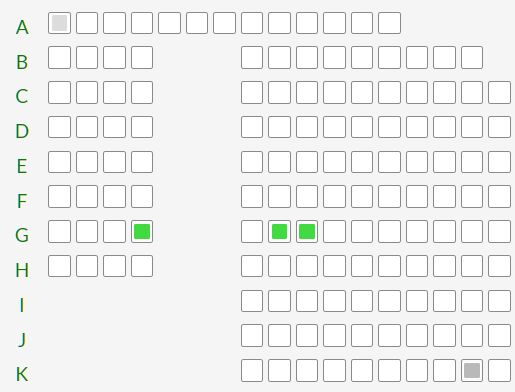
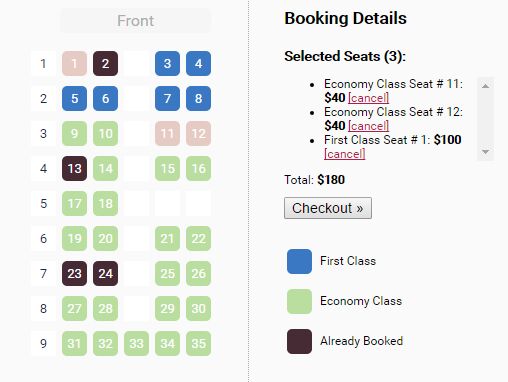
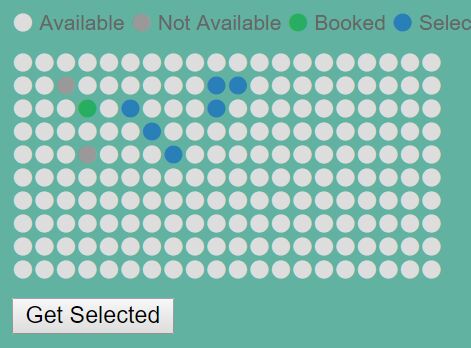
seatLayout.js is a jQuery plugin to help developers create flexible, customizable seating layouts that can be useful in movie/theater/airline seat booking system.
How to use it:
1. Add the stylesheet seatLayout.css and JavaScript seatLayout.js to the webpage.
<link rel="stylesheet" href="/path/to/seatLayout.css">
<script src="/path/to/cdn/jquery.min.js"></script>
<script src="/path/to/seatLayout.min.js"></script>
2. Create a container to hold the seating layout.
<div class="example"></div>
3. Define your data for the seating layout using JSON or JavaScript.
// layoutData.json
{
  "product_id": 12345,
  "freeSeating": false,
  "tempTransId": "12345",
  "seatLayout": {
    "colAreas": {
      "Count": 2,
      "intMaxSeatId": 43,
      "intMinSeatId": 2,
      "objArea": [{
          "AreaDesc": "EXECUTIVE",
          "AreaCode": "0000000003",
          "AreaNum": "1",
          "HasCurrentOrder": true,
          "objRow": [{
              "GridRowId": 1,
              "PhyRowId": "A",
              "objSeat": [{
                  "GridSeatNum": 1,
                  "SeatStatus": "0",
                  "seatNumber": 1
                },
                // ...
              ]
            },
            // ...
          ]
        },
        {
          "AreaDesc": "SPECIAL",
          "AreaCode": "0000000002",
          "AreaNum": "2",
          "HasCurrentOrder": true,
          "objRow": [{
              "GridRowId": 1,
              "PhyRowId": "N",
              "objSeat": [{
                  "GridSeatNum": 3,
                  "SeatStatus": "0",
                  "seatNumber": 1
                },
                // ...
              ]
            },
          ]
        }
      ]
    }
  },
  "areas": [],
  "groupedSeats": []
}
3. Initialize the plugin on the container and populate the seating layout with the data you provide.
$('.selectMove').seatLayout({
  data: JSON.parse(seatData)
});
4. Specify the number of seats allowed to select at a time. Default: 1.
$('.selectMove').seatLayout({
  data: JSON.parse(seatData),
  numberOfSeat: 2
});
4. Determine whether or not to show the action buttons. Default: true.
$('.selectMove').seatLayout({
  data: JSON.parse(seatData),
  showActionButtons: false
});
5. Apply additional CSS classes to the seating layout.
$('.selectMove').seatLayout({
  data: JSON.parse(seatData),
  classes : {
    doneBtn : '',
    cancelBtn : '',
    seat:'',
    row:'',
    area:'',
    screen:''
  }
});
6. Available callback functions.
$('.selectMove').seatLayout({
  callOnSeatRender: function (Obj) {
    //modify seat object if require and return it;
    return Obj;
  },
  callOnSeatSelect: function (_event, _data, _selected, _element) {
    console.log(_event);
    console.log(_data);
    console.log(_selected);
  },
  selectionDone: function (_array) {
    console.log(_array);
  },
  cancel: function () {
    return false;
  }
});
This awesome jQuery plugin is developed by SachinKurkute. For more Advanced Usages, please check the demo page or visit the official website.