Animated Customizable Popup Window Plugin For jQuery - WindowJS
| File Size: | 7.88 KB |
|---|---|
| Views Total: | 2852 |
| Last Update: | |
| Publish Date: | |
| Official Website: | Go to website |
| License: | MIT |
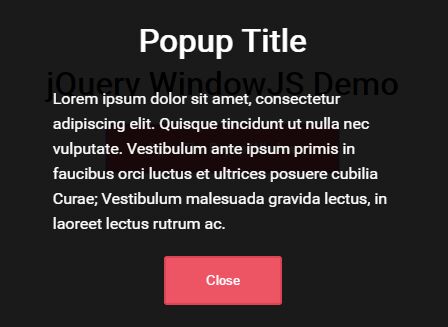
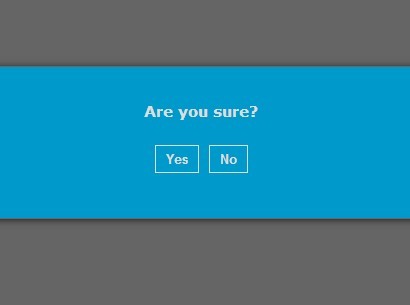
WindowJS is a lightweight jQuery plugin for creating fully configurable popup window with custom trigger buttons and CSS3 based animations. Smooth open/close animations are based on the popular Animate.css library.
How to use it:
1. Load Animate.css and the WindowJS plugin's stylesheet in the header section of the webpage.
<link rel="stylesheet" href="animate.min.css">
<link href="windowjs.css" rel="stylesheet">
2. Add your own content with a close button to the popup window as follow.
<div class="windowjs" style="display:none">
  <div class="windowjs-content">
    ... Content Goes Here ...
    <button data-dismiss="windowjs">Close</button>
  </div>
</div>
3. Initialize the plugin and we're ready to go.
$('.windowjs').windowJS();
4. Show the popup window.
$('.windowjs').data('windowjs').open();
5. To show the popup window manually, just create a trigger button with the 'data-toggle="windowjs"' attribute as this:
<button data-toggle="windowjs">Open</button>
6. Available customization options and defaults.
$('.windowjs').windowJS({

  // custom attributes
  close: '[data-dismiss="windowjs"]',
  trigger: '[data-toggle="windowjs"]',

  // position property
  position:'fixed',

  // width/height
  width:'100%',
  height:'100%',

  // auto resize on browser resize
  viewport: false,

  // top/left positions
  top:'0px',
  left:'0px',

  // z-index
  zIndexIn: '9999',
  zIndexOut: '-9999',

  // background color
  backgroundColor: '#4aa3df',

  // opacity
  opacityIn:'1',
  opacityOut:'0',

  // animation options
  animatedIn:'zoomIn',
  animatedOut:'zoomOut',
  animationDuration:'.5s',

  // overflow property
  overflow:'auto'

});
7. Callback functions:
$('.windowjs').windowJS({

  beforeOpen: function() {},
  afterOpen: function() {},
  beforeClose: function() {},
  afterClose: function() {}

});
This awesome jQuery plugin is developed by robanquieri. For more Advanced Usages, please check the demo page or visit the official website.