Responsive & Customizable jQuery Modal Window Plugin - Helium Modal
| File Size: | 7.8 KB |
|---|---|
| Views Total: | 2854 |
| Last Update: | |
| Publish Date: | |
| Official Website: | Go to website |
| License: | MIT |
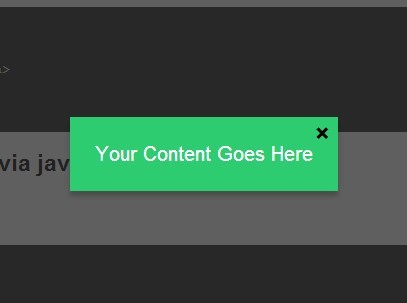
Helium Modal is a simple jQuery modal plugin helps you create responsive and fully stylable modal windows on your web pages.
Features:
- No required set widths
- Fully CSS stylable
- Recenters if size of modal changes
- Customizable show/hide animation
- Triggered through a link or javascript
How to use it:
1. Include the jQuery javascript library and the jQuery Helium Modal plugin at the end of the document.
<script src="//ajax.googleapis.com/ajax/libs/jquery/1.11.1/jquery.min.js"></script>
<script src="js/helium.mutate.js"></script>
<script src="js/helium.modal.js"></script>
2. Include the jQuery easing plugin after jQuery library for additional easing options.
<script src="//cdnjs.cloudflare.com/ajax/libs/jquery-easing/1.3/jquery.easing.min.js"></script>
3. Create the content for your modal.
<div id="demo" class="helium-modal"> <div class="modal"> content for modal <a href="" class="close x-button">×</a> </div> </div>
4. Create a button to open the modal windows.
<a href="" data-mid="demo">open modal</a>
5. Style your modal window via CSS.
/* === Essential styles === */

.helium-modal {
  position: absolute;
  top: 0;
  left: 0;
  width: 100%;
  background-color: rgba(0,0,0,0.6);
  z-index: 2000;
  display: none;
  color:#fff;
}

.helium-modal .modal {
  position: absolute;
  left: -9999px;
}

/* === customizable styles === */


.helium-modal .modal {
  background-color: #2ecc71;
  padding: 20px;
  box-shadow: 0 4px 4px rgba(0,0,0,0.2);
}

.helium-modal .modal a.x-button {
  position: absolute;
  top: 3px;
  right: 6px;
  font-weight: bold;
  font-family: Arial, Helvetica, sans-serif;
  text-decoration: none;
  font-size: 20px;
  line-height: 20px;
  color: #000;
}
5. Initialize the plugin as follows.
$(function() {
$('#demo').heliumModal({

// vertical position percentage
vert: 50,

// animation speed
speed: 500,

// easing options
easing: 'easeOutBounce',

// callback for custom JS when modal opens
onOpen: function(){ },

// callback for custom JS after modal is opened
afterOpen: function(){ },

// callback for custom JS when modal close
onClose: function(){ },

trapFocus: true

});
});
Change logs:
2016-03-16
- fixed stop bug
2016-03-03
- fix vertical centering issues
2016-02-24
- updated focus control functionality to fix jquery error
2015-03-31
- add afterOpen and focusControl
This awesome jQuery plugin is developed by Runeform. For more Advanced Usages, please check the demo page or visit the official website.