Tiny Multi-level Context Menu Plugin - jcontextmenu
| File Size: | 16.6 KB |
|---|---|
| Views Total: | 1038 |
| Last Update: | |
| Publish Date: | |
| Official Website: | Go to website |
| License: | MIT |
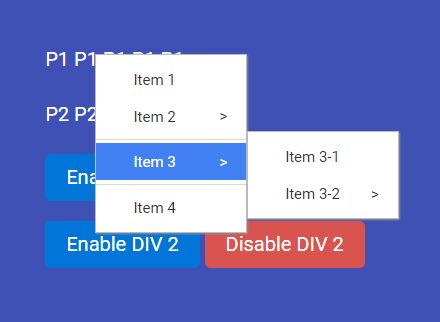
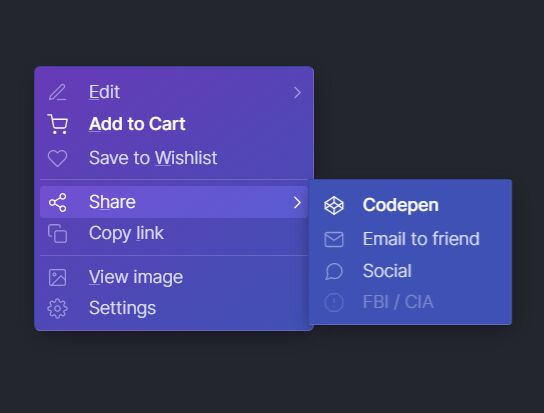
A lightweight, convenient jQuery context menu plugin which shows a dynamic, multi-level menu when you right click on a specific container. Also can be used to override the browser's right-click menu with a custom one of your own.
How to use it:
1. Load the style sheet jcontextmenu.css in the header of the html page that will provide the default CSS styles for the context menu.
<link href="jcontextmenu.css" rel="stylesheet">
2. Load jQuery library and the JavaScript file jcontextmenu.js at the end of the html page.
<script src="//code.jquery.com/jquery.min.js"></script>
<script src="jcontextmenu.js"></script>
3. Call the function on the target element and create you menu items as an array of JS objects as follows:
$('#el').jcontextmenu({
  menus: [
    { type: 'menuitem', id: 'menuitem1', text: 'Item 1', handler: function (event) { alert('You just clicked Item 1'); } },
    {
      type: 'menuitem', id: 'menuitem2', text: 'Item 2', submenus: [
        { type: 'menuitem', id: 'menuitem21', text: 'Item 2-1', handler: function (event) { alert('You just clicked Item 2-1'); } },
        { type: 'menuitem', id: 'menuitem22', text: 'Item 2-2', handler: function (event) { alert('You just clicked Item 2-2'); } }
      ]
    },
    { type: 'separator' },
    {
      type: 'menuitem', id: 'menuitem3', text: 'Item 3', submenus: [
        { type: 'menuitem', id: 'menuitem31', text: 'Item 3-1', handler: function (event) { alert('You just clicked Item 3-1 '); } },
        {
          type: 'menuitem', id: 'menuitem32', text: 'Item 3-2', submenus: [
            { type: 'menuitem', id: 'menuitem321', text: 'Item 3-2-1', handler: function (event) { alert('You just clicked Item 3-2-1 '); } },
            { type: 'menuitem', id: 'menuitem322', text: 'Item 3-2-2', handler: function (event) { alert('You just clicked Item 3-2-2 '); } }
          ]
        }
      ]
    },
    { type: 'separator' },
    { type: 'menuitem', id: 'menuitem4', text: 'Item 4', handler: function (event) { alert('You just clicked Item 4'); } },
  ]
});
4. Callback functions available.
$('#el').jcontextmenu({
  onStart: function () { },
  onStop: function () { }
});
This awesome jQuery plugin is developed by caojianping. For more Advanced Usages, please check the demo page or visit the official website.