jQuery Multi Level Accordion Menu Plugin - Slight Submenu
| File Size: | 13.3 KB |
|---|---|
| Views Total: | 14737 |
| Last Update: | |
| Publish Date: | |
| Official Website: | Go to website |
| License: | MIT |
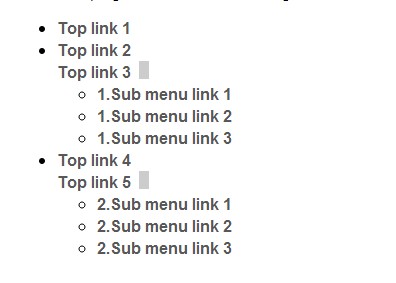
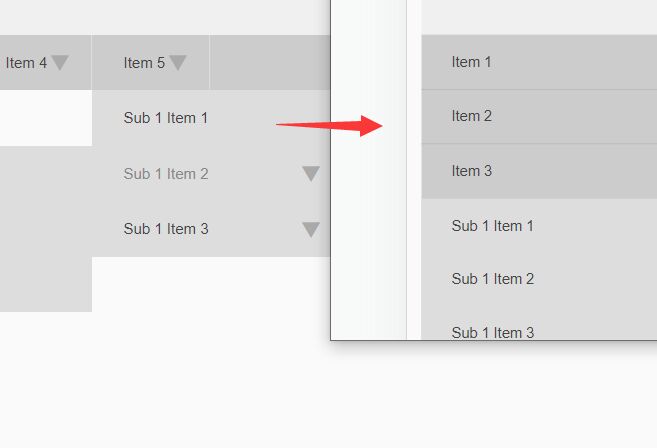
Slight Submenu is a jQuery accordion menu plugin that allows to expand/collapse sub menus with smooth transitions by using mouse events (click or mouse hover.)
Basic Usage:
1. Load the jQuery javascript library and jQuery slight submenu plugin in the page.
<script src="http://ajax.googleapis.com/ajax/libs/jquery/1.10.2/jquery.min.js"></script>
<script src="js/jquery.slight-submenu.min.js"></script>
2. Create a multi-level menu using nested ul lists.
<ul id="menu">
<li><a href="#">Top link 1</a></li>
<li><a href="#">Top link 2</a></li>
<li><a href="#">Top link 3</a>
<ul>
<li><a href="#">1.Sub menu link 1</a></li>
<li><a href="#">1.Sub menu link 2</a></li>
<li><a href="#">1.Sub menu link 3</a></li>
</ul>
</li>
<li><a href="#">Top link 4</a></li>
<li><a href="#">Top link 5</a>
<ul>
<li><a href="#">2.Sub menu link 1</a></li>
<li><a href="#">2.Sub menu link 2</a></li>
<li><a href="#">2.Sub menu link 3</a></li>
</ul>
</li>
</ul>
3. The CSS to style the menu toggle button.
.slight-submenu-master-ul {
position: relative;
}
.slight-submenu-button {
background: #ccc;
display: inline;
margin-left: 8px;
width: 10px;
height: 18px;
cursor: pointer;
position: absolute;
}
4. Initialize the accordion menu just by one JS call.
$('#menu').slightSubmenu();
5. Options and defaults.
$('#menu').slightSubmenu({
    buttonActivateEvents: 'click mouseenter',   // Space separated events string (just as you would use in a plain jQuery .on('events-string', ...) ) that activate the expand/collapse buttons
    buttonCloseNotSubmenuEvents: 'mouseenter',  // the events that should collapse a submenu are the same as the ones that open it - this option lets you specify those that should not be able to close it
    multipleSubmenusOpenedAllowed: true,    // pretty straighforward - if set to false, only a single submenu at a time can stay expanded
    prependButtons: false,  // this is where to put the buttons inside the parent LI - in the beginning (true) or just before the submenu UL (false)
    applyInlineCss: false,  // more control with javascript
    topUlClass: 'slight-submenu-master-ul', // class for the top most ul, holding the LIs with submenu ULs
    topLiClass: '', // class for the top UL LIs
    topLiWithUlClass: 'li-with-ul', // class for the LIs that hold an UL
    buttonClass: 'slight-submenu-button',   // class for the expand/collapse buttons
    buttonSubmenuOpenedClass: 'opened', // class for the button when its corresponding submenu is visible
    submenuUlClass: 'slight-submenu-ul',    // class for the
    directLiInlineCss: $.fn.slightSubmenu.defDirectLiInlineCss, // *InlineCss options hold js objects with css definitions (those options correspond to the elements we can attach classes to)
    submenuUlInlineCss: $.fn.slightSubmenu.defSubmenuUlInlineCss,
    topContainerInlineCss: $.fn.slightSubmenu.defTopContainerInlineCss,
    buttonInlineCss: $.fn.slightSubmenu.defButtonInlineCss,
    buttonActiveInlineCss: $.fn.slightSubmenu.defButtonActiveInlineCss,
    // callbacks that control the way the currently processed submenu is managed
    handlerButtonIn: $.fn.slightSubmenu.handlerButtonIn,    // receives a jQuery object (the $submenuUl) as an argument; makes the menu visible
    handlerForceClose: $.fn.slightSubmenu.handlerForceClose // receives a jQuery object (the $submenuUl) as an argument; hides the menu
    handlerGenerateButtonMarkup: $.fn.slightSubmenu.handlerGenerateButtonMarkup // allows for custom submenu button markup
});
Change log:
v1.1.0 (2014-03-23)
- update.
This awesome jQuery plugin is developed by velidar. For more Advanced Usages, please check the demo page or visit the official website.