Custom Top-Layer Context Menu Plugin for jQuery and JavaScript
| File Size: | 1.5 MB |
|---|---|
| Views Total: | 1 |
| Last Update: | |
| Publish Date: | |
| Official Website: | Go to website |
| License: | MIT |
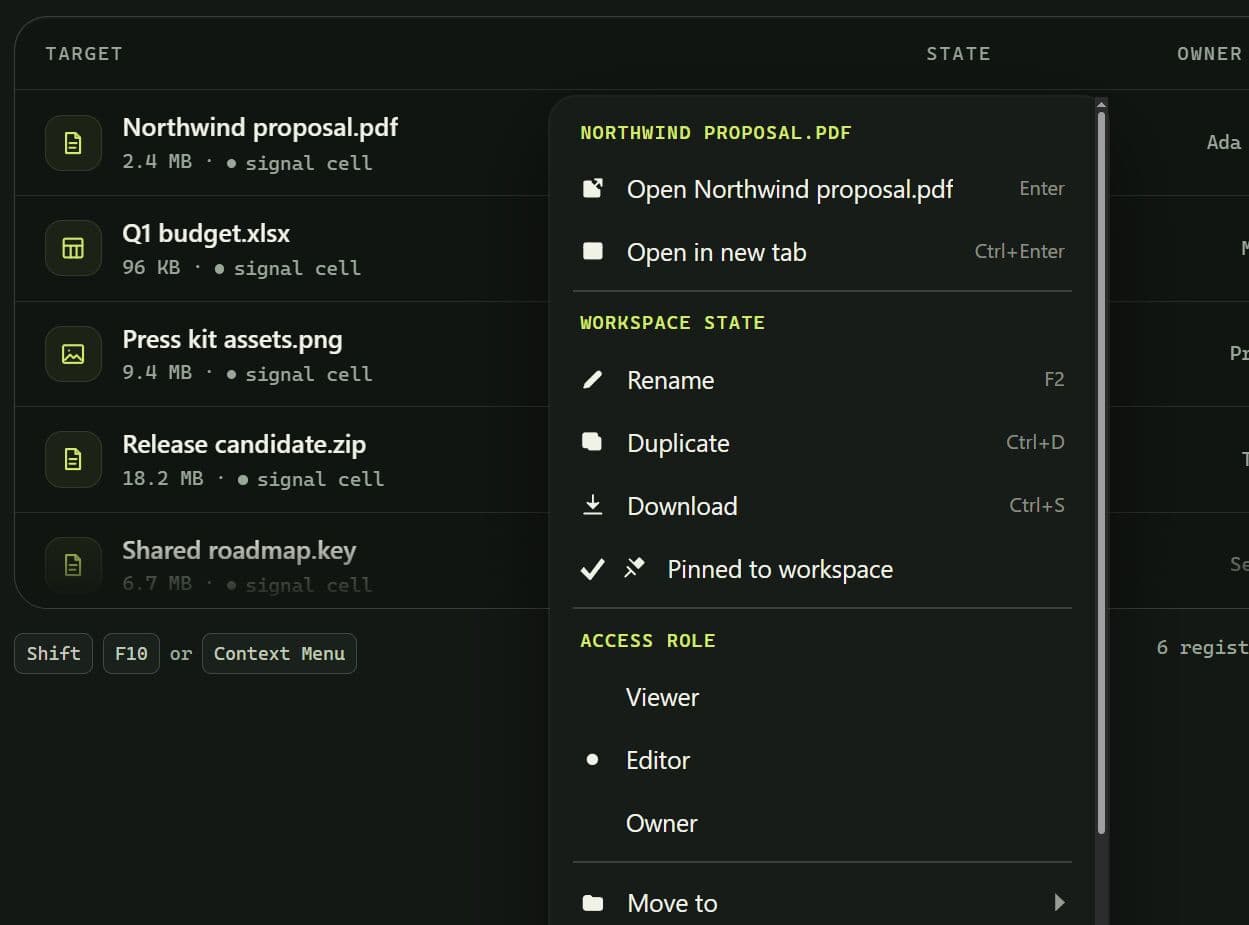
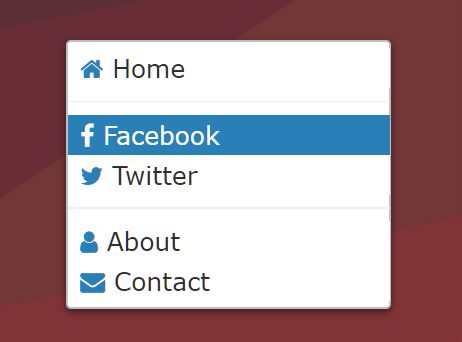
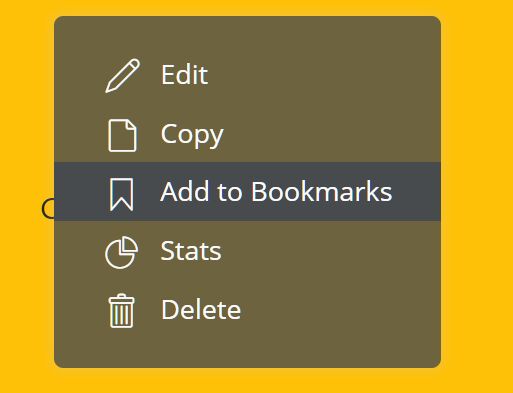
@ozankurt/context-menu is a JavaScript UI library that renders custom right-click context menus into the browser top layer.
The library mounts floating panels using the HTML Popover API to prevent container clipping from overflow: hidden, coordinate distortion from CSS transforms, and z-index collisions.
It runs as a zero-dependency TypeScript engine with dedicated adapters for jQuery, React, and Vue.
Features
- Zero runtime dependencies in the core library.
- jQuery, React, Vue, and vanilla JavaScript entry points.
- One delegated listener for selector-based menu registrations.
- Top-layer menu placement through the browser Popover API.
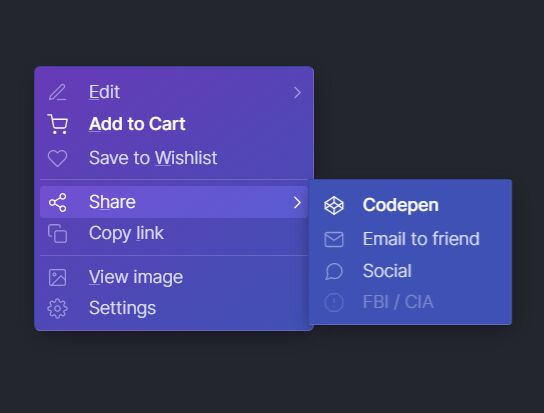
- Nested submenus with synchronous or asynchronous item lists.
- Standard actions, separators, headings, checkboxes, radio choices, and custom content.
- Keyboard navigation, type-ahead search, and touch long press.
- Conditional hidden and disabled actions from element metadata.
- Bubbling DOM events for framework-independent lifecycle handling.
- CSS custom properties, dark themes, RTL layout, and reduced-motion handling.
How To Use It
jQuery
Load the stylesheet first, followed by jQuery and the global context menu build.
<link
  rel="stylesheet"
  href="https://unpkg.com/@ozankurt/context-menu/dist/styles.css"
>

<script src="/path/to/cdn/jquery.min.js"></script>
<script src="https://unpkg.com/@ozankurt/context-menu/dist/context-menu.global.js"></script>
If jQuery loads after the context menu build, register the adapter once:
ContextMenu.registerJQueryPlugin(jQuery);
For package-based projects:
npm install @ozankurt/context-menu jquery
import $ from 'jquery';
import { registerJQueryPlugin } from '@ozankurt/context-menu/jquery';
import '@ozankurt/context-menu/styles.css';

registerJQueryPlugin($);
Basic Usage
Add the elements that should open the context menu:
<div
  class="document-row"
  data-document-id="42"
  data-title="Quarterly budget.xlsx"
  data-locked="false"
>
  Quarterly budget.xlsx
</div>

<div
  class="document-row"
  data-document-id="57"
  data-title="Contract.pdf"
  data-locked="true"
>
  Contract.pdf
</div>
Initialize the plugin:
$('.document-row').contextMenu({
  header: function (meta) {
    return meta.title;
  },

  items: [
    {
      label: 'Open',
      hint: 'Enter',
      action: function (meta) {
        console.log('Open document', meta.documentId);
      }
    },
    {
      label: 'Rename',
      disabled: function (meta) {
        return meta.locked === true;
      },
      action: function (meta) {
        console.log('Rename document', meta.documentId);
      }
    },
    { type: 'separator' },
    {
      label: 'Delete',
      variant: 'danger',
      disabled: function (meta) {
        return meta.locked === true;
      },
      action: function (meta) {
        console.log('Delete document', meta.documentId);
      }
    }
  ]
});
Open or destroy the menu programmatically when needed:
// Open at the element edge.
$('.document-row').contextMenu('open');

// Open at coordinates from a mouse event.
$('.document-row').contextMenu('open', event);

// Remove the registration.
$('.document-row').contextMenu('destroy');
Vanilla JavaScript
Browser Script
Load the CSS and global JavaScript build:
<link
  rel="https://unpkg.com/@ozankurt/context-menu/dist/styles.css"
>

<script src="https://unpkg.com/@ozankurt/context-menu/dist/context-menu.global.js"></script>
Add any elements you want to match:
<button
  class="project-row"
  type="button"
  data-id="12"
  data-name="Client Portal"
  data-locked="false"
>
  Client Portal
</button>
Create a menu and register a CSS selector:
var menu = ContextMenu.createContextMenu();

menu.register({
  on: '.project-row',

  header: function (meta) {
    return meta.name;
  },

  items: [
    {
      label: 'Open project',
      action: function (meta) {
        console.log('Open project', meta.id);
      }
    },
    {
      label: 'Rename',
      disabled: function (meta) {
        return meta.locked === 'true';
      }
    },
    { type: 'separator' },
    {
      label: 'Delete',
      variant: 'danger',
      action: function (meta) {
        console.log('Delete project', meta.id);
      }
    }
  ]
});
Supply resolveMeta when application code needs typed values or richer state:
menu.register({
  on: '.project-row',

  resolveMeta: function (el) {
    return {
      id: Number(el.dataset.id),
      name: el.dataset.name,
      locked: el.dataset.locked === 'true'
    };
  },

  items: [
    {
      label: 'Rename',
      disabled: function (meta) {
        return meta.locked;
      }
    }
  ]
});
For one specific element, use attach():
var dispose = menu.attach(
  document.querySelector('#project-actions'),
  {
    items: [
      {
        label: 'Open settings',
        action: function () {
          openSettings();
        }
      }
    ]
  }
);

// Remove the registration later.
dispose();
npm
npm install @ozankurt/context-menu
import { createContextMenu } from '@ozankurt/context-menu';
import '@ozankurt/context-menu/styles.css';

const menu = createContextMenu();

menu.register({
  on: '.project-row',
  items: [
    {
      label: 'Open project',
      action: (meta) => console.log(meta.id)
    }
  ]
});
React
Install the package:
npm install @ozankurt/context-menu
Import the React hook and stylesheet:
import { useContextMenu } from '@ozankurt/context-menu/react';
import '@ozankurt/context-menu/styles.css';
Pass application data through meta and attach the returned ref to the element:
const menuConfig = {
  header: (project) => project.name,

  items: [
    {
      label: 'Open project',
      action: (project) => {
        console.log('Open', project.id);
      }
    },
    {
      label: 'Rename',
      disabled: (project) => project.locked
    },
    { type: 'separator' },
    {
      label: 'Delete',
      variant: 'danger',
      action: (project) => {
        console.log('Delete', project.id);
      }
    }
  ]
};

function ProjectRow({ project }) {
  const { ref } = useContextMenu(
    {
      ...menuConfig,
      meta: project
    },
    [project]
  );

  return (
    <button ref={ref} type="button">
      {project.name}
    </button>
  );
}
The hook also returns open and close for click buttons or keyboard-driven commands:
function ProjectActions({ project }) {
  const { ref, open, close } = useContextMenu(
    {
      ...menuConfig,
      meta: project
    },
    [project]
  );

  return (
    <button ref={ref} type="button" onClick={open}>
      Project actions
    </button>
  );
}
Wrap part of an application in ContextMenuProvider when it needs custom instance settings:
import { ContextMenuProvider } from '@ozankurt/context-menu/react';

function App() {
  return (
    <ContextMenuProvider
      options={{
        closeOnScroll: false,
        offset: { x: 4, y: 4 }
      }}
    >
      <ProjectList />
    </ContextMenuProvider>
  );
}
For TypeScript elements such as buttons, pass the element type when required:
const { ref } = useContextMenu<HTMLButtonElement>(
  {
    ...menuConfig,
    meta: project
  },
  [project]
);
Vue
Install the package:
npm install @ozankurt/context-menu
The Vue directive is the fastest setup for an element that already has its data object in the template.
<script setup>
import { vContextMenu } from '@ozankurt/context-menu/vue';
import '@ozankurt/context-menu/styles.css';

defineProps({
  project: Object
});

const projectMenu = {
  header: (project) => project.name,

  items: [
    {
      label: 'Open project',
      action: (project) => {
        console.log('Open', project.id);
      }
    },
    {
      label: 'Rename',
      disabled: (project) => project.locked
    },
    { type: 'separator' },
    {
      label: 'Delete',
      variant: 'danger',
      action: (project) => {
        console.log('Delete', project.id);
      }
    }
  ]
};
</script>

<template>
  <button
    type="button"
    v-context-menu="{ ...projectMenu, meta: project }"
  >
    {{ project.name }}
  </button>
</template>
Register the directive across the application with ContextMenuPlugin:
import { createApp } from 'vue';
import { ContextMenuPlugin } from '@ozankurt/context-menu/vue';
import '@ozankurt/context-menu/styles.css';

import App from './App.vue';

createApp(App)
  .use(ContextMenuPlugin, {
    closeOnScroll: false
  })
  .mount('#app');
The composable works when menu registration is not tied directly to directive markup:
import { ref } from 'vue';
import { useContextMenu } from '@ozankurt/context-menu/vue';

const projectButton = ref(null);

const {
  open,
  close,
  dispose
} = useContextMenu(
  {
    items: projectMenu.items
  },
  {
    target: projectButton
  }
);
Use on in the second argument for delegated selector binding:
useContextMenu(
  {
    items: projectMenu.items
  },
  {
    on: '.project-row'
  }
);
Configuration Options
ContextMenu Instance Options
root(HTMLElement | Document): Delegation root. Default:document.offset({ x: number, y: number }): Horizontal and vertical distance from the anchor. Default:{ x: 2, y: 2 }.closeOnScroll(boolean): Closes the menu when an ancestor of the trigger scrolls. Default:true.longPress(number | false): Touch hold delay in milliseconds. Default:500.className(string): Extra classes applied to panels created by the instance.zIndexFallback(number): Fixed-position fallback z-index when Popover is unavailable. Default:2147483000.
Core Menu Definition
on(string): Delegated CSS selector.items(Item[] | ItemsResolver): Menu items or a synchronous/asynchronous resolver.resolveMeta((el, event) => Meta): Builds metadata when the menu opens.header(string | (meta, ctx) => string): Text above the item list.class(string | string[]): Custom classes applied to the panel.variant(string): Panel-leveldata-variantvalue.offset({ x: number, y: number }): Per-menu offset override.priority(number): Resolves definitions that match the identical element.
Adapter Fields
React, Vue, and jQuery can pass application objects through:
meta(Record<string, unknown>): Object passed directly to predicates, labels, and actions.
The jQuery adapter also accepts:
instance(ContextMenu): Registers elements on a specific ContextMenu instance.
The Vue plugin accepts:
directiveName(string): Global directive name. Default:'context-menu'.instance(ContextMenu): Reuses an existing ContextMenu instance.
The Vue composable binding accepts:
target(HTMLElement | Ref | getter): Element used for direct binding.on(string): Delegated selector.instance(ContextMenu): ContextMenu instance used for registration.
Menu Item Options
label(string | predicate): Item text.type('item' | 'separator' | 'header' | 'checkbox' | 'radio' | 'custom'): Item type.icon(string): Icon class list or trusted markup.variant(string): Item-level variant.class(string | string[]): Custom item classes.hint(string): Right-aligned helper text.disabled(boolean | predicate): Keeps the item visible and blocks activation.hidden(boolean | predicate): Removes the item.action(function): Runs after selection and menu closure.items(Item[] | ItemsResolver): Defines a submenu.id(string): Application item identifier.checked(boolean | predicate): Checkbox state.group(string): Metadata key for radio items.value(unknown): Radio value compared against the group value.render(function): Returns anHTMLElementor trusted HTML string for a custom item.
API Methods
// Create a ContextMenu instance.
var menu = ContextMenu.createContextMenu({
  offset: { x: 4, y: 4 }
});

// Create an instance through the class.
var secondMenu = new ContextMenu.ContextMenu({
  longPress: 650
});

// Register a delegated definition.
// Returns a disposer.
var disposeRegistration = menu.register({
  on: '.record-row',
  items: [
    { label: 'Open record' }
  ]
});

// Attach one element.
// Returns a disposer.
var disposeElement = menu.attach(
  document.querySelector('#record-17'),
  {
    items: [
      { label: 'Edit record' }
    ]
  }
);

// Open a menu.
// Returns Promise<void>.
menu.open(
  { x: 180, y: 120 },
  {
    on: '.record-row',
    items: [
      { label: 'Open record' }
    ]
  },
  document.querySelector('.record-row')
);

// Close the active menu.
// Default reason: "api".
menu.close();

// Subscribe to an event.
// Returns an unsubscribe function.
var offOpen = menu.on('open', function (event) {
  console.log(event.meta);
});

// Read the open state.
console.log(menu.isOpen);

// Destroy the instance.
menu.destroy();

// Remove registrations or subscriptions.
disposeRegistration();
disposeElement();
offOpen();

// Install the jQuery adapter manually.
ContextMenu.registerJQueryPlugin(jQuery);

// jQuery adapter commands.
$('.record-row').contextMenu({
  items: [
    { label: 'Open record' }
  ]
});

$('.record-row').contextMenu('open');
$('.record-row').contextMenu('open', event);
$('.record-row').contextMenu('destroy');
Events
document.addEventListener('ctxmenu:beforeopen', function (e) {
  console.log(e.detail.meta);
});

document.addEventListener('ctxmenu:beforeitems', function (e) {
  console.log(e.detail.items);
});

document.addEventListener('ctxmenu:open', function (e) {
  console.log(e.detail.el, e.detail.meta);
});

document.addEventListener('ctxmenu:highlight', function (e) {
  console.log(e.detail.item);
});

document.addEventListener('ctxmenu:submenu:open', function (e) {
  console.log(e.detail.item);
});

document.addEventListener('ctxmenu:submenu:close', function (e) {
  console.log(e.detail.item);
});

document.addEventListener('ctxmenu:select', function (e) {
  console.log(e.detail.item);
});

document.addEventListener('ctxmenu:action', function (e) {
  console.log(e.detail.item);
});

document.addEventListener('ctxmenu:error', function (e) {
  console.error(e.detail.error);
});

document.addEventListener('ctxmenu:beforeclose', function (e) {
  console.log(e.detail.reason);
});

document.addEventListener('ctxmenu:close', function (e) {
  console.log(e.detail.reason);
});
jQuery code can listen to those events through .on():
$('.record-row').on('ctxmenu:open', function (e) {
  console.log(e.originalEvent.detail.meta);
});
Alternatives and Related Resources
- Feature-rich Custom jQuery Context Menu Plugin - contextMenu
- Simple jQuery & jQuery UI Right-Click Context Menu Plugin
- 10 Best Context Menus In jQuery And Pure JavaScript (2026 Update)
This awesome jQuery plugin is developed by OzanKurt. For more Advanced Usages, please check the demo page or visit the official website.
- Prev: Responsive Multi-Level Flyout Menu Plugin for Bootstrap 5
- Next: None