Enhance HTML Anchor Tags With AJAX & Dialogs - jQuery A+
| File Size: | 15.2 KB |
|---|---|
| Views Total: | 86 |
| Last Update: | |
| Publish Date: | |
| Official Website: | Go to website |
| License: | MIT |
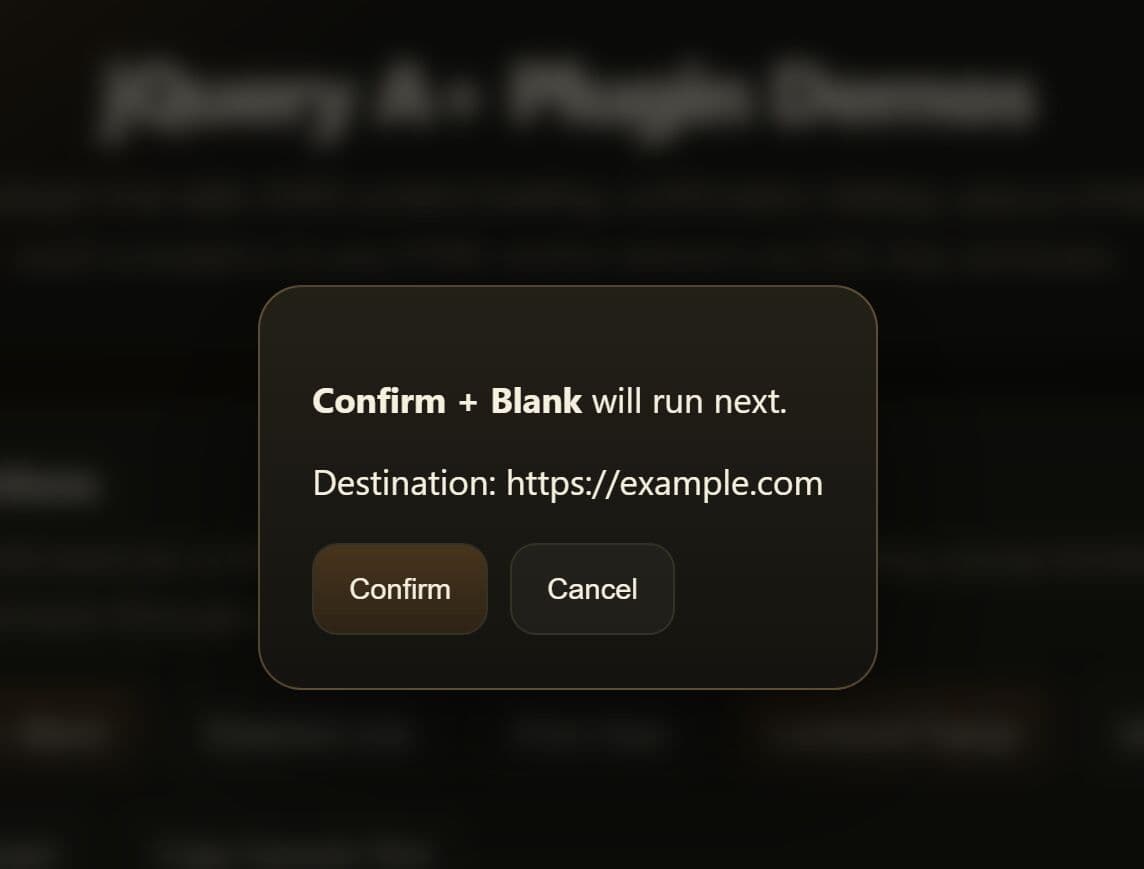
jQuery A+ is a jQuery plugin that extends the standard HTML <a> tag with AJAX content loading, confirmation dialogs, popup windows, inline dialogs, animated scrolling, server notifications, and clipboard copy.
It reads all behavior from CSS class names applied directly to anchor elements, so you need no custom JavaScript event binding on individual links.
Features:
- Loads remote URL content into the full page body or a specific container element via AJAX.
- Retrieves a named section of a remote page and injects only that portion into the target container.
- Prompts users for confirmation before following a link, with support for native browser, HTML5 dialog element, or jQuery UI dialog styles.
- Opens links in popup windows with configurable width, height, screen position, and scrollbar visibility.
- Displays linked content inside an inline dialog overlay in standard, full-page, or modal mode.
- Fires a background GET request to a URL and shows the server response as a dismissible timed notification.
- Scrolls the page to an anchor target with configurable animation speed and vertical offset correction.
- Copies the plain text content of a page element to the clipboard on click.
- Disables anchor tags and shows an optional alert message when a user clicks a disabled link.
- Triggers the browser's native print dialog from any anchor element.
- Opens a link inside a named HTML frame target.
- Slides or toggles the visibility of any page element targeted by the anchor's href.
Use Cases:
- Admin dashboards that fetch edit forms dynamically inside modal windows.
- Article archives that load next page content into the current viewport.
- Download buttons that open a centered popup window for third-party assets.
- Navigation menus that scroll smoothly to anchor sections on long landing pages.
How to Use It:
1. Download and include the jquery.Aplus.js script after the latest jQuery library.
<script src="/path/to/cdn/jquery.min.js"></script>
<script src="/path/to/jquery.Aplus.js"></script>
2. Initialize the plugin.
// Enable A+ features for all anchor tags inside the page body.
// Any <a> tags added to the DOM after this call are also covered.
$('body').Aplus();

// Or initialize on a specific element with custom options
$('#action-link').Aplus({
  confirmType: 'html5', // Use the HTML5 <dialog> element for confirmation prompts
  scroll: { offsetY: 90 } // Compensate for a 90px fixed header when scrolling
});
3. Apply CSS Classes to your anchor links. The plugin reads all behavior from class names on <a> elements. No JavaScript event binding per element is necessary.
ajax: Replaces the page content with the URL response through AJAX.ajax-to-element_id: Replaces the content of the target element through AJAX.ajax-from-element_id: Extracts one element from the remote page and uses that content.blank: Opens the link in a new tab or window.confirm: Requests user confirmation through the default browser confirm box.confirm-html5: Uses the HTML5<dialog>element for confirmation.confirm-ui: Uses a jQuery UI dialog for confirmation.confirm-mask-element_id: Uses the target element as the confirmation message template.copy: Copies raw text from the element referenced inhref.dialog: Opens the link in a dialog through an iframe.dialog-ajax: Opens a dialog and fills it through AJAX.dialog-full: Expands the dialog to page size.dialog-modal: Opens the dialog in modal mode.dialog-w-value: Sets dialog width in pixels or percent.dialog-h-value: Sets dialog height in pixels or percent.dialog-l-value: Sets dialog left position in pixels.dialog-t-value: Sets dialog top position in pixels.dialog-option-value: Passes one jQuery UI dialog option through class syntax.disabled: Disables the link.frame: Opens the link in a named frame.frame-framename: Uses the specified frame name.notify: Sends an AJAX GET request and shows the response.notify-dialog: Shows the notification in a dialog box.notify-life: Sets notification lifetime in seconds.notify-type: Sets notification type. Valid values are empty ordialog.parent: Opens the link in the parent frame.print: Prints the current window.scroll: Animates scrolling for anchor links.scroll-speed-value: Sets scroll speed.scroll-offsetY-value: Adds Y offset to the final scroll target.self: Opens the link in the same frame.win: Opens the link in a popup window.win-center: Centers the popup window.win-fullpage: Matches the popup size to the page.win-fullscreen: Matches the popup size to the screen.win-width-value: Sets popup width in pixels or percent.win-height-value: Sets popup height in pixels or percent.win-left-value: Sets popup left position in pixels.win-top-value: Sets popup top position in pixels.win-scrollbars: Shows popup scrollbars.win-toolbar: Shows popup toolbar.
<!-- Load the linked page via AJAX, replacing the full page body -->
<a href="product-list.html" class="ajax">Reload Content</a>

<!-- Load AJAX content into a specific container by its ID -->
<a href="product-list.html" class="ajax-to-results">Load Into #results</a>

<!-- Load only #summary from the remote page into #results -->
<a href="product-list.html" class="ajax-to-results ajax-from-summary">Load Partial</a>

<!-- Ask for confirmation before following the link (uses native browser dialog) -->
<a href="delete-item.html" class="confirm" title="This action cannot be undone. Continue?">Delete Item</a>

<!-- Use the HTML5 <dialog> element for confirmation -->
<a href="archive-item.html" class="confirm-html5" title="Archive this record?">Archive</a>

<!-- Open a link in a new browser tab -->
<a href="report.html" class="blank">Open Report</a>

<!-- Open in a centered popup window, 800x600 pixels -->
<a href="preview.html" class="win-center win-width-800 win-height-600">Preview</a>

<!-- Open link content inside an inline HTML5 dialog overlay -->
<a href="user-details.html" class="dialog" title="User Profile">View Details</a>

<!-- Fetch link content via AJAX and show it inside a dialog overlay -->
<a href="order-summary.html" class="dialog-ajax" title="Order Summary">View Order</a>

<!-- Smooth-scroll to an anchor, offsetting 80px for a fixed nav bar -->
<a href="#faq-section" class="scroll scroll-speed-400 scroll-offsetY-80">Jump to FAQ</a>

<!-- Copy the text content of #coupon-code to the clipboard -->
<a href="#coupon-code" class="copy">Copy Coupon Code</a>

<!-- Disable the link and show the title as an alert on click -->
<a href="feature.html" class="disabled" title="This feature is coming soon.">Locked Feature</a>

<!-- Trigger the browser's native print dialog -->
<a href="#" class="print">Print This Page</a>

<!-- Fetch a URL in the background and show the server response as a notification -->
<a href="add-to-watchlist.php?id=42" class="notify-dialog">Add to Watchlist</a>
4. All available plugin options.
prefix(string): A prefix added to all recognized class names. Use this to avoid naming conflicts with existing CSS in your project.confirm(string): The default confirmation message displayed when a user clicks a confirm-type link.confirmType(string|function): Sets the UI style for confirmation prompts. Accepts'html5'for the native HTML5<dialog>tag,'ui'for a jQuery UI modal, or a custom inline function.disabledMsg(string|boolean): Controls the message shown on clicking a disabled link. Set tofalseto suppress the alert entirely.dialogType(string): Sets the global dialog element type. Accepts'html5'or'ui'. Default:'html5'.dialogCloseIcon(string|boolean): Sets the text of the close button inside HTML5 dialogs. Set tofalseto hide the button.dialog.dialogClass(string): The CSS class applied to dialog elements created by the plugin.dialog.width(number): Default dialog width in pixels.dialog.height(number): Default dialog height in pixels.ajax.loadMsg(string): Message displayed inside a container while an AJAX request is active.scroll.speed(number): Duration of the animated scroll in milliseconds.scroll.offsetY(number): Vertical offset in pixels added to the final scroll destination. Useful for fixed-header layouts.win.width(number): Default popup window width in pixels.win.height(number): Default popup window height in pixels.win.scrollbars(number): Shows or hides scrollbars in popup windows.1shows them,0hides them.win.toolbar(number): Shows or hides the browser toolbar in popup windows.1shows it,0hides it.win.left(number): Left position of the popup window in pixels.win.top(number): Top position of the popup window in pixels.win.check(boolean): Adds aDISABLEDclass to the anchor during popup window loading to block repeated clicks.notify.life(number): Duration the notification stays visible, in seconds.notify.type(string|null): Notification display type. Accepts'dialog'for an overlay notification, ornullfor a native browser alert.notify.width(number): Width of the notification dialog in pixels.notify.height(string|number): Height of the notification dialog.notify.top(number): Top position of the notification dialog in pixels.notify.right(number): Right position of the notification dialog in pixels.notify.bg(string): Background color of the notification dialog as a hex string.
$('body').Aplus({
  prefix: '',
  win: {
    width: 400,
    height: 400,
    scrollbars: 0,
    toolbar: 0,
    check: true
  },
  confirm: 'Are you sure you want to open the link?',
  confirmType: false,
  disabledMsg: 'alert',
  scroll: {
    speed: 300,
    offsetY: 0
  },
  notify: {
    life: 3,
    type: null,
    width: 300,
    height: 'auto',
    bg: '0003',
    top: 10,
    right: 10
  },
  dialog: {
    dialogClass: 'japlus',
    width: 300,
    height: 150
  },
  dialogType: 'html5',
  dialogCloseIcon: 'X',
  ajax: {
    loadMsg: 'loading ...'
  }
});
5. Event handlers.
// Fires on the <a> element when an AJAX request completes successfully.
// data.response contains the full response content from the server.
$('#load-link').on('ajaxComplete.aplus', function(e, data) {
  console.log('Content loaded:', data.response);
});

// Fires on the target container element after AJAX content is injected into it.
// data.obj is the HTML element that received the new content.
$('#content-panel').on('ajaxToComplete.aplus', function(e, data) {
  console.log('Container updated:', data.obj);
});

// Fires on the <a> element when an AJAX request fails.
// data.textStatus and data.errorThrown describe the failure.
$('#load-link').on('ajaxError.aplus', function(e, data) {
  console.error('Request failed:', data.textStatus, data.errorThrown);
});

// Fires when the AJAX response does not contain the expected target element
// (used with the ajax-from feature). data.response contains the raw response.
$('#load-link').on('ajaxMismatch.aplus', function(e, data) {
  console.warn('Target element not found in response:', data.response);
});

// Fires on the <a> element when the HTML5 <dialog> overlay opens.
$('#dialog-link').on('dialogShow.aplus', function() {
  console.log('Dialog is now visible.');
});
6. Mask tags let you insert dynamic values from anchor attributes directly into confirmation message templates. Place them inside any element referenced by a confirm-mask class.
[href]is replaced with the value of the anchor'shrefattribute.[text]is replaced with the visible text content of the anchor element.[title]is replaced with the value of the anchor'stitleattribute.
<!-- A confirmation message template stored in a hidden element -->
<div id="remove-msg" style="display:none;">
  You are about to navigate to <strong>[href]</strong>.
  The link text reads "<em>[text]</em>". Proceed?
</div>

<!-- The anchor references the template using confirm-mask followed by the element ID -->
<a href="/team/remove/17" class="confirm confirm-mask-remove-msg" title="Remove Team Member">Remove</a>
FAQs:
Q: Can I use jQuery A+ with anchor tags that are added to the DOM dynamically after page load?
A: Yes. Initialize the plugin on a stable parent container: $('body').Aplus(). Event delegation means the plugin automatically processes any anchor added to that container later.
Q: How do I set a custom confirmation message for a specific link?
A: Set the title attribute on the anchor element. The plugin reads title as the per-link confirmation message and removes the attribute temporarily to suppress the native browser tooltip during hover.
Q: I clicked an AJAX link a second time and got the same cached content. How do I force a fresh request?
A: The plugin stores AJAX responses in hidden div elements inside the target container and reuses them on subsequent clicks. To force a fresh request, remove the cached child element from the container before clicking the link again. Target it by its data-rel attribute, which matches the ID of the source anchor.
Q: Can I namespace the plugin's class names to avoid conflicts with my CSS framework?
A: Yes. Pass a prefix string when initializing: $('body').Aplus({ prefix: 'ap-' }). Then write class names like ap-confirm, ap-blank, and ap-dialog in your HTML.
This awesome jQuery plugin is developed by andreaval. For more Advanced Usages, please check the demo page or visit the official website.