jQuery Plugin To Create Toggleable Font Awesome Icons - Fatoggle
| File Size: | 4.15 KB |
|---|---|
| Views Total: | 2542 |
| Last Update: | |
| Publish Date: | |
| Official Website: | Go to website |
| License: | MIT |
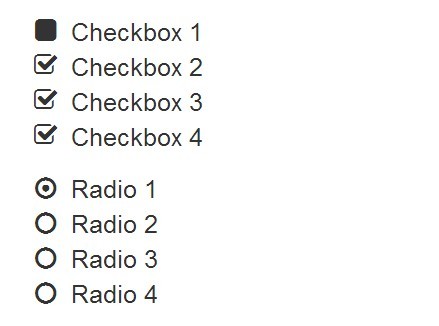
Fatoggle is a lightweight jQuery plugin which allows you to toggle Font Awesome icons with click events for UI controls (e.g. video/audio players, checkboxes, radio buttons, etc).
How to use it:
1. Load Font Awesome icon font in the document's head section.
<link href="//netdna.bootstrapcdn.com/font-awesome/4.2.0/css/font-awesome.min.css" rel="stylesheet" >
2. Load jQuery library and the jQuery fatoggle plugin at the bottom of the document.
<script src="//ajax.googleapis.com/ajax/libs/jquery/1.11.2/jquery.min.js"></script>
<script src="fatoggle.js"></script>
3. Call the plugin on the target element and set the toggle-on/toggle-off Font Awesome icons.
$('#demo').fatoggle(['fa-play','fa-pause'],OPTIONS);
4. Available options.
$('#demo').fatoggle(['fa-play','fa-pause'],{

// Font awesome icons used in unordered lists,
// True will toggle as radio buttons
// False allows multiple selections.
radio: fales,

// Array of optional font awesome classes to add to selector.
classes: ['fa-lg','fa-inverse'],

// Array of optional font awesome classes to be added when in the toggle on state.
onClasses: null

// Called in toggle on state.
toggleOn: null,

// Called in toggle off state.
toggleOff: null

});
This awesome jQuery plugin is developed by phoxoey. For more Advanced Usages, please check the demo page or visit the official website.