Responsive Flexible Table Plugin For jQuery - flex-table
| File Size: | 5.15 KB |
|---|---|
| Views Total: | 1818 |
| Last Update: | |
| Publish Date: | |
| Official Website: | Go to website |
| License: | MIT |
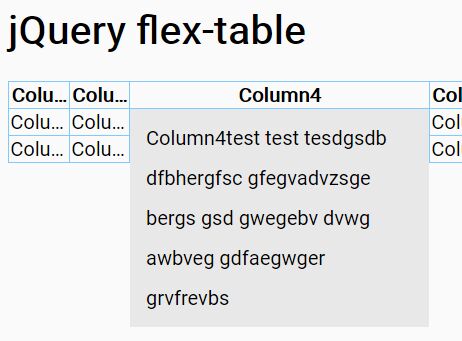
flex-table is a responsive, flexible table jQuery plugin that automatically & smoothly expands the table cells containing long content to show the full content on click or tap.
How to use it:
1. Include the flex-table plugin's CSS file in the header of the web page.
<link rel="stylesheet" href="table.css">
2. Create an html table as this:
<table class="flex_table" id="demo">
  <tr class="table-header">
    <th name = "Column1" data-priority="2">Column1</th>
    <th name = "Column2" data-priority="5">Column2</th>
    <th name = "Column3" data-priority="4">Column3</th>
    <th name = "Column4" data-priority="3">Column4</th>
    <th name = "Column5" data-priority="1">Column5</th>
  </tr>
  <tr>
    <td name = "Column1">Column1 verawl faslngwelk vosdcnoisdv nwdenvoiavadslkvn asdlkfnklas hvasohowhf cdlkxvncasdl kvnaksdlg hklas jfsaldvnla fsdgnskladg alsdijvoxvs kgnkldfshli afjwefjwamgn sakd gvnsdklfjas dlfwa ogjsdnvla sngvkl</td>
    <td name = "Column2">Column2</td>
    <td name = "Column3">Column3</td>
    <td name = "Column4">Column4test test tesdgsdb dfbhergfsc gfegvadvzsge bergs gsd gwegebv dvwg awbveg gdfaegwger grvfrevbs</td>
    <td name = "Column5">Column5</td>
  </tr>
  <tr>
    <td name = "Column1">Column1</td>
    <td name = "Column2">Column2</td>
    <td name = "Column3">Column3</td>
    <td name = "Column4">Column4</td>
    <td name = "Column5">Column5</td>
  </tr>
</table>
3. Create a toggle control at the bottom of the html table.
<ul class="header_menu empty">
  <li class="header_menu_all"><input type="checkbox" name="all" checked="checked">
  <label class="pointer" for="all">All</label></li>
</ul>
4. Include the flex-table plugin's JavaScript after jQuery library.
<script src="//code.jquery.com/jquery.min.js"></script>
<script src="flex-table.js"></script>
5. Initialize the plugin on the html table and done.
var table = new FlexTable({
    table: "#demo",
    maxColNum: 6,
    headerMenu: ".header_menu",
    colgroup: ".table-header"
  });
table.initialize();
This awesome jQuery plugin is developed by Lsxj. For more Advanced Usages, please check the demo page or visit the official website.