Bootstrap 5 Markdown Editor with Preview - bs-markdown-editor
| File Size: | 120 KB |
|---|---|
| Views Total: | 197 |
| Last Update: | |
| Publish Date: | |
| Official Website: | Go to website |
| License: | MIT |
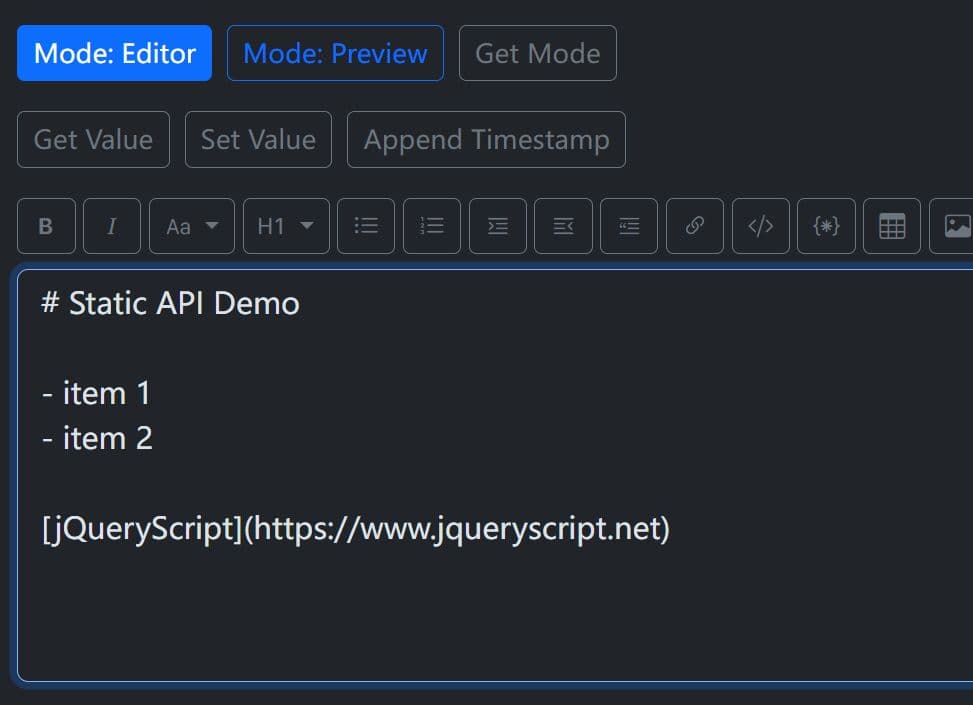
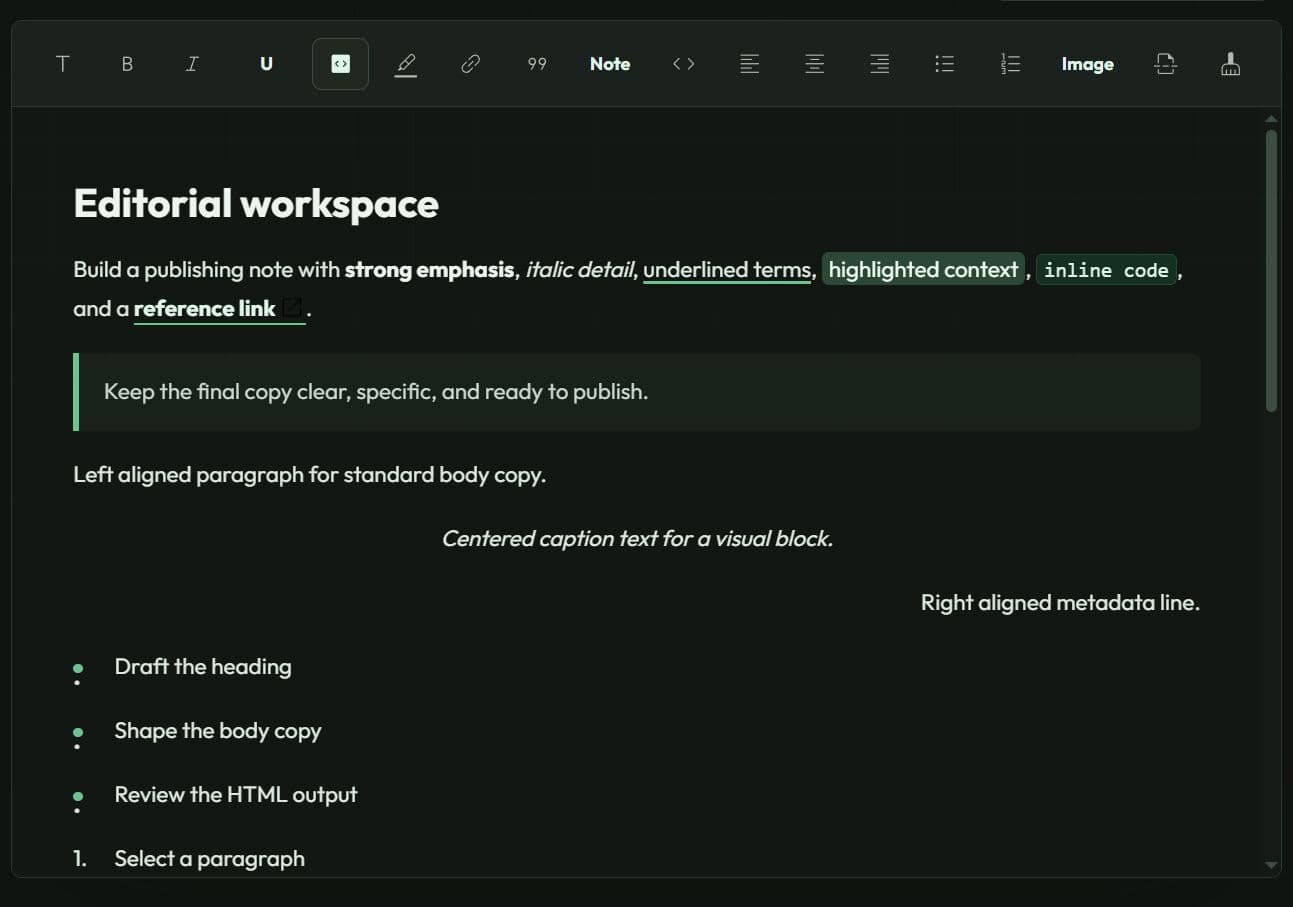
bs-markdown-editor is a jQuery/Bootstrap plugin that converts a regular textarea element into a full-featured markdown editor with a formatting toolbar and preview mode.
It also includes a built-in Markdown parser, a built-in preview renderer, plugin history for undo and redo, table insertion, task lists, and helper utilities for HTML to Markdown conversion.
Features:
- Bootstrap 5 styled editor UI.
- Live preview mode for Markdown content.
- Toolbar actions for formatting tasks.
- Heading, quote, list, and task list tools.
- Table insertion from a modal dialog.
- Undo and redo history inside the plugin.
- Custom toolbar action order and filtering.
- Language support for English and German.
- Translation overrides for labels and prompts.
- HTML to Markdown and Markdown to HTML helpers.
Use Cases:
- CMS article forms with Markdown editing and preview.
- Admin dashboards with notes, changelogs, and release text.
- Internal docs tools with task lists and tables.
- Bootstrap websites that need a textarea-based Markdown editor.
How to use it:
1. Load the necessary jQuery library, Bootstrap 5 framework, and Bootstrap Icons in your document.
<!-- Bootstrap 5 CSS -->
<link rel="stylesheet" href="/path/to/cdn/bootstrap.min.css">

<!-- Bootstrap Icons -->
<link rel="stylesheet" href="/path/to/cdn/bootstrap-icons.min.css">

<!-- jQuery -->
<script src="/path/to/cdn/jquery.min.js"></script>

<!-- Bootstrap 5 JS bundle (required for the table modal) -->
<script src="/path/to/cdn/bootstrap.bundle.min.js"></script>
2. Include the bs-markdown-editor plugin:
<!-- Local -->
<script src="/path/to/dist/bs-markdown-editor.min.js"></script>

<!-- From a CDN -->
<script src="https://cdn.jsdelivr.net/gh/webcito/bs-markdown-editor/dist/bs-markdown-editor.min.js"></script>
3. Call .bsMarkdownEditor() method on the target textarea element. The plugin wraps it in its own toolbar and preview structure automatically.
<textarea id="post-body" class="form-control"></textarea>
$('#post-body').bsMarkdownEditor({

  // Minimum editor height in pixels
  minHeight: 300,

  // Show the preview toggle button in the toolbar
  preview: true,

  // Open in editor mode by default
  mode: 'editor',

  // Use Bootstrap's small button size variant
  size: 'sm',

  // Apply a dark outline button style to all toolbar buttons
  btnClass: 'btn-outline-dark',

  // Only render these specific toolbar actions, in this order
  actions: ['bold', 'italic', 'heading', 'ul', 'ol', 'codeBlock', 'link', 'table', 'undo', 'redo', 'preview'],

  // more options here

});
4. Change labels, prompts, placeholders, modal text, and preview messages using the translations option.
$('#post-body').bsMarkdownEditor({

  translations: {
    placeholders: {
      defaultItem: 'List item'
    },
    prompts: {
      linkText: 'Link label',
      linkUrl: 'Destination URL',
      imageAlt: 'Image description',
      imageUrl: 'Image source'
    },
    modal: {
      tableTitle: 'Insert a table',
      rows: 'Rows',
      cols: 'Columns',
      insert: 'Add table'
    },
    preview: {
      empty: 'Preview will appear here.'
    }
  }

});
5. All configuration options.
minHeight(number): Sets the minimum editor height in pixels. This value applies to the textarea and acts as the lower bound for the preview pane. Default:220.preview(boolean): Shows or hides the preview toggle button in the toolbar. Set tofalseto remove preview access entirely. Default:true.mode('editor'|'html'|'preview'): Sets the display state immediately after initialization. Invalid values fall back to editor mode. Default:'editor'.resize(boolean|'vertical'|'both'): Enables or configs mouse-wheel resizing. Default:'false'.size('sm'|'lg'|null): Sets the Bootstrap button-group size for the toolbar. Maps tobtn-group-smorbtn-group-lg. Default:null.btnClass(string): The Bootstrap button class applied to every toolbar button. Accepts any validbtn-*utility class. Default:'btn-outline-secondary'.wrapperClass(string | null): Adds one or more class names to the outer editor wrapper element. Use this to apply spacing, borders, or per-instance theme hooks. Default:null.actions('all'| string[]): Filters the toolbar to a specific set of action keys.bold,italic,textStyles,heading,ul,ol,indent,outdent,quote,link,image,code,codeBlock,hr,taskList,table,undo,redo,preview. Default:'all'.lang(string): Sets the UI language. Bundled options are'de'(German) and'en'(English). Locale strings like'en-US'resolve to the base language code. Defaults to thelangattribute on the<html>element, falling back to'de'.translations(object): Deep-merges custom text overrides into the active language bundle. Use this to customize labels, prompts, placeholders, modal text, and preview messages for additional locales. Default:{}.
$('#post-body').bsMarkdownEditor({

  minHeight: 220,
  preview: true,
  mode: 'editor',
  resize: false,
  showStats: false,
  size: null,
  btnClass: 'border-0',
  wrapperClass: '',
  actions: 'all',
  customActions: {},
  lang: null,
  translations: {},
  shortcuts: {
    'bold': 'ctrl+b',
    'italic': 'ctrl+i',
    'ul': 'ctrl+l',
    'ol': 'ctrl+shift+o',
    'quote': 'ctrl+q',
    'code': 'ctrl+k',
    'link': 'ctrl+shift+l',
    'image': 'ctrl+shift+i',
    'codeBlock': 'ctrl+shift+k',
    'undo': 'ctrl+z',
    'redo': 'ctrl+y',
    'preview': 'ctrl+p',
    'hr': 'ctrl+h',
    'taskList': 'ctrl+shift+t',
    'toggleTask': 'ctrl+shift+m',
    'strikethrough': 'ctrl+shift+s',
    'underline': 'ctrl+alt+u',
    'subscript': 'ctrl+shift+b',
    'superscript': 'ctrl+shift+p',
    'heading1': 'ctrl+shift+1',
    'heading2': 'ctrl+shift+2',
    'heading3': 'ctrl+shift+3',
    'heading4': 'ctrl+shift+4',
    'heading5': 'ctrl+shift+5',
    'heading6': 'ctrl+shift+6',
    'callout': 'ctrl+shift+c',
    'details': 'ctrl+shift+d',
    'definitionList': 'ctrl+shift+u',
    'alignLeft': 'ctrl+alt+l',
    'alignCenter': 'ctrl+alt+c',
    'alignRight': 'ctrl+alt+r',
    'alignJustify': 'ctrl+alt+j'
  }

});
6. Available methods.
// Get the current Markdown string from the editor
const content = $('#post-body').bsMarkdownEditor('val');

// Set new content programmatically (triggers change events)
$('#post-body').bsMarkdownEditor('val', '## Draft Title\n\nStart writing here.');

// Get the current display mode — returns 'editor' or 'preview'
const currentMode = $('#post-body').bsMarkdownEditor('mode');

// Switch the editor to preview mode
$('#post-body').bsMarkdownEditor('mode', 'preview');

// Switch back to editor mode
$('#post-body').bsMarkdownEditor('mode', 'editor');

// Convert a Markdown string to HTML using the same renderer the preview pane uses
const html = $.bsMarkdownEditor.toHtml('## Release Notes\n\n- Fixed login bug\n- Improved table rendering');

// Convert HTML back to Markdown for common elements (headings, lists, links, tables, blockquotes, code)
const markdown = $.bsMarkdownEditor.toMarkdown('<h2>Release Notes</h2><ul><li>Fixed login bug</li></ul>');
7. Available events.
// Fires once after the plugin finishes initialization
$('#post-body').on('ready.bs.markdown-editor', function(e, payload) {
  console.log('Editor initialized in mode:', payload.mode);
  console.log('Initial content:', payload.value);
});

// Fires on any content change regardless of source (user input, toolbar action, or API call)
$('#post-body').on('change.bs.markdown-editor', function(e, payload) {
  console.log('Change triggered by:', payload.source); // 'user', 'toolbar', 'api', or 'history'
  console.log('Current value:', payload.value);
});

// Fires only when the user types directly into the textarea (not on programmatic updates)
$('#post-body').on('userChange.bs.markdown-editor', function(e, payload) {
  console.log('User input detected:', payload.value);
});

// Fires when the editor switches between editor and preview modes
$('#post-body').on('modeChange.bs.markdown-editor', function(e, payload) {
  console.log('Mode changed from', payload.previousMode, 'to', payload.mode);
  console.log('Triggered by:', payload.source); // 'toolbar', 'api', or 'init'
});

// Fires on every plugin event — useful for unified logging or debugging
$('#post-body').on('any.bs.markdown-editor', function(e, payload) {
  console.log('Plugin event:', payload.eventName, payload);
});
Alternatives:
FAQs:
Q: Can I replace the built-in Markdown renderer with marked.js or another parser?
A: No. The built-in parser is hardwired into the preview and static conversion methods.
Q: I set a value via the API but the preview still shows old content. What's happening?
A: The preview re-renders only when the editor switches into preview mode. Call $('#post-body').bsMarkdownEditor('mode', 'preview') after the val() call to trigger a fresh render.
Q: Can I add a language that isn't German or English?
A: Yes. Pass a translations object with your custom strings. The plugin deep-merges that object into the active language bundle.
Q: The table button does nothing when I click it. What's wrong?
A: The table action requires Bootstrap JS (bootstrap.Modal) to be present. Confirm the Bootstrap JS bundle loads before the plugin initializes. If Bootstrap JS is genuinely absent, the plugin falls back to inserting a plain 2×2 table template directly into the editor.
Changelog:
2026-06-05
- New event scroll.bs.markdown-editor triggered when the editor or HTML source is scrolled.
- Synchronized scrolling between editor/HTML source and live preview.
- Added new height option to set an initial editor height (default: 500px).
- Added alignment toolbar action.
- Added a custom .text-justify class to internal styles (missing in Bootstrap 5).
- Added keyboard shortcuts for text alignment: Ctrl+Alt+L, Ctrl+Alt+C, Ctrl+Alt+R, Ctrl+Alt+J.
- Added specific Bootstrap Icons for heading levels (H1-H6).
- Added a new editor toolbar action.
- Improved visual feedback for mode switcher buttons (Editor, HTML, Preview) using text-primary highlighting instead of background colors.
- Mode switching (Editor, HTML, Preview) now uses a consistent Button Group.
- Height management: switching modes preserves manual resizes.
- Bugfixes.
2026-06-04
- Improvements
2026-06-03
- Added built-in syntax highlighting for fenced code blocks with a language hint such as php, including preserved language-* classes in preview output.
- Added a small hoverable language badge to fenced code blocks with a language hint.
- Added optional image dimensions via the Markdown extension syntax {width=320 height=180}, rendered as attributes plus matching pixel styles for Bootstrap .img-fluid compatibility. Dimension values may be numeric pixels or auto.
- Added a Bootstrap image insertion modal for URL, alt text, and optional width/height values.
- Image and code block toolbar insertions now preserve block boundaries by adding line breaks when inserted next to existing content.
2026-05-30
- Added locale distribution files in `dist/locale/` for `en-US` and multiple European locales (with matching minified variants).
- i18n bootstrap was simplified to a single built-in English default translation.
- If present, preloaded `window.bsMarkdownEditorTranslations` now overrides built-in defaults.
- `settings.translations` remains the final override layer after preloaded locale data.
- Wrapper handling was hardened: plugin internals now always rely on `.bs-markdown-editor`, while `wrapperClass` is appended as additional class(es).
- Markdown table rendering now uses Bootstrap class `table` (without `table-sm`).
2026-04-28
- Bugfix
2026-04-18
- Add resize, styling, and dark mode options to Markdown editor
This awesome jQuery plugin is developed by ThomasDev-de. For more Advanced Usages, please check the demo page or visit the official website.