jQuery Time Picker with Hour and Minute Arrow Controls
| File Size: | 10.5 KB |
|---|---|
| Views Total: | 0 |
| Last Update: | |
| Publish Date: | |
| Official Website: | Go to website |
| License: | MIT |
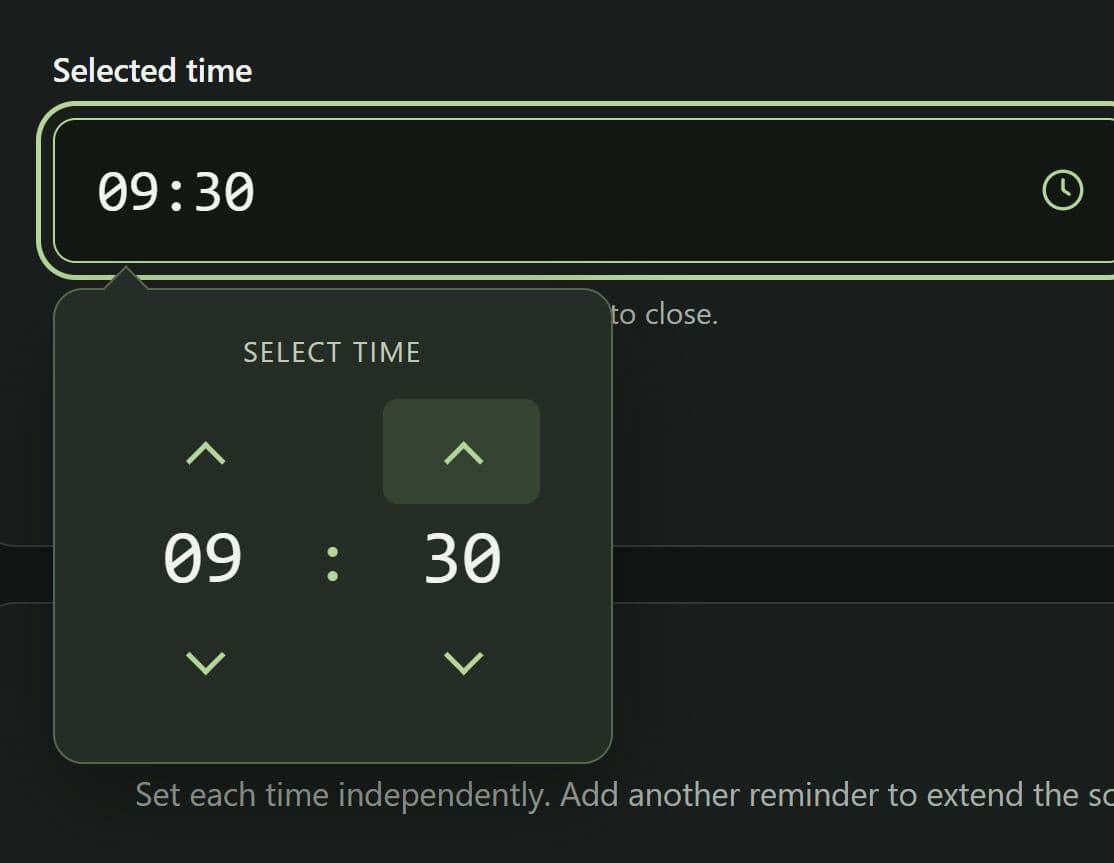
This is a lightweight jQuery time picker plugin that allows you to set hours and minutes with up/down controls on form fields.
Each arrow click updates the input and triggers its change event.
Features
- The popup opens beneath the selected input.
- Existing time values appear in the hour and minute controls.
- Hours and minutes wrap independently at their limits.
- Inputs added after page load open the picker when clicked.
- Clicking outside the input and popup closes the picker.
How To Use It
1. Download & load css/timepicker.css and js/timepicker.js in the HTML document. Add the custom-timepicker class to each time input. The script binds the picker when the DOM is ready.
<link rel="stylesheet" href="css/timepicker.css">
<script src="/path/to/cdn/jquery.min.js"></script>
<script src="js/timepicker.js"></script>
2. Add the custom-timepicker class to each time input. The script binds the picker when the DOM is ready.
<label for="shift-start">Shift start</label>
<input type="text" id="shift-start" name="shift_start"
       class="custom-timepicker" value="08:30" readonly autocomplete="off">

<label for="shift-end">Shift end</label>
<input type="text" id="shift-end" name="shift_end"
       class="custom-timepicker" placeholder="Select a time"
       readonly autocomplete="off">
3. The picker triggers the standard jQuery change event after each arrow click. A delegated listener can also capture changes from inputs added later.
$(document).on('change', '.custom-timepicker', function () {
  console.log(this.name + ': ' + this.value);
});
Alternatives And Related Resources
- User-friendly Time Picker Component - tui.time-picker
- User-friendly Time/Duration Picker In jQuery - fxtime.js
- Customizable jQuery Timepicker Plugin - timepicker
This awesome jQuery plugin is developed by imran44. For more Advanced Usages, please check the demo page or visit the official website.
- Prev: jQuery Relative Time Plugin for Human-Readable Dates - niceDate
- Next: None