Creating An Animated DNA Double Helix with jQuery and Canvas
| File Size: | 3.33KB |
|---|---|
| Views Total: | 5665 |
| Last Update: | |
| Publish Date: | |
| Official Website: | Go to website |
| License: | MIT |
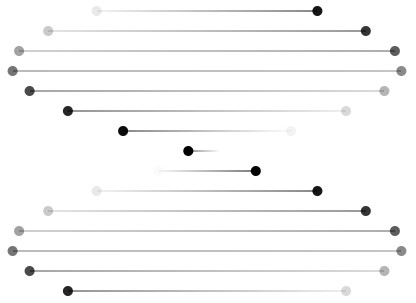
Double Helix is a small jQuery plugin for creating animated double helix structure of DNA by using HTML5 canvas element.
How to use it:
1. Load the jQuery javascript library and jQuery double helix plugin in the html document.
<script src="http://ajax.googleapis.com/ajax/libs/jquery/2.0.3/jquery.min.js"></script>
<script src="double-helix.jquery.js" type="text/javascript"></script>
2. Create a container where you would like to place the double helix.
<div id="demo"></div>
3. Initialize the plugin.
<script type="text/javascript">
$(window).ready(function() {
var canvas = $("<canvas />");
canvas.attr({ width: 400, height: $(document).height() });
$("#demo").append(canvas);
canvas.DoubleHelix();
});
</script>
4. Some options to customize the animation.
<script type="text/javascript">
$(window).ready(function() {
var canvas = $("<canvas />");
canvas.attr({ width: 400, height: $(document).height() });
$("#demo").append(canvas);
canvas.DoubleHelix({
fps: 24,
fgColor: "0,0,0",
bgColor: "transparent"
});
});
</script>
This awesome jQuery plugin is developed by phobetron. For more Advanced Usages, please check the demo page or visit the official website.