10 Best JavaScript Custom Cursor Libraries (2026)
JavaScript custom cursor libraries replace the browser's default mouse pointer with animated circles, trails, magnetic hover states, retro effects, and particle animations.
This list includes five jQuery options and five vanilla JavaScript options. Three of the jQuery entries also use GSAP. The vanilla JavaScript entries run without jQuery, and every item includes a live demo and download link.
Originally Published May 25 2022, updated Aug 09 2026
Table of contents:
- JavaScript Custom Cursor Library Comparison
- jQuery Custom Cursor Plugins
- Vanilla JS Cursor Libraries
- Custom Cursor Implementation Notes
- Alternatives And Related Resources
JavaScript Custom Cursor Library Comparison
| Library | Dependencies And Main Effects |
|---|---|
| Cursor & Magnetic | jQuery + GSAP. Cursor text, color and size states, sticky interactions, and magnetic effects. |
| serialCursor | jQuery + GSAP + Paper.js + simplex-noise.js. Animated circular pointer with configurable stroke, noise, pointer, and grab states. |
| Gooey Cursor | jQuery + CSS + SVG filters. Liquid blob-style cursor trail built from multiple pointer-following dots. |
| Custom Circle Cursor | jQuery + CSS. Two circular elements create a simple pointer and delayed trailing dot. |
| Interactive Cursor Effects | jQuery + GSAP. Custom cursor, magnetic button, and mouse-follower interactions. |
| oneko.js | Vanilla JavaScript + GIF asset. Animated kitten that runs toward the mouse pointer. |
| MagicMouse.js | Vanilla JavaScript. Circular pointer, hover effects, configurable outer ring, npm package, and mobile disable behavior. |
| 90's Cursor Move Effects | Vanilla JavaScript. Retro bubbles, emoji, fairy dust, snowflakes, rainbow trails, clocks, text flags, and character effects. |
| Pointer.js | Vanilla JavaScript. Circular pointer with configurable color, ring size, and click-ring size. |
| Cursorly.js | Vanilla JavaScript + Canvas. Custom icons, particle trails, emoji effects, custom effects, and runtime controls. |
Best jQuery Custom Cursor Plugins
Fancy Cursor Animations In jQuery & GSAP - Cursor & Magnetic
Cursor & Magnetic is a jQuery and GSAP cursor plugin with configurable cursor text, colors, sizes, opaque or exclusion states, and sticky or magnetic interactions. JavaScript methods and data attributes can change cursor states for individual elements.
Pretty Cool Animated Cursor With jQuery - serialCursor
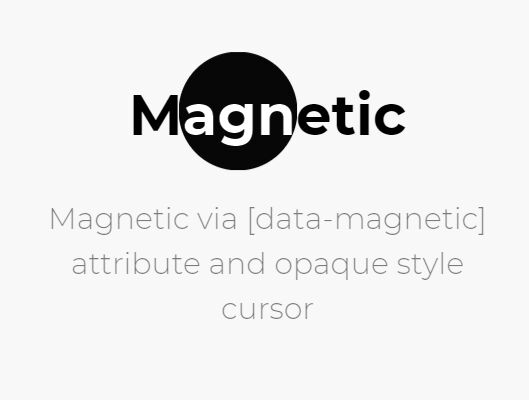
serialCursor uses jQuery, GSAP, Paper.js, and simplex-noise.js to render a continuously animated circular pointer. Its options control generated cursor markup, stroke color and width, noise settings, and pointer or grab states.
Fancy Gooey Cursor With jQuery, CSS3 And SVG Filters
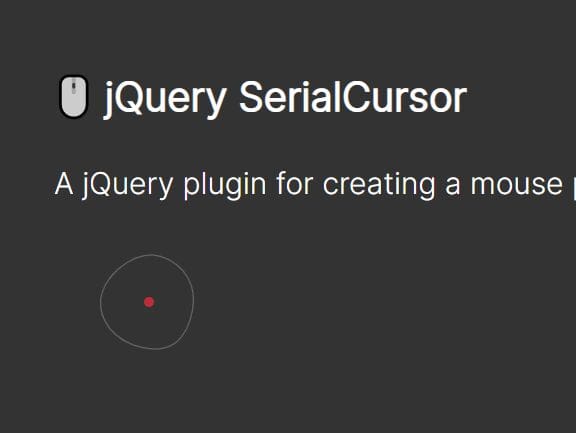
This gooey cursor combines jQuery, CSS, and SVG filters to create a liquid pointer trail. Multiple dots follow the mouse, and SVG blur plus color-matrix filters merge them into a connected blob effect.

Custom Circle Cursor With jQuery And CSS3
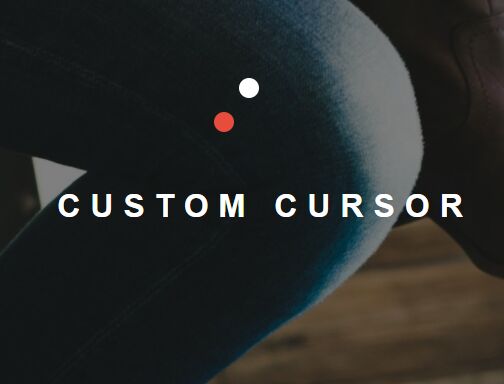
This small jQuery and CSS implementation replaces the native pointer with two circular elements. One dot tracks the current mouse position, and a second dot follows after a short delay to create the trailing effect.
Interactive Cursor Effects In jQuery And GSAP
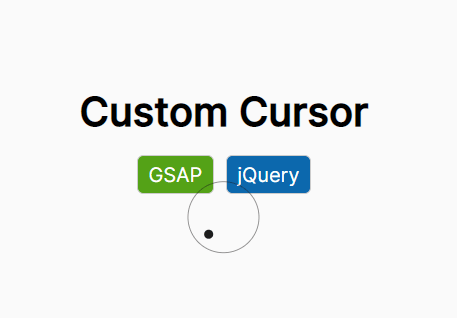
Interactive Cursor Effects contains three jQuery and GSAP examples: a custom cursor, a magnetic button, and a mouse follower. The custom cursor uses a circular outline and inner dot, and the other examples apply pointer-driven GSAP movement to page elements.
Best Vanilla JS Custom Cursor Libraries
Cat Follow Cursor Effect In JavaScript – oneko.js
oneko.js adds a small animated kitten that runs toward the mouse pointer after the cursor stops moving. The setup uses the JavaScript file and its companion oneko.gif sprite asset.

Creative Custom Cursor Library – MagicMouse.js
MagicMouse.js creates a circular pointer with configurable hover effects, outer-ring sizing, and cursor visibility controls. It supports direct browser files and npm installation. The library can restore the default cursor for selected elements and disables the custom cursor on mobile devices.

90’s Cursor Move Effects In Pure JavaScript
90’s Cursor Move Effects is a pure JavaScript collection of retro pointer animations such as bubbles, emoji, fairy dust, following dots, ghosts, snowflakes, trails, rainbows, clocks, text flags, and character cursors. Each effect loads as an individual script. The package also includes a template for custom effects, a destroy method, and support for prefers-reduced-motion.

Interactive Circle Cursor In JavaScript – Pointer.js
Pointer.js is a small vanilla JavaScript library that replaces the native mouse pointer with an inner pointer and surrounding ring. Its configuration covers the pointer color, ring size, and ring size used during click interactions.

Custom Cursor Library with Animated Particle Effects – Cursorly.js
Cursorly.js uses Canvas and requestAnimationFrame to render custom cursor icons, animated trails, emoji particles, and other effects from mouse movement.
Features:
- 40+ built-in cursor icons for replacing the standard pointer with preconfigured shapes.
- 15+ effect names for trails, sparkles, fireworks, neon effects, snowfall, and other particle animations.
- Emoji particles for hearts, stars, fire, snow, magic effects, and custom emoji characters.
- Custom effect settings for color, density, size, decay, and other particle properties.
- Runtime controls for enabling, disabling, and switching cursor or effect states.
- Canvas rendering for particle animations generated from mouse movement.
For touch-first layouts, initialize Cursorly.js only when the browser reports mouse or trackpad input.

Custom Cursor Implementation Notes
- Run mouse-following cursor effects on mouse and trackpad interfaces. Touch-first devices do not use the same persistent pointer model.
- Set decorative cursor layers to
pointer-events: nonewhen they sit above links, buttons, form controls, or selectable text. - Respect
prefers-reduced-motionfor continuous trails, rotations, particles, and follower animations. Add reduced-motion handling when a library does not include it. - Keep the native cursor available as a fallback for script failures, unsupported input devices, and controls that require precise pointer feedback.
- Retest links, text selection, form fields, drag interactions, and embedded content after hiding the browser cursor.
Alternatives And Related Resources
- jQuery Cursor Plugins
- JavaScript Cursor Libraries & Effects
- 10 Custom Cursor & Mouse Effects in JavaScript - mouse-animations
- Aura Cursor: Custom Mouse Effects for Modern Web Apps
- Interactive Cursor Animations For React/Next.js - Cursify
- 15 Best Hover Effect Libraries In JavaScript & CSS