10 Best WYSIWYG Editors For Easier Content Editing (2026 Update)
A WYSIWYG editor choice affects how users write, format, save, and reuse content inside a CMS, admin panel, comment system, documentation tool, or publishing workflow.
The best WYSIWYG editor for a jQuery project is often different from the best rich text editor for a modern JavaScript app, so the right pick depends on dependencies, output format, toolbar needs, media handling, and setup path.
This guide compares 10 WYSIWYG editors across jQuery plugins and Vanilla JavaScript libraries.
Use the comparison table first, then check the detailed notes to choose a simple textarea editor, a Bootstrap-friendly editor, a Markdown editor, a block editor, or a full rich text editing framework.
Workflow note: If you are drafting editable HTML content before cleaning it up in a WYSIWYG editor, this AI HTML generator may help create a starting structure.
Originally Published Sep 23 2019, updated May 19 2026
Table of contents:
- Comparison Table
- jQuery WYSIWYG Editors
- Vanilla JavaScript WYSIWYG Editors
- How to Choose
- FAQ
- Final Recommendation
- Related Resources
Comparison Table
| Library | Best For | Live Demo |
|---|---|---|
| RichText | Full toolbar editing in existing jQuery forms. | Live Demo |
| Trumbowyg.js | Semantic HTML editing with a compact jQuery setup. | Live Demo |
| summernote | Bootstrap-based editing with code view and plugins. | Live Demo |
| Simple Rich Text Editor | Small jQuery editors that export edited HTML. | Live Demo |
| EasyEditor | Textarea editing with instant preview. | Live Demo |
| Quill | Extensible rich text editing with Delta data. | Live Demo |
| Editor.js | Block-style content with JSON output. | Live Demo |
| TOAST UI Editor | Markdown and WYSIWYG editing in one editor. | Live Demo |
| SunEditor | Dependency-free JavaScript editing with plugins. | Live Demo |
| tiny-editor | Minimal pure JavaScript rich text controls. | Live Demo |
jQuery WYSIWYG Editors:
Minimal Rich Text Editor With jQuery And FontAwesome - RichText
Best For: jQuery forms that need a broad toolbar on top of textarea or input fields.
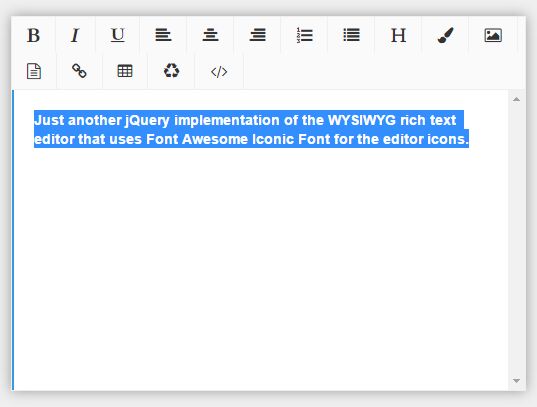
RichText is a jQuery WYSIWYG editor plugin that turns form fields into a toolbar-based rich text editor. It belongs near the top of this list for older jQuery admin screens that need formatting, links, media, tables, and source editing from one plugin.
Key Features:
- Runs as a jQuery plugin with the
.richText()method. - Uses Font Awesome icons for the editor toolbar.
- Supports bold, italic, underline, alignment, ordered lists, unordered lists, and headings.
- Includes font family, font size, text color, and background color controls.
- Supports image upload, file upload, video embed, URL insertion, and table insertion.
- Includes remove format and HTML code view controls.
- Supports npm, Yarn, and manual installation paths.
Recommended Use Case: Add a complete rich text editor to a jQuery-based CMS form, product description field, or internal admin panel.
Lightweight HTML5 WYSIWYG Editor Plugin For jQuery - Trumbowyg.js
Best For: jQuery projects that need a compact editor with clean HTML output and plugin support.
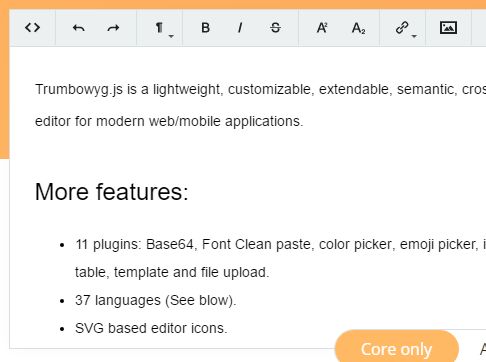
Trumbowyg.js is a jQuery WYSIWYG editor plugin focused on semantic HTML and a small editor footprint. It is a good choice when you want enough toolbar control for content fields but do not want a large editor package.
Key Features:
- Generates semantic HTML for common rich text content.
- Provides a configurable toolbar and API.
- Supports localization with many language files.
- Uses SVG editor icons.
- Provides plugins for colors, emoji, font family, font size, history, indent, media, tables, upload, templates, and more.
- Has known packages for AngularJS, Vue.js, React, Django, Ruby on Rails, Laravel, Symfony, and Yii 2.
Recommended Use Case: Use Trumbowyg.js for article excerpts, profile bios, lightweight CMS fields, and forms that need semantic HTML output.
Simple Extensible WYSIWYG Editor For Web - summernote
Best For: Bootstrap projects that need a familiar editor UI, code view, media dialogs, and callbacks.
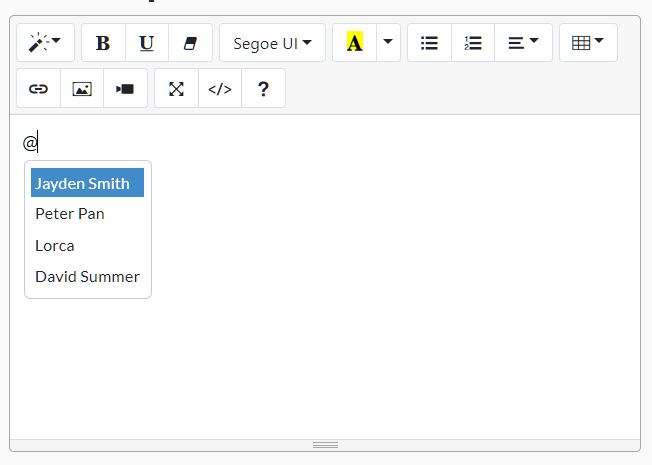
summernote is a WYSIWYG editor built around jQuery and Bootstrap. Choose it when your project already uses Bootstrap and needs a richer editing surface than a minimal toolbar can cover.
Key Features:
- Works with Bootstrap 3, Bootstrap 4, and Bootstrap 5.
- Includes toolbar groups for style, font, color, paragraph, table, insert, and view controls.
- Supports fullscreen mode and code view.
- Includes dialogs for links, images, and videos.
- Supports image upload callbacks, change callbacks, paste callbacks, and other editor events.
- Provides table controls, image popovers, and link popovers.
- Supports plugins, localization, and custom buttons.
Recommended Use Case: Use summernote for Bootstrap admin dashboards, CMS pages, support note editors, and backend forms that need a mature editing UI.
Simple Rich Text Editor In jQuery
Best For: Small editors that need direct HTML export and basic formatting controls.
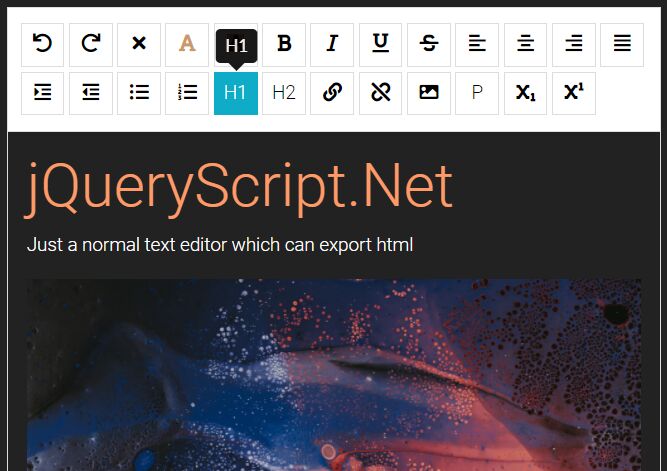
Simple Rich Text Editor is a jQuery editor built around a contenteditable editing area and a Font Awesome toolbar. It is useful when you want a clear, inspectable editor pattern for a small project or demo.
Key Features:
- Uses jQuery with Bootstrap and Font Awesome in the demo setup.
- Supports undo, redo, clear format, bold, italic, underline, and strikethrough.
- Includes text color and background color palettes.
- Supports left, center, right, and justified alignment.
- Includes indent, outdent, ordered lists, unordered lists, H1, H2, paragraph, link, image, subscript, and superscript controls.
- Can read the edited HTML from the editor area.
Recommended Use Case: Use this editor for a small admin widget, prototype, or internal field where you control the toolbar and HTML output.
Minimal WYSIWYG Editor In jQuery - EasyEditor
Best For: Textarea-based HTML editing with a live preview pane.
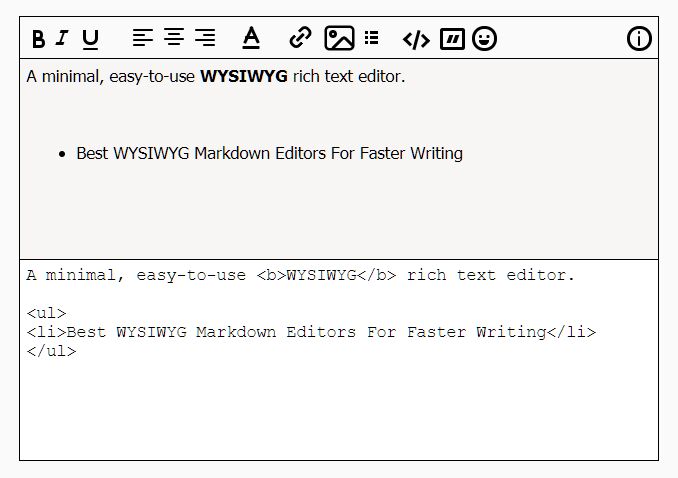
EasyEditor is a minimal jQuery WYSIWYG editor that adds toolbar controls and an instant preview to a textarea. It works well with small content fields where users write HTML-like markup and need to see the formatted result beside the editor.
Key Features:
- Initializes with the
EasyEditor()jQuery method. - Wraps selected text with bold, italic, underline, link, list, code, and quote markup.
- Supports left, center, and right alignment.
- Provides font family, font size, and font color controls.
- Can insert image markup and emoji.
- Updates a preview panel as the textarea content changes.
Recommended Use Case: Use EasyEditor for comments, messages, simple article fields, and small admin tools that need preview-driven editing.
Vanilla JavaScript WYSIWYG Editors:
Quill Rich Text Editor
Best For: Modern rich text editing where content state and extensibility matter.
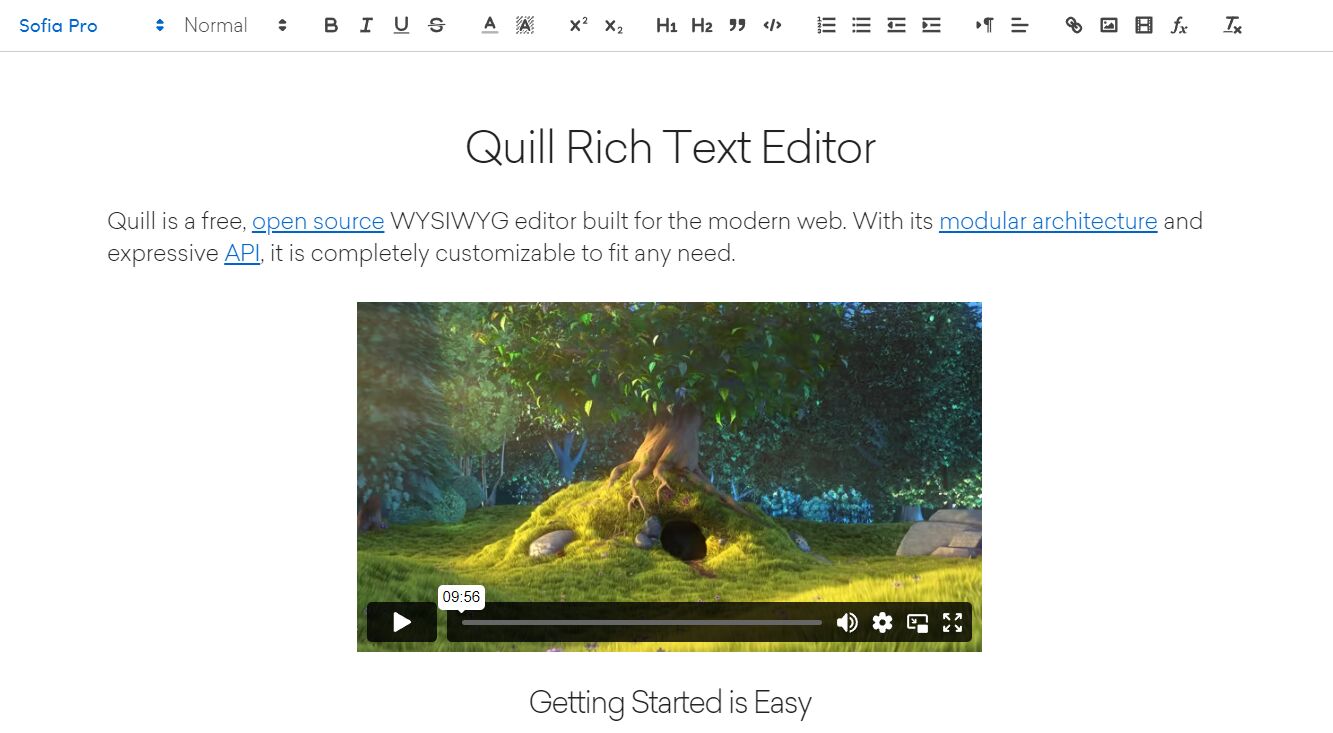
Quill is a rich text editor built for compatibility and extension. Its Delta model makes it a better choice than basic HTML editors when an app needs predictable content operations, custom modules, or storage that can preserve structured edits.
Key Features:
- Initializes on a DOM element with a small JavaScript setup.
- Supports npm and CDN installation paths.
- Uses Delta as its structured content format.
- Includes Snow and Bubble themes.
- Provides modules for toolbar, keyboard, history, clipboard, and syntax workflows.
- Supports a core build for projects that need custom UI and fewer default modules.
Recommended Use Case: Use Quill for product editors, document fields, and app content editors that need a stable API and structured rich text state.
editor.js
Best For: Block-based editors that save structured JSON instead of raw HTML.
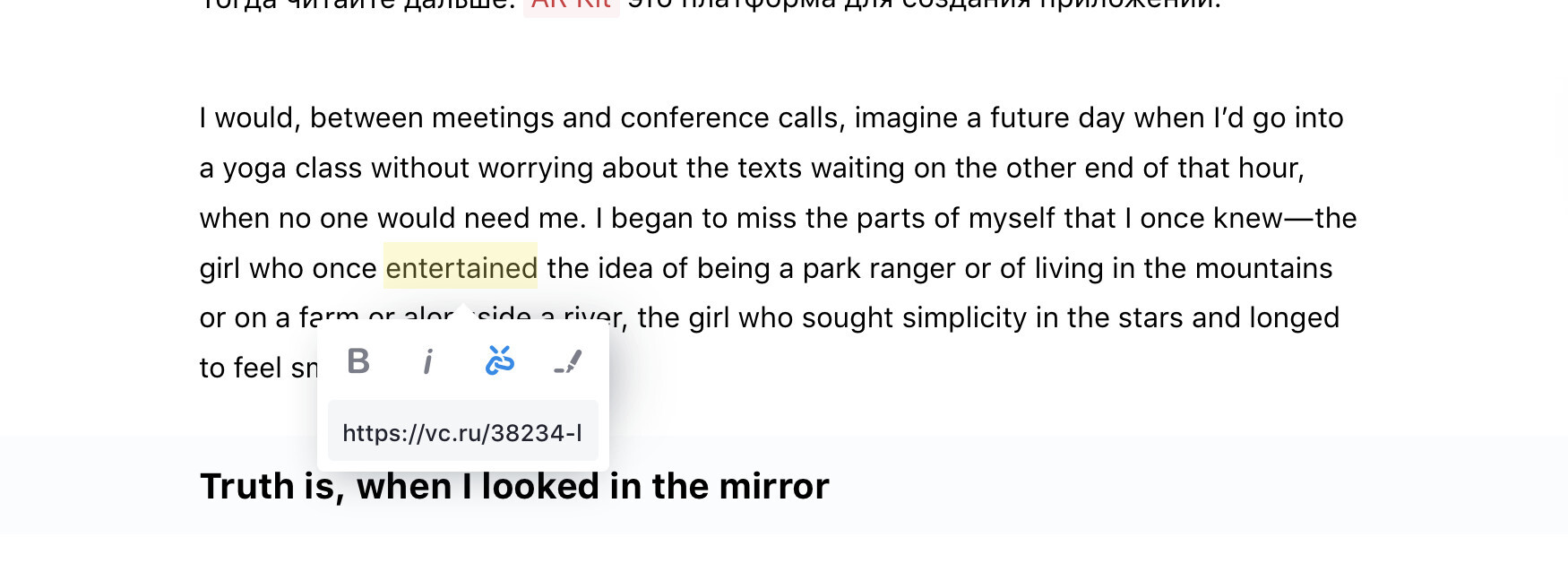
Editor.js is a block-style editor that stores content as JSON blocks. It works best for publishing systems, knowledge bases, and apps where each paragraph, heading, list, image, quote, or embed needs its own data structure.
Key Features:
- Uses separate blocks for content types such as paragraphs, headings, images, lists, quotes, code, and tables.
- Outputs clean JSON data instead of one large HTML string.
- Installs through npm, Yarn, or CDN.
- Uses separate tools for block types.
- Supports many tool packages, including headings, image, nested list, checklist, embeds, table, delimiter, warning, code, raw HTML, attaches, marker, and inline code.
- Lets developers create custom block tools through the Editor.js API.
Recommended Use Case: Use Editor.js when your CMS or app needs block-level content storage, custom blocks, or reusable content data.
Full-featured WYSIWYG Markdown Editor - tui.editor
Best For: Projects that need both Markdown editing and WYSIWYG mode.

TOAST UI Editor is a Markdown editor with text mode and WYSIWYG mode. It's great for documentation, developer portals, README-style content, and publishing tools where Markdown output matters as much as visual editing.
Key Features:
- Supports CommonMark and GitHub Flavored Markdown.
- Provides Markdown mode and WYSIWYG mode.
- Includes live preview, scroll sync, and syntax highlighting.
- Supports table editing through a context menu.
- Provides plugins for chart, code syntax highlight, color syntax, merged table cells, and UML.
- Includes a viewer mode for displaying Markdown data.
- Provides React and Vue wrapper packages.
Recommended Use Case: Use TOAST UI Editor for documentation tools, Markdown CMS fields, developer blogs, and apps that need visual editing plus Markdown storage.
Minimal WYSIWYG Editor In Pure JavaScript - Suneditor
Best For: Vanilla JavaScript apps that need plugins, media tools, and no jQuery dependency.

SunEditor is a Vanilla JavaScript WYSIWYG editor with a plugin-based feature set. It is a better choice than a tiny editor when your app needs rich media, tables, code blocks, Markdown view, and modular setup in a framework-free package.
Key Features:
- Runs with Vanilla JavaScript and no external dependency.
- Uses modular plugins so projects can load the features they need.
- Supports mentions with autocomplete.
- Includes table editing, custom layouts, math, drawing, and code block support.
- Provides Markdown view mode.
- Supports image, video, audio, file, iframe, and template content.
- Provides PDF export support.
Recommended Use Case: Use SunEditor for modern admin panels, CMS screens, product description editors, and content tools that need a broad editor in plain JavaScript.
Minimal Rich Text Editor In Pure JS - tiny-editor
Best For: Small pages that need basic rich text editing with no jQuery dependency.
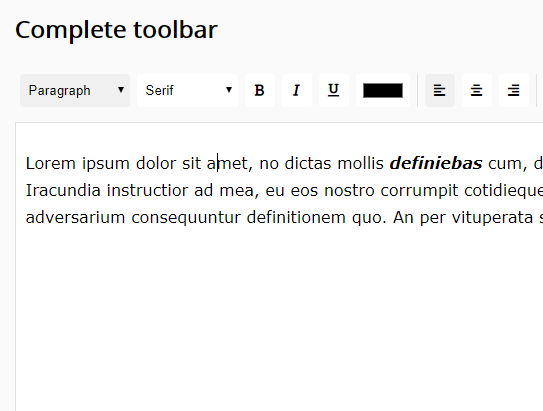
tiny-editor is a small pure JavaScript rich text editor that adds a basic toolbar to the page. It is useful when the project needs simple formatting controls and a small implementation path rather than a full editor platform.
Key Features:
- Uses pure JavaScript.
- Uses Font Awesome icons for toolbar controls.
- Supports common rich text formatting commands.
- Provides a compact editor UI for small content fields.
Recommended Use Case: Use tiny-editor for lightweight demos, static tools, and simple content fields where a large editor would be too much.
How to Choose
Choose a jQuery editor when the page already depends on jQuery and you want a direct script-tag setup. RichText is the broadest jQuery pick in this list, Trumbowyg.js is the cleaner compact option, and summernote makes the most sense in Bootstrap projects.
Choose a textarea-style editor when you need simple markup controls instead of a full editing framework. Simple Rich Text Editor works well when you want to extract edited HTML from a contenteditable area. EasyEditor works well when users benefit from an instant preview pane.
Choose Quill when the editor is part of a larger application and your content model needs more structure than raw HTML. Its Delta format and module system are useful for custom editing workflows.
Choose Editor.js when the app needs block-level content. It is a strong match for CMS tools that store articles as blocks and render them in several channels.
Choose TOAST UI Editor when Markdown matters. It is the best option in this list for technical writing, documentation, and content that must switch between Markdown and WYSIWYG editing.
Choose SunEditor when you want a Vanilla JavaScript editor with many built-in editing tools and no jQuery dependency. Choose tiny-editor when the editing need is small and the toolbar should stay minimal.
FAQ
Q: What is a WYSIWYG editor?
A: A WYSIWYG editor is a rich text editor where users format content visually and see an editing view close to the final published result. In web apps, it usually replaces a plain textarea with toolbar controls for headings, links, lists, images, and other content.
Q: What is the difference between a WYSIWYG editor and a rich text editor?
A: The terms often overlap. A rich text editor focuses on formatted text controls, and a WYSIWYG editor emphasizes visual editing that resembles the final output.
Q: What is the best jQuery WYSIWYG editor in this list?
A: Use RichText when you need the broadest jQuery toolbar. Use Trumbowyg.js when semantic HTML and a compact editor matter more.
Q: Which WYSIWYG editor works best with Bootstrap?
A: summernote is the best Bootstrap-oriented choice in this list. It supports Bootstrap 3, 4, and 5 and includes toolbar, dialog, code view, table, image, and callback features.
Q: Do I need jQuery for a WYSIWYG editor?
A: No. The Vanilla JavaScript section includes Quill, Editor.js, TOAST UI Editor, SunEditor, and tiny-editor. Use a jQuery plugin only when your existing page already loads jQuery or you want a direct jQuery-style initialization method.
Q: Which editor should I use for Markdown content?
A: Use TOAST UI Editor when your users need Markdown mode and WYSIWYG mode in the same editor. Use Editor.js only when you prefer JSON blocks over Markdown as the saved format.
Related Resources
- 10 Best WYSIWYG Markdown Editors For Faster Writing
- 10 Best React WYSIWYG Rich Text Editors
- 7 Best WYSIWYG Rich Text Editors For Vue.js
- Block-Based Rich Text Editor With TailwindCSS And shadcn/ui
- Lightweight JavaScript WYSIWYG Editor - open-edit