Mobile-first Image Viewer In Modal Style - jQuery yzhanImageViewe
| File Size: | 28.7 KB |
|---|---|
| Views Total: | 3893 |
| Last Update: | |
| Publish Date: | |
| Official Website: | Go to website |
| License: | MIT |

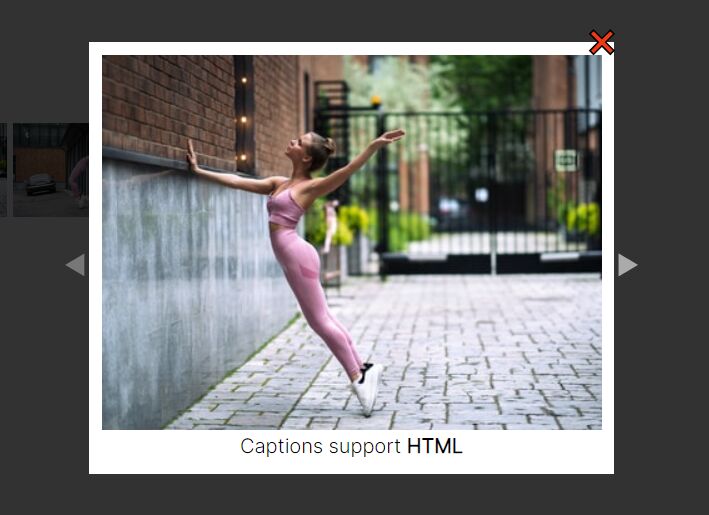
yzhanImageViewer is a responsive, mobile-friendly, jQuery based image viewer plugin that enables the visitor to view all grouped images in a fullscreen modal.
Key Features:
- [Desktop]: Navigation arrows.
- [Desktop & Mobile]: Pagination bullets.
- [Desktop & Mobile]: Click to enlarge.
- [Mobile]: Swipe to navigate between images.
- [Mobile]: Pinch to zoom.
How to use it:
1. Insert the mtfPicViewer plugin's files into the HTML page.
<link rel="stylesheet" href="/path/to/dist/jquery.yzhanimageviewer.min.css" />
<script src="/path/to/cdn/jquery.min.js"></script>
<script src="/path/to/dist/jquery.yzhanimageviewer.min.js"></script>
2. Add a group of images to a container element.
<div class="example">
  <div>
    <img src="1.jpg" alt="Image 1">
    <img src="2.jpg" alt="Image 2">
    <img src="3.jpg" alt="Image 3">
  </div>
</div>
3. Attach the plugin to the top container and done.
$('.example').yzhanImageViewer({
  selector: 'img',
  attrSelector: 'src',
  parentSelector: 'div'
});
4. Append a custom CSS class to the image viewer.
$('.example').mtfpicviewer({
  selector: 'img',
  attrSelector: 'src',
  parentSelector: 'div',
  className: 'pic-viewer'
});
5. Customize the controls.
$('.example').mtfpicviewer({
  selector: 'img',
  attrSelector: 'src',
  parentSelector: 'div',
  controls: {
    reverseDrag: {
      x: false,
      y: false
    },
    canChange: true
  },
});
6. Callback functions.
$('.example').mtfpicviewer({
  onChange: function(curIndex, preIndex) {
    // do something
  },
  onOpen: function(curIndex) {
    // do something
  },
  onClose: function(curIndex) {
    // do something
  }
});
Changelog:
2022-08-18
- Bugfix
- Renamed to yzhanImageViewer
This awesome jQuery plugin is developed by mantoufan. For more Advanced Usages, please check the demo page or visit the official website.