jQuery Plugin For Fixed Navigation Based On Scroll Direction - Semi-Sticky
| File Size: | 7.31 KB |
|---|---|
| Views Total: | 3681 |
| Last Update: | |
| Publish Date: | |
| Official Website: | Go to website |
| License: | MIT |
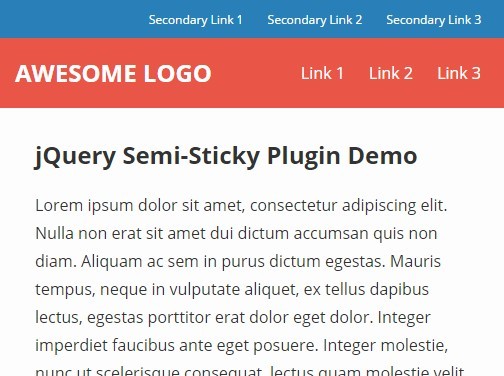
Semi-Sticky is a jQuery plugin to create a fixed navigation bar that shows/hides part of itself based on scroll direction.
How to use it:
1. Load the jQuery semi-sticky plugin after you have jQuery library included.
<script src="//code.jquery.com/jquery-1.11.3.min.js"></script>
<script rc="src/semisticky.js"></script>
2. Create a navigation for your website. The navigation consists of two parts: the main navigation bar + a bar with some secondary links. The main navigation is always visible, but the secondary links are hidden/revealed when the user scrolls down/up. A scrolling threshold must be reached before the hide/reveal interaction takes place.
<nav>
  <div class="nav-actions">
    <ul>
      <li>Secondary Link 1</li>
      <li>Secondary Link 2</li>
      <li>Secondary Link 3</li>
    </ul>
    <div class="clear"></div>
  </div>
  <div class="nav-main">
    <div class="logo">Awesome logo</div>
    <ul>
      <li>Link 1</li>
      <li>Link 2</li>
      <li>Link 3</li>
    </ul>
    <div class="clear"></div>
  </div>
</nav>
3. Initialize the plugin.
$('nav').semisticky({
  offsetLimit: $('.nav-actions').outerHeight(),
})
4. Available optiopns.
$('nav').semisticky({

  // The height (in pixels) of how much the navigation should be hidden while scrolling down.
  offsetLimit: element.outerHeight(),

  // The amount that must be scrolled before interaction starts
  scrollThreshold: 50,

  // Callback function that executes after each scroll event.
  onScroll: function() {}

})
Change log:
2015-11-23
- Switch delta calculation so scrolling down results in a positive number
This awesome jQuery plugin is developed by wosephjeber. For more Advanced Usages, please check the demo page or visit the official website.