Like DisLike Voting Plugin With jQuery - thumbs.js
| File Size: | 7.22 KB |
|---|---|
| Views Total: | 7426 |
| Last Update: | |
| Publish Date: | |
| Official Website: | Go to website |
| License: | MIT |
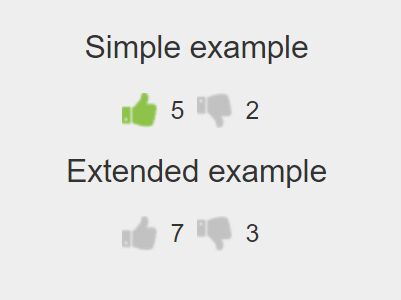
thumbs.js is a really simple jQuery plugin for creating a Like/Dislike voting system with thumb icons to rate your posts, articles or products.
How to use it:
1. Place the required stylesheet jquery.thumbs.css in the header, and the JavaScript file jquery.thumbs.js after jQuery library as this:
<link rel="stylesheet" href="dist/jquery.thumbs.css">
<script src="//code.jquery.com/jquery.min.js"></script>
<script src="dist/jquery.thumbs.js"></script>
2. Create a DIV contaienr for the voting system and specify the initial rating values using data-like and data-dislike attributes:
<div class="js-rating" data-like="8" data-dislike="2"></div>
3. Initialize the voting system.
$('.js-rating').thumbs();
4. Default plugin options.
$('.js-rating').thumbs({
  classCss: 'jq-rating',
  likes: 1,
  dislikes: 1
});
5. Callback functions.
$('.js-rating').thumbs({
  onLike: function (value) {
      alert ('Thank You For Voting.');
  },
  onDislike: function(value) {
     alert ('Im sorry.');
  }
});
6. API methods.
// set likes to 5
$('.js-rating').thumbs('setLikes',5);

// set Dislikes to 5
$('.js-rating').thumbs('setLikes',5);

// get likes
$('.js-rating').thumbs('getLikes');

// get dislikes
$('.js-rating').thumbs('getDisLikes');

// destroy
$('.js-rating').thumbs('destroy');
Changelog:
2018-09-14
- v1.0.4
This awesome jQuery plugin is developed by nfort. For more Advanced Usages, please check the demo page or visit the official website.