Multi-state Toggle Switch Plugin with jQuery - SwitchStateButton
| File Size: | 4.09 KB |
|---|---|
| Views Total: | 6974 |
| Last Update: | |
| Publish Date: | |
| Official Website: | Go to website |
| License: | MIT |
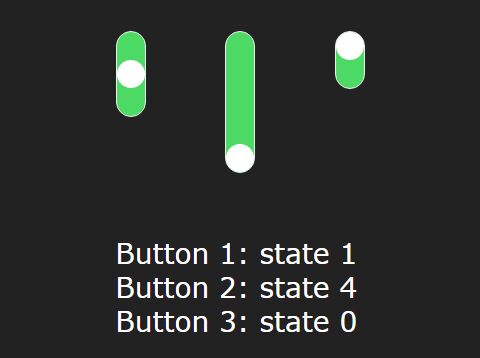
SwitchStateButton is a very simple jQuery plugin that helps you creates toggle switches with support for multiple option states.
How to use it:
1. Include the tsb.js file after the jQuery JavaScript as shown in the code snippet below.
<script src="//code.jquery.com/jquery-1.11.3.min.js"></script>
<script src="js/tsb.js"></script>
2. Render a basic toggle switch with 3 states inside the container you specify.
$("#selector").threestatebutton({
  statecount: 3,
  state: 1
});
3. Output the selected state.
<span id="output">Output: state 1</li>
function stateChanged(state, source) {
  var nb = $(source).attr("id").substring(6);
  var dispid = "#output" + nb;
  $(dispid).text("Output " + nb + ": state " + state);
}
$("#selector").threestatebutton({
  statecount: 3,
  state: 1,
  stateChanged: stateChanged
});
4. Apply your own CSS to the toggle switch.
.tsb-casing {
  background-color: #4CD964;
  border-color: #ECF0F1;
  border-width: 1px 1px 1px 1px;
  border-style: solid;
  width: 1em;
  border-radius: 10px;
  position: relative;
}

.tsb-state {
  width: 20px;
  height: 1em;
  position: absolute;
}

.tsb-ball {
  background-color: #fff;
  width: 1em;
  height: 1em;
  border-radius: 1em;
  position: absolute;
  vertical-align: central;
  left: 0px;
}
This awesome jQuery plugin is developed by Arthur0g. For more Advanced Usages, please check the demo page or visit the official website.