jQuery Plugin For Getting Color Palette From An Image - Chameleon.js
| File Size: | 20.4 KB |
|---|---|
| Views Total: | 4327 |
| Last Update: | |
| Publish Date: | |
| Official Website: | Go to website |
| License: | MIT |
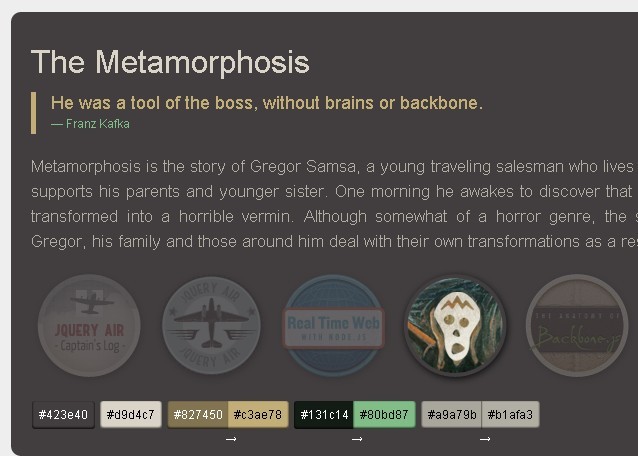
Chameleon.js is a lightweight and useful jQuery plugin for generating a color palette and using these colors from an image. Good for graphic design websites that help users to find out what they need by filtering colors.
Related plugins:
- jQuery Plugin For Simple Color Palette Widget - palette
- Image Color Palette Generating Plugin - Color Thief
Basic Usage:
1. Include the latest jQuery library and Chameleon.js in the head section of your page
<script src="http://code.jquery.com/jquery-2.0.0.min.js"></script>
<script src="jquery.chameleon.min.js"></script>
2. Markup html structure
<div class="chmln">
  <h2 class="chmln1">Title</h2>
  <blockquote class="chmln2">
    <p>...</p>
    <small class="chmln3">...</small>
  </blockquote>
  <p class="chmln4">
    ...
  </p>
  <img class="chmln_img" src="1.png" alt="img" />
  <div class='chmln_colors'></div>
</div>
3. The javascript
$('.chmln').chameleon({
  img           : img, // image container
  dummy_back    : '000000', // background color
  dummy_front   : 'ffffff', // text color
  adapt_colors  : false,
  apply_colors  : false,
  data_colors   : true,
  insert_colors : true,
  all_colors    : true,
  rules         : {'P' : 'borderColor'},
  adapt_limit   : 100,
  alpha         : 110
});
This awesome jQuery plugin is developed by bhoodream. For more Advanced Usages, please check the demo page or visit the official website.