jQuery Plugin To Add An Virtual Keyboard To Inputs - mlkeyboard
| File Size: | 28.5 KB |
|---|---|
| Views Total: | 8217 |
| Last Update: | |
| Publish Date: | |
| Official Website: | Go to website |
| License: | MIT |
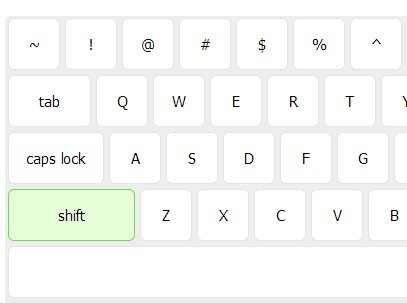
Mlkeyboard is a jQuery plugin that popups an Virtual Keyboard at the bottom of the screen when an input filed is focused on. Currently supports en_us, eu, and ru layouts.
See also:
- jQuery On-Screen Virtual Keyboard Plugin - OAK
- jQuery Virtual Keyboard For Input and Textarea - jkeyboard
- jQuery Plugin for Simple Virtual Keyboard - keypad
- jQuery Virtual Keyboard Plugin - Keyboard
- Virtual Keyboard Emulator
How to use it:
1. Load the jQuery javascript library directly from google CDN.
<script src="http://ajax.googleapis.com/ajax/libs/jquery/1.11.0/jquery.min.js"></script>
2. Load the jQuery Mlkeyboard plugin's javascript and CSS in the page, after jQuery library.
<link href="jquery.ml-keyboard.css" rel="stylesheet" type="text/css">
<script src="jquery.ml-keyboard.js"></script>
3. Insert a standard Html input in the page.
<input type="text" />
4. Call the plugin on the input.
<script>
$(document).ready(function(){
  $('input').mlKeyboard();
});
</script>
5. Available options.
<script>
$(document).ready(function(){
$('input').mlKeyboard({
// en_us, eu or ru
layout: 'en_us',

// when user first time focus on input field virtual keyboards shift is active.
active_shift: true,

// initial virtual keyboards caps lock state.
active_caps: false,

// to create keyboard always visible this value should be changed to false.
is_hidden: true,

// open/close speed
open_speed: 300,
close_speed: 100,

// enable
enabled: true
});
});
</script>
Change logs:
2016-08-30
- Resolved TAB key issue
2015-04-27
- Prevent default trigger button behaviour
2014-03-19
- Close key modifications when mouse left modificators frame
This awesome jQuery plugin is developed by mBut. For more Advanced Usages, please check the demo page or visit the official website.