Flexible and Touch-Friendly jQuery Range Slider Plugin - Ion.RangeSlider
| File Size: | 631 KB |
|---|---|
| Views Total: | 15538 |
| Last Update: | |
| Publish Date: | |
| Official Website: | Go to website |
| License: | MIT |
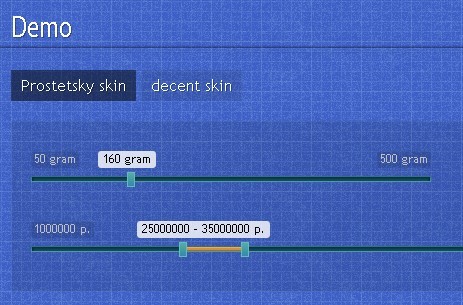
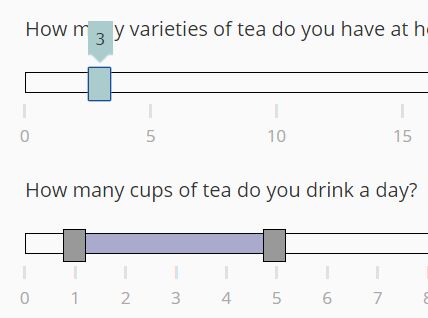
Ion Range Slider is a jQuery plugin that turns the standard html input elements into flexible, skinnable, customizable and mobile friendly range sliders. Ion.RangeSlider also supports events and methods, and can be fully customized through CSS and javascript.
Related plugins:
- Simple Range Input Slider Plugin - slideControl
- Lightweight and Customisable Range Slider Plugin - noUiSlider
- Powerful Range Slider Plugin - jQRangeSlider
How to use it:
1. Include jQuery library and jQuery Ion.RangeSlider on the web page
<script src="http://ajax.googleapis.com/ajax/libs/jquery/1.9.1/jquery.min.js"></script>
<script src="js/ion.rangeSlider.min.js"></script>
2. Include required CSS files on the page
<link href="css/normalize.min.css" rel="stylesheet" type="text/css">
<link href="css/ion.rangeSlider.css" rel="stylesheet" type="text/css">
3. Choose and include a theme CSS
<link href="css/ion.rangeSlider.skinNice.css" rel="stylesheet" type="text/css">
4. Create a input field
<input type="text" id="demo" name="rangeName" value="10;100" />
5. Call the plugin with default options
$("#demo").ionRangeSlider({
// min value
min: 10,

// max value
max: 100,

// overwrite default FROM setting
from: 30,

// overwrite default TO setting
to: 80,

// Choose slider type,
// could be single - for one handle, or double four two handles
type: "single",

// slider step
step: 10,

// make every value min plus a whole number of steps
step_from_min: false,

// Set minimum diapason between sliders.
min_interval: 0,

// Set maximum diapason between sliders.
max_interval: 0,

// Allow user to drag whole range.
drag_interval: false,

// Let a dragged handle push the other handle instead of stopping at it.
drag_over_limit: false,

// Set up your own array of possible slider values.
values: [],

// Keep values entries exactly as given
values_raw: false,

// Fix position of left (or single) handle.
from_fixed: false,

// Set minimum limit for left handle.
from_min: null,

// Set the maximum limit for left handle
from_max: null,

// Highlight the limits for left handle
from_shadow: false,

// Fix position of right handle.
to_fixed: false,

// Set the minimum limit for right handle
to_min: null,

// Set the maximum limit for right handle
to_max: null,

// Highlight the limits for right handle
to_shadow: false,

// Improve readability of long numbers.
prettify_enabled: true,

// Set up your own separator for long numbers.
prettify_separator: " ",

// Set up your own prettify function. Can be anything.
prettify: null,

// Formatting function for the grid tick labels only.
prettify_grid: null,

// Formatting function for the min and max labels only.
prettify_min_max: null,

// In values mode, also run prettify on non-numeric entries.
prettify_all_values: false,

// Slider will be always inside it's container.
force_edges: false,

// Activates keyboard controls.
keyboard: false,

// Movement step, than controling from keyboard. In percents.
keyboard_step: 5,

// Enables grid of values.
grid: false,

// Set left and right grid borders.
grid_margin: true,

// Number of grid units.
grid_num: 4,

// Snap grid to sliders step (step param).
grid_snap: false,

// Hides min and max labels
hide_min_max: false,

// Hide from and to lables
hide_from_to: false,

// prefix value
prefix: "$",

// Prefix for the minimum value only
// 0- 100
min_prefix: null,

//Prefix for the maximum value only
// 0- 100
max_prefix: null

// postfix value
postfix: " €",

// Special postfix, used only for maximum value
max_postfix: "",

// Used for "double" type and only if prefix or postfix was set up.
decorate_both: true,

// Set your own separator for close values.
values_separator: " — ",

// disable slider
disable: false,

// called on slider start.
onStart: null,

// called on each values change.
onChange: null,

// called when the user releases handle.
onFinish: null,

// called when the slider is modified by external methods update or reset
onUpdate: null,

// called once when the slider is created and its first render is done
onInit: null,

});
6. Public methods.
// UPDATE - updates slider to any new values
slider.update({
    from: 300,
    to: 400
});

// RESET - reset slider to it's first values
slider.reset();

// DESTROY - destroys slider and restores original input field
slider.destroy();
Changelog:
v2.5.0 (2026-09-11)
- Added new options.
v2.4.2 (2026-09-06)
- A double slider whose handles start at the same value can now be opened in either direction: the first drag or key press after the coincident start decides which handle moves, on mouse, touch and keyboard alike
- data-prettify-separator="" now disables the thousands separator instead of being ignored, matching what the JavaScript prettify_separator: '' option already did
- Fixed a step, min or max written in exponent notation (such as 1e-8) rounding every interior drag to 0
- Fixed floating-point noise in the from/to values, handle labels and grid ticks on sliders with a negative fractional min and a whole-number step
- Fixed the grid repeating a label when two ticks land on the same value; the tick mark stays, only the duplicate number is blanked
- Releasing a drag without further movement, a motionless press, or a click or key press that doesn't change the value no longer fires an extra onChange
- Fixed result.min_pretty/max_pretty staying unset or stale when hide_min_max is on
v2.4.1 (2026-09-04)
- drag_interval: dragging the whole interval by its bar fires one onChange per step instead of two, and the event no longer reports the interval one step wider than it is. On sliders with a visible handle the first leftward step now fires after one step of mouse travel, where it used to need more. Dragging the bar past the left limit keeps the left edge pinned at from_min (or min)
- Values mode: the callback data object now has min_pretty and max_pretty (they were undefined), and from_pretty/to_pretty hold the prettified entry the handle bubble shows rather than the prettified index. A custom prettify function is called with real entries only, once per entry when the slider is built or updated. The index-based calls and the stray 0 calls are gone
- The slider renders correctly inside display: flex and inline-flex containers: .irs now declares width: 100%. Block layouts are unaffected
v2.4.0 (2026-08-30)
- New onInit callback fires once when the slider is created and its first render is done
- New drag_over_limit option lets a dragged handle push the other handle instead of stopping at it (mouse/touch drag only)
- New min_prefix/max_prefix options add a prefix wherever the minimum or maximum value appears, including a from/to bubble that lands on it
- New prettify_grid/prettify_min_max options format the grid and the min/max labels separately from prettify
- New prettify_all_values option runs prettify on non-numeric values entries too
- prettify now also accepts the name of a window-global function as a string, checked against a denylist to block arbitrary code execution
- result now also mirrors from_min, from_max, to_min and to_max
- to_max is now applied at initial render, not only afterward
- Arrow-key step no longer doubles when moving the whole interval in drag_interval mode
- Focusing the slider with keyboard navigation no longer fires callbacks on its own; only real interaction does
v2.3.2 (2026-08-25)
- Keyboard controls in double mode now work on focus, without needing a mouse click first
- Arrow-key step no longer doubles on the single, from and to handles. drag_interval whole-interval stepping is unchanged, tracked in #825
- Fixed the caller's values array being mutated by the plugin
- Fixed IE8 syntax hazards in the unminified source (trailing comma, console guard)
- Corrected the readme defaults table
v2.3.1 (2019-12-20)
- Minor bugfixes
v2.3.0 (2018-12-12)
- fix: only require jQuery if it is not defined
v2.2.0 (2017-06-21)
- Slider has TabIndex support now.
- keyboard_step option removed as confusing.
- keyboard controls are enabled by default now
- keyboard movement is bind to step now
- Traverse extra class names to container.
- Prettified values added to result object.
- It is possible to pass scope for callbacks now.
- New option block. Light version of disabled but sliders value can be send with form.
v2.1.8 (2017-06-19)
- Bugs fixed.
v2.1.7 (2017-03-26)
- Bugs fixed.
v2.1.6 (2016-12-27)
- Fixed bugs.
v2.1.5 (2016-12-12)
- Fixed bugs.
v2.1.4 (2016-04-27)
- Fixed bugs.
v2.1.3 (2016-04-10)
- Fixed bugs.
v2.1.2 (2015-10-13)
- Fixed bugs.
v2.1.1 (2015-09-21)
- Fixed bugs.
v2.1.0 (2015-09-21)
- Fixed bugs.
- New features.
- Some code refactoring
- Code documentation updated
v2.0.13 (2015-07-26)
- Fixed bugs.
v2.0.12 (2015-07-10)
- Fixed rounding bug.
v2.0.11 (2015-07-02)
- Fixed rounding bug.
v2.0.10 (2015-06-06)
- Fixed rounding bug.
v2.0.9 (2015-05-31)
- Fixed critical bug.
v2.0.8 (2015-05-30)
- Fixed some bugs.
v2.0.7 (2015-05-27)
- Fixed memory / cpu issues
v2.0.6 (2015-02-18)
- Fixed bug with broken From and To
v2.0.5 (2015-02-13)
- update
v2.0.4 (2015-02-12)
- update
v2.0.3 (2014-12-29)
- Issues fixed.
v2.0.2 (2014-12-02)
- Issues fixed.
- API update.
v2.0.1 (2014-11-16)
- Some bugs fixed and few new methods.
v2.0.0 (2014-11-09)
- All params (except functions) are lowercase now: param_name, not paramName
- Same param names was changed: hasGrid → grid, onLoad → onStart
- Callbacks data object format was changed. Example: fromNumber → from
- Slider now writes it's result to value attribute and also to data-from and data-to attributes
v1.9.3 (2014-08-07)
- Bower support added
v1.9.2 (2014-08-04)
- New param gridMargin.
- Resolved some issues.
v1.9.1 (2014-04-15)
- bugs fixed.
v1.9.0 (2014-03-17)
- New plugin description. New demos design. Some new slider params.
v1.8.5 (2014-01-13)
- Fixed some bugs and some new features.
v1.8.2 (2013-10-31)
- Some code optimisations
- Bugs fixed.
v1.8.1 (2013-10-11)
- New Flat UI Skin.
- Some skin optimisations.
- Bug fixed.
v1.8.0 (2013-10-08)
- Fixed bugs.
- Removed hideText option.
- New method and options.
- Improved code style. Minor optimisations
This awesome jQuery plugin is developed by IonDen. For more Advanced Usages, please check the demo page or visit the official website.