Lightweight Dynamic Data Table Plugin For jQuery - dataTable.js
| File Size: | 10.1 KB |
|---|---|
| Views Total: | 5421 |
| Last Update: | |
| Publish Date: | |
| Official Website: | Go to website |
| License: | MIT |
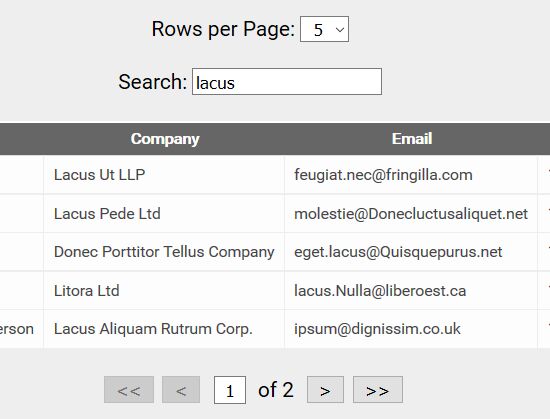
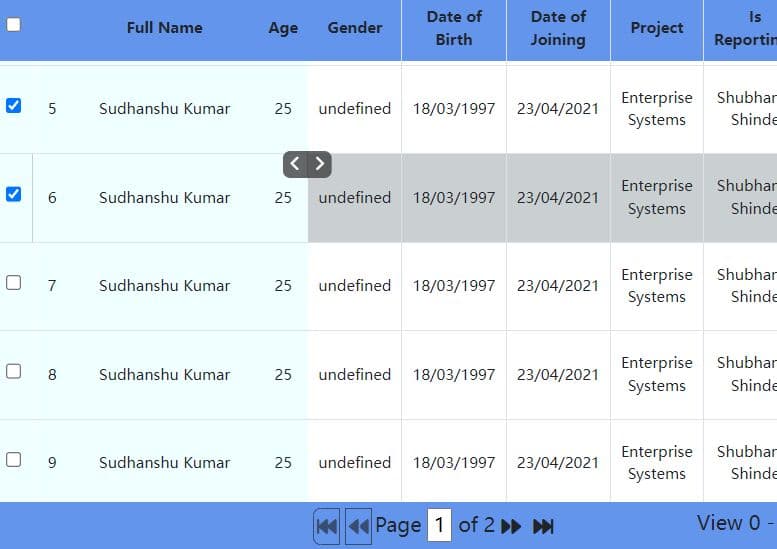
A lightweight, easy-to-use jQuery plugin for generating a dynamic data table with support for pagination, filtering, ajax loading, live editing and more.
How to use it:
1. Create a unique container for your data table.
<div id="dataTable">
</div>
2. Create the pagination, search box and page dropdown controls for the data table.
<div id="pageDropDown">
  <label for="rowsPerPage">Rows per Page:</label>
  <select id="rowsPerPage" name="rowsPerPage">
    <option value="5">5</option>
    <option value="10" selected>10</option>
    <option value="15">15</option>
    <option value="20">20</option>
    <option value="30">30</option>
    <option value="40">40</option>
    <option value="50">50</option>
  </select>
</div>

<div id="SearchBox">
  <label for="search">Search: </label>
  <input type="text" id="search" placeholder="Search data..."/>
</div>

<div id="pagination"></div>
3. Put jQuery library and the jQuery dataTable.js script on the webpage.
<script src="//code.jquery.com/jquery.min.js"></script>
<script src="dataTable.js"></script>
4. Initialize the data table and its controls.
var dataTable = new DataTable();
_$("rowsPerPage").addEventListener( 'change', function(){
    dataTable.rowsPerPage = parseInt(this.value);
    dataTable.currentPage = 1;
    dataTable.currentIndex = 0;
    dataTable.refreshTable();
});
_$("search").addEventListener( 'keyup', function(){
    dataTable.currentPage = 1;
    dataTable.currentIndex = 0;
    dataTable.search = this.value;
    dataTable.refreshTable();
});
DataTable.prototype.onload = function(source) {
    this.loadData(source);
};

DataTable.prototype.dataLoaded = function(data) {
    this.intializeData(data);
};

DataTable.prototype.intializeData = function(data) {
    let self = this;
    this.originalData = data;
    this.filteredData = JSON.parse(JSON.stringify(this.originalData));
    this.renderPagination(data);
    this.renderData(data);
};

DataTable.prototype.loadData = function(source) {
	var self = this;

	if (!window.XMLHttpRequest) {
		alert("Cannot load a JSON on this browser!");
		return false;
	}

    var xhr = new XMLHttpRequest();
    xhr.open("GET", source, true);
	xhr.onreadystatechange = function () {
		if(xhr.readyState == 4) {
			if (!xhr.responseText) { console.error("Could not load JSON"); return false; }
            if (!self.isValidJSON(xhr.responseText)) { console.error("Invalid JSON data obtained from url '" + url + "'"); return false;}
			self.dataLoaded(JSON.parse(xhr.response));
		}
	};
	xhr.send();

	return true;
};

DataTable.prototype.isValidJSON = function(str) {
    try {
        JSON.parse(str);
    } catch (e) {
        return false;
    }
    return true;
};
5. Load the tabular data from an external JSON file:
dataTable.onload("data.json");
6. The example JSON data:
[
  {
    "ID": 1001,
    "Name": "Bradley Clements",
    "Company": "Integer Tincidunt Aliquam Limited",
    "Email": "[email protected]",
    "Phone": "1-474-977-4946"
  },
  {
    "ID": 1002,
    "Name": "Lani Dawson",
    "Company": "Lacus Ut LLP",
    "Email": "[email protected]",
    "Phone": "1-876-788-2584"
  },
  {
    "ID": 1003,
    "Name": "Britanni Dyer",
    "Company": "Lacus Pede Ltd",
    "Email": "[email protected]",
    "Phone": "1-523-378-9066"
  },
  {
    ...
  }
]
This awesome jQuery plugin is developed by maulikfojdar. For more Advanced Usages, please check the demo page or visit the official website.