Excel-Style jQuery Table Filters & Paging - tableSearch
| File Size: | 52.4 KB |
|---|---|
| Views Total: | 0 |
| Last Update: | |
| Publish Date: | |
| Official Website: | Go to website |
| License: | MIT |
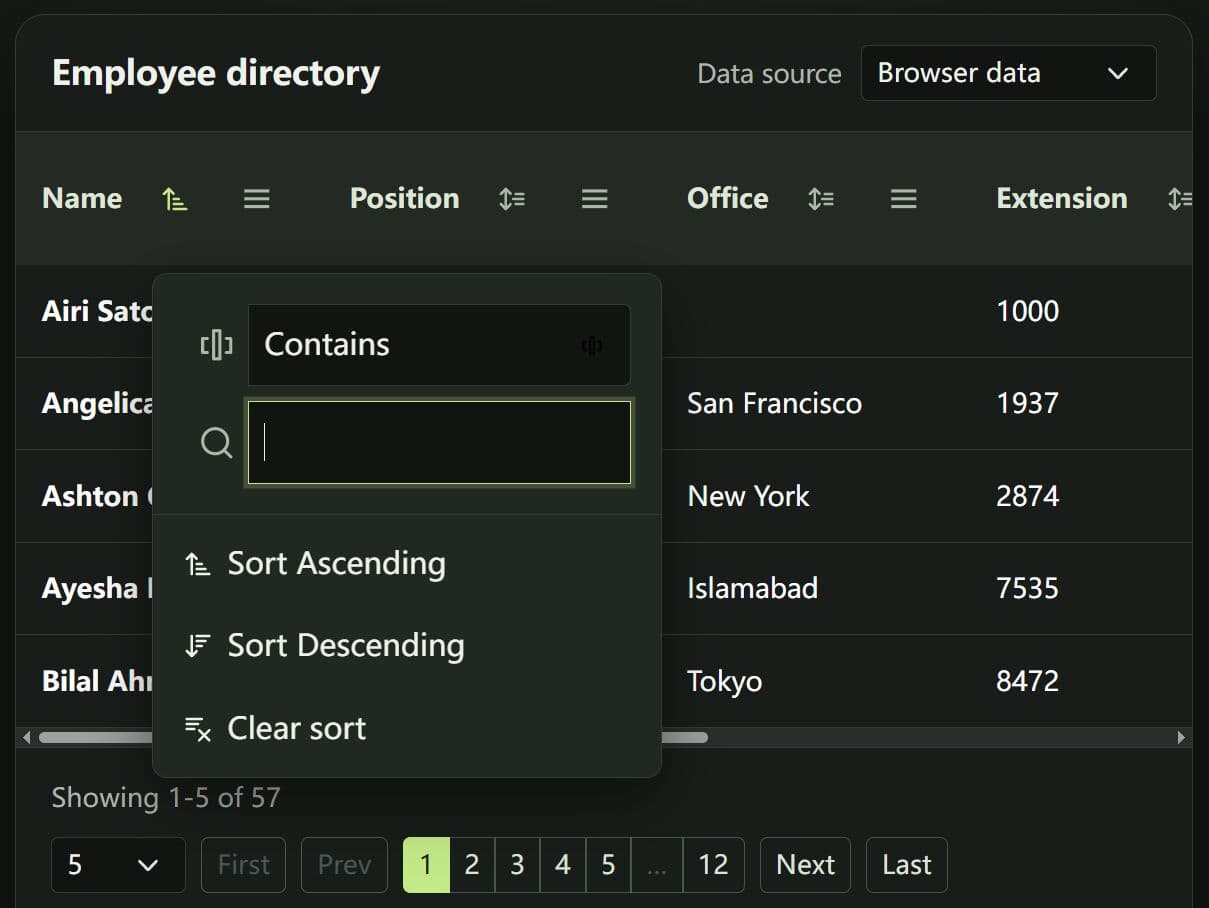
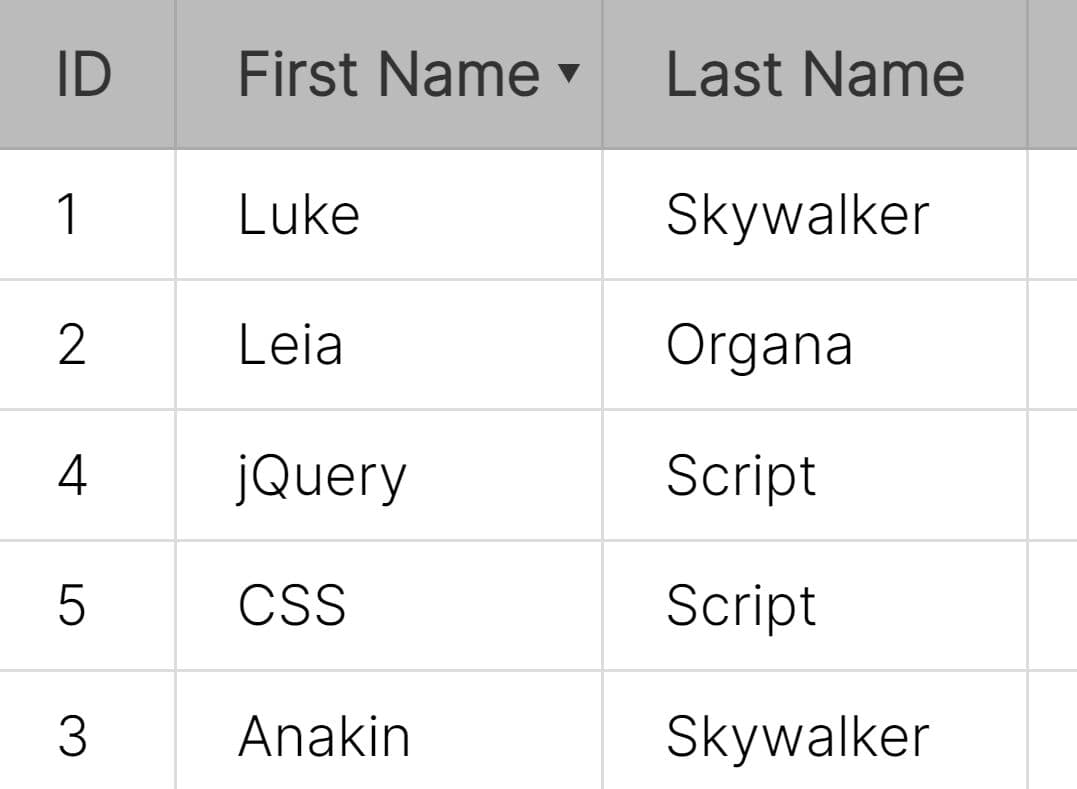
jquery-table-search is a lightweight jQuery plugin that adds Excel-style column filters, sorting, and optional pagination to Bootstrap 5 HTML tables.
It processes existing table rows in the browser or loads filtered pages from a JSON endpoint.
Features
- Header popups with per-column text, numeric, date, and currency filters.
- Contains, equals, starts with, ends with, comparison, and empty-value operators for the appropriate column types.
- Two conditions within a column, joined by AND or OR, plus configurable logic across columns.
- Three-state column sorting with natural text comparison and configurable initial sort.
- Client-side filtering and sorting for server-rendered HTML tables.
- AJAX-driven filtering, sorting, and pagination with a documented JSON request contract.
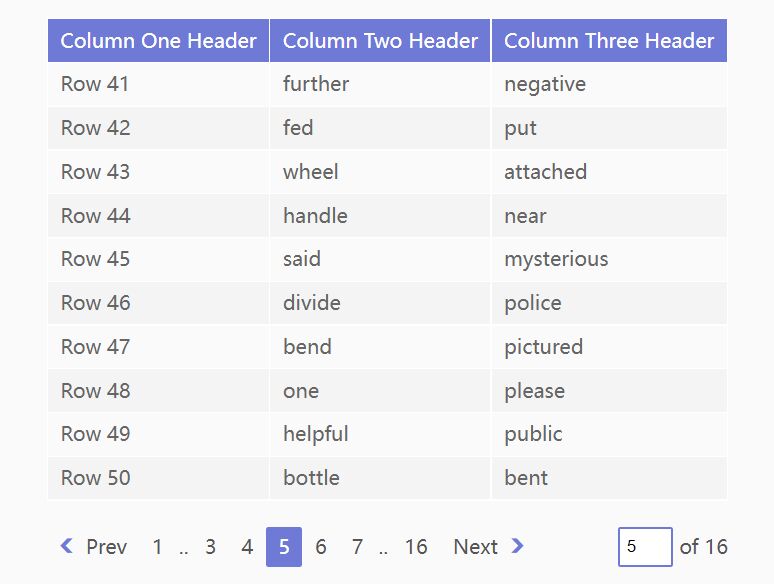
- Optional page-size selector, numbered page buttons, First/Last controls, and record-count text.
- Per-column control over sort, filter, and condition controls.
- Responsive filter popups, optional mobile bottom sheets, and horizontal table scrolling.
- Methods and events for refreshing rows, clearing filters, reading state, and handling AJAX results.
How To Use It
Load Bootstrap 5 CSS, both tableSearch stylesheets, jQuery, and the plugin scripts in the document.
<link rel="stylesheet" href="/path/to/cdn/bootstrap.min.css" />
<link rel="stylesheet" href="src/jquery.tableSearch.bundle.css">
<link rel="stylesheet" href="src/jquery.tableSearch.responsive.css">
<link rel="stylesheet" href="src/jquery.tablePager.bundle.css">

<script src="/path/to/cdn/jquery.min.js"></script>
<script src="src/jquery.tableSearch.js"></script>
<script src="src/jquery.tablePager.js"></script>
Basic Usage: Filter, Sort, and Page an HTML Table
The plugin reads the last row in <thead> and the first <tbody>. Initialize tableSearch() before tablePager() on the same table.
<table id="staffTable" class="table table-bordered table-hover">
  <thead>
    <tr>
      <th data-type="string" data-field="name">Employee</th>
      <th data-type="string" data-field="department">Department</th>
      <th data-type="date" data-field="joined">Joined</th>
      <th data-currency data-field="salary">Salary</th>
    </tr>
  </thead>
  <tbody>
    <tr><td>Alex Morgan</td><td>Engineering</td><td>2024-04-12</td><td>89000</td></tr>
    <tr><td>Jordan Lee</td><td>Design</td><td>2023-09-05</td><td>78000</td></tr>
    <tr><td>Casey Rivera</td><td>Engineering</td><td>2025-01-17</td><td>92000</td></tr>
    <tr><td>Taylor Brooks</td><td>Support</td><td>2022-11-21</td><td>65000</td></tr>
  </tbody>
</table>

<div class="d-flex align-items-center justify-content-between gap-2">
  <span id="staffInfo"></span>
  <span id="staffPager"></span>
</div>

<script>
  $(function () {
    $('#staffTable').tableSearch({
      dateFormat: 'YYYY-MM-DD',
      showLogicOperator: true,
      currencySymbol: '$',
      columnLogic: 'and'
    });

    $('#staffTable').tablePager({
      pageSize: 2,
      pager: '#staffPager',
      info: '#staffInfo',
      showPageNumbers: true,
      showFirstLast: true
    });
  });
</script>
Column Types and HTML Attributes
data-type(string). Sets the parser and available operators:string,numeric, ordate. Default:string.data-currency(attribute or string). Treats a column as numeric currency. An optional value sets its symbol.data-sortable(boolean string). Overrides whether this header offers sorting.data-filterable(boolean string). Overrides whether this header offers filtering.data-logic(boolean string). Overrides the second condition and AND/OR radios for this column.data-field(string). Maps a header to a field in server-returned JSON, including dot-separated property names.data-sort-value(string). Overrides the displayed cell text for client-side sorting and filtering. Put this attribute on<td>.
Server-Side Filtering, Sorting, and Pagination
Use the table and assets from the basic example. Replace /api/staff with an endpoint that applies the requested filters, sort order, and pagination. The server returns the matching record count and only the requested page of rows.
$(function () {
  $('#staffTable tbody').empty();

  $('#staffTable').tableSearch({
    processing: 'server',
    pageSize: 10,
    dateFormat: 'YYYY-MM-DD',
    showLogicOperator: true,
    ajax: {
      url: '/api/staff',
      method: 'POST',
      contentType: 'json'
    },
    responseMap: { rows: 'data', total: 'total' }
  });

  $('#staffTable').tablePager({
    processing: 'server',
    pageSize: 10,
    pager: '#staffPager',
    info: '#staffInfo',
    showPageNumbers: true
  });
});
By default, each JSON POST contains a one-based page, pageSize, sort, columnLogic, and filters. The example below represents a filter for Engineering employees ordered by joining date.
{
  "page": 1,
  "pageSize": 10,
  "sort": { "column": 2, "field": "joined", "direction": "asc" },
  "columnLogic": "and",
  "filters": [
    {
      "column": 1,
      "field": "department",
      "type": "string",
      "logic": "and",
      "conditions": [
        { "operator": "eq", "value": "Engineering" }
      ]
    }
  ]
}
Your endpoint should return the requested records under data and the total number of matching records across all pages under total. Set responseMap when your API uses different property names.
{
  "data": [
    { "name": "Alex Morgan", "department": "Engineering", "joined": "2024-04-12", "salary": 89000 },
    { "name": "Casey Rivera", "department": "Engineering", "joined": "2025-01-17", "salary": 92000 }
  ],
  "total": 2
}
The request format supports contains, not_contains, eq, neq, starts, ends, gt, gte, lt, lte, empty, and not_empty. Date filter values use ISO YYYY-MM-DD in requests. The server implements the comparisons and returns the correct page.
All Configuration Options
tableSearch: General Options
processing(string). Selects browser-side DOM processing orserverAJAX processing. Default:client.showSortIcon(boolean). Shows sorting controls in the headers. Default:true.showFilterIcon(boolean). Shows the filter button and its popup. Default:true.sortOnHeaderClick(boolean). Lets the whole sortable header cycle through sorting states. Default:true.defaultSortColumn(number or string). Sets the initially sorted column by index or header text. Default:null.defaultSortDirection(string). Sets the initial order toascordesc. Default:asc.debounceTime(number). Waits this many milliseconds after filter input changes.debounceis a legacy alias. Default:150.showLogicOperator(boolean). Enables a second condition and AND/OR selector within each column filter. Default:false.defaultLogic(string). Sets the initial operator between two conditions in one column. Default:and.columnLogic(string). Combines filters from different columns with AND or OR. Default:and.columns(object or null). Overridessortableandfilterableby column index, label, or field. Default:null.disableSort(array or null). Disables sorting for listed columns. Default:null.disableFilter(array or null). Disables filtering for listed columns. Default:null.showNoData(boolean). In client mode, inserts a message row when no records match. Default:true.onFilter(function or null). Receives{ visible, total }after filtering. Default:null.onSort(function or null). Receives{ column, direction }after sorting. Default:null.labels(object). Customizes sorting, filter, status, and operator labels. Default:English labels.
tableSearch: Parsing, Currency, and Responsive Options
dateFormat(string). Controls date parsing withYYYY,YY,MM,M,DD, andDtokens. Default:auto.dateOrder(string). Selectsdmyormdyfor ambiguous dates when automatic parsing is used. Default:dmy.numericRegex(RegExp). Removes formatting characters before numeric comparisons. Default:/[^0-9.-]+/g.decimalSeparator(string). Sets the decimal character to a period or comma. Default:..currencySymbol(string). Sets the default currency symbol for marked columns. Default:$.currencyPosition(string). Places the symbol before or after the formatted value. Default:prefix.currencyFormatCells(boolean). Formats marked currency cells and restores their original text on destroy. Default:true.currencyLocale(string or null). Sets the number-formatting locale; null selects the locale fromdecimalSeparator. Default:null.emptyLast(boolean). Places empty values last during sorting. Default:true.locale(string or undefined). Sets the locale passed toIntl.Collator. Default:undefined.collator(object). Configures natural text sorting. Default:{ numeric: true, sensitivity: "base" }.responsive(boolean). Positions filter popups within the viewport. Default:true.responsiveWrap(boolean). Adds a horizontally scrolling wrapper when a suitable wrapper is absent. Default:true.mobileSheet(boolean). Displays filter popups as bottom sheets at the mobile breakpoint. Default:false.mobileBreakpoint(number). Sets the bottom-sheet breakpoint in pixels whenmobileSheetis enabled. Default:575.
tableSearch: Server Options
pageSize(number). Sets the number of records requested per page. Default:10.initialLoad(boolean). Requests the first page during initialization. Default:true.requestDebounce(number). Merges rapid filter and sort changes before an AJAX request. Default:100.resetPageOnFilter(boolean). Returns to page 1 when filters change. Default:true.resetPageOnSort(boolean). Returns to page 1 when sorting changes. A paired pager can override this. Default:true.ajax(object). Defines the endpoint, HTTP settings, payload mapping, and extra request data. Default:configured suboptions.responseMap(object or function). Maps the AJAX response to rows and matching-record count. Default:{ rows: "data", total: "total" }.renderRow(function or null). Builds a table row from each JSON record. The default usesdata-fieldand text cells. Default:null.onLoad(function or null). Runs after a successful server response. Default:null.onError(function or null). Runs after a failed server response. Default:null.
AJAX Request Settings
ajax.url(string or function). Specifies the endpoint; a function receives the request object. Default:null.ajax.method(string). Sets the HTTP method. Default:POST.ajax.contentType(string). Sends a JSON body or form-encoded fields; GET uses query parameters. Default:json.ajax.dataType(string). Sets the expected response data type. Default:json.ajax.headers(object or null). Adds request headers. Default:null.ajax.timeout(number). Sets the request timeout in milliseconds. Default:0.ajax.cache(boolean). Controls caching for GET requests. Default:false.ajax.data(object, function, or null). Merges extra fields or replaces the payload through a function. Default:null.ajax.settings(object or null). Passes extra settings to$.ajax. Default:null.ajax.paramNames(object). Renames outgoing request keys. Default:{ page, pageSize, sort, filters, columnLogic }.
tablePager Options
enabled(boolean). Enables paging at initialization. Default:true.processing(string). Detects a paired server-mode tableSearch plugin or selectsclient/server. Default:auto.pageSize(number or null). Uses ten rows per page, or the paired server search page size. Default:null.pageSizes(array). Defines choices in the page-size selector. Default:[5, 10, 25, 50].pager(selector, element, jQuery object, or null). Sets the container for pager controls. Default:null.info(selector, element, jQuery object, or null). Sets the destination for record-count text. Default:null.autoBuildPager(boolean). Builds a pager after the table when nopagertarget is supplied. Default:true.showPageSizeSelect(boolean). Displays the page-size selector. Default:true.showInfo(boolean). Displays record-count text. Default:true.showPageLabel(boolean). Displays the current page and page count. Default:true.showFirstLast(boolean). Shows First and Last navigation buttons. Default:false.showPageNumbers(boolean). Shows numbered page buttons. Default:false.maxPageButtons(number). Limits numbered navigation items, including ellipses. Default:7.resetPageOnFilter(boolean). Returns to the first page after filtering. Default:true.resetPageOnSort(boolean). Keeps the page number after sorting. Default:false.rowSelector(selector, function, or null). Overrides how client-side rows are selected for pagination. Default:null.initialLoad(boolean). Loads the first page when tablePager operates as a standalone server pager. Default:true.ajax(object). Configures standalone server pagination requests. Uses the same AJAX keys as tableSearch, withpageandpageSizeinparamNames. Default:configured suboptions.responseMap(object or function). Maps the standalone server pager response. Default:{ rows: "data", total: "total" }.renderRow(function or null). Renders a row in standalone server mode. Default:null.labels(object). Customizes page text, controls, loading messages, and errors. Default:English labels.onChange(function or null). Runs after each pagination repaint. Default:null.onLoad(function or null). Runs after a successful standalone server response. Default:null.onError(function or null). Runs after a failed standalone server response. Default:null.
API Methods
tableSearch Methods
var $table = $('#staffTable');

$table.tableSearch('refresh');        // Re-read client rows or reload server data.
$table.tableSearch('applyFilters');   // Reapply the active client filters.
$table.tableSearch('clearFilters');   // Remove the active filters.
$table.tableSearch('clearSort');      // Restore the original order.
var searchState = $table.tableSearch('getState');
// Includes filters, sort, visibleRows, totalRows, processing.
// Server mode:
$table.tableSearch('page', 2);         // Fetch page 2.
var page = $table.tableSearch('page');
$table.tableSearch('pageSize', 25);    // Change requested page size.
var pageSize = $table.tableSearch('pageSize');
$table.tableSearch('reload');         // Fetch the active page again.
$table.tableSearch('abort');          // Cancel the pending/in-flight request.
$table.tableSearch('destroy');        // Remove plugin UI and restore table state.
tablePager Methods
var $table = $('#staffTable');

$table.tablePager('page', 3);        // Go to page 3.
var page = $table.tablePager('page');
$table.tablePager('pageSize', 25);   // Change page size and reset to page 1.
var pageSize = $table.tablePager('pageSize');
var pages = $table.tablePager('pages');
var total = $table.tablePager('total');
$table.tablePager('refresh');       // Recollect rows or reload the server page.
$table.tablePager('reload');        // Alias of refresh.
$table.tablePager('hide');          // Hide paging; client mode displays all rows.
$table.tablePager('show');          // Re-enable paging.
var pagerState = $table.tablePager('getState');
// Includes enabled, processing, page, pageSize, pages, total, from, to, loading.
$table.tablePager('destroy');       // Remove pager UI and handlers.
Call tablePager("destroy") before tableSearch("destroy") when removing both plugins. In server mode, tablePager("hide") hides the controls but server-side paging continues.
Source-Exposed Parsing Utilities
// Parsing and formatting helpers exposed on $.fn.tableSearch.
var amount = $.fn.tableSearch.parseNumber('$1,250.00', '.');
var dateParser = $.fn.tableSearch.compileDateFormat('YYYY-MM-DD');
var utcTimestamp = dateParser('2026-11-12');
var otherTimestamp = $.fn.tableSearch.parseDate('11/12/2026', 'mdy');
var dateText = $.fn.tableSearch.formatDate(utcTimestamp, 'YYYY-MM-DD');
Events and Callbacks
Bind handlers to the table before initialization if the initial server request must be observed.
var $table = $('#staffTable');

$table.on('tablesearch:filter', function (event, info) {
  // info: { visible, total }
});
$table.on('tablesearch:sort', function (event, info) {
  // info: { column, direction }
});
$table.on('tablesearch:request', function (event, request) {
  // Server mode: request payload.
});
$table.on('tablesearch:load', function (event, info) {
  // Server mode: { rows, total, page, pageSize, pages, response }
});
$table.on('tablesearch:error', function (event, info) {
  // Server mode: { status, error, xhr }
});
$table.on('tablesearch:abort', function () {
  // Server request cancelled.
});

$table.on('tablepager:change', function (event, info) {
  // { page, pageSize, pages, total, from, to, enabled, processing, loading }
});
$table.on('tablepager:request', function (event, request) {
  // Standalone server pager only.
});
$table.on('tablepager:error', function (event, info) {
  // Standalone server pager only: { status, error, xhr }
});
Related Resources
- Search/Filter Table Rows Based On Input - table_search.js
- Enable Sorting, Filtering And Pagination For Table - jQuery fancyTable
- Enhance HTML Table With Pagination Sorting Filtering - tableManager
This awesome jQuery plugin is developed by Muhammad-Asif5. For more Advanced Usages, please check the demo page or visit the official website.
- Prev: Multi-View jQuery Data Grid with Kanban - DataBox
- Next: None