Pretty Clean Popup Window Plugin - jQuery Simple Modal
| File Size: | 29.5 KB |
|---|---|
| Views Total: | 2010 |
| Last Update: | |
| Publish Date: | |
| Official Website: | Go to website |
| License: | MIT |
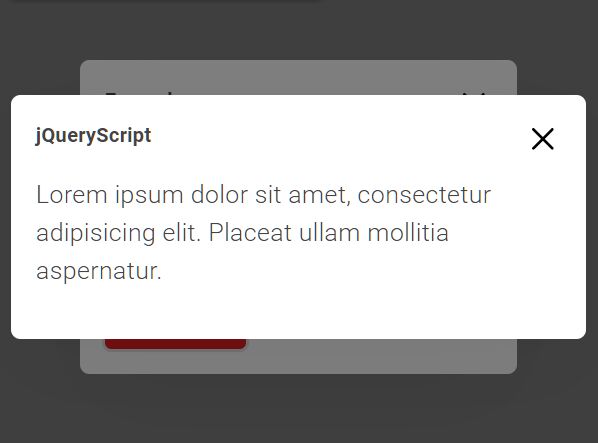
A really simple (~2kb), pretty clean, fully responsive modal jQuery plugin that features HTML content, prevent body scroll, callback function, and much more.
How to use it:
1. Insert the jQuery Simple Modal plugin's files into the HTML document.
<link href="/path/to/dist/css/jquery.simple-modal.css" rel="stylesheet" />
<script src="/path/to/cdn/jquery.min.js"></script>
<script src="/path/to/dist/js/jquery.simple-modal.js"></script>
2. Create a basic modal popup. Don't forget to replace the default modal title & body as follows:
$().simpleModal({

  // unique name
  name: 'jqueryscript',

  // modal title
  title: 'Modal Title Here',

  // modal content
  content: '<p class="lead">Lorem ipsum dolor sit amet, consectetur adipisicing elit. Placeat ullam mollitia aspernatur.</p><button class="btn btn-danger">Lorem ipsum</button>'

})
3. Set the modal size: 'small', 'middle', 'large', or interger. Defaults to 'small'.
$().simpleModal({

  size: 'large'

})
4. Determine whether or not to disable the body scroll when the modal is opened. Default: true.
$().simpleModal({

  freeze: false

})
5. Execute a callback function after the modal is opened. This example shows how to open another modal from the current modal using the callback parameter:
$().simpleModal({

  content: '<p class="lead">Lorem ipsum dolor sit amet, consectetur adipisicing elit. Placeat ullam mollitia aspernatur.</p><button class="my-button">Click Me</button>',

  callback: function() {
    $('.my-button').click(function() {
      $().simpleModal({
        name: 'example4',
        title: 'Example',
        size: 'large',
        content: '<p class="lead">Lorem ipsum dolor sit amet, consectetur adipisicing elit. Placeat ullam mollitia aspernatur.</p>'
      })
    });
  }

})
Changelog:
2020-04-19
- fix custom width (use max-width)
2020-02-10
- Allows custom width
This awesome jQuery plugin is developed by maximzhurkin. For more Advanced Usages, please check the demo page or visit the official website.