Facebook App Like jQuery Side Navigation Plugin - menuPanda
| File Size: | 123KB |
|---|---|
| Views Total: | 9088 |
| Last Update: | |
| Publish Date: | |
| Official Website: | Go to website |
| License: | MIT |
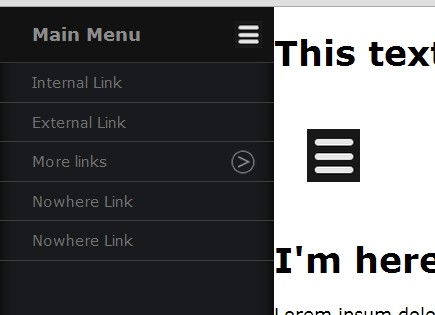
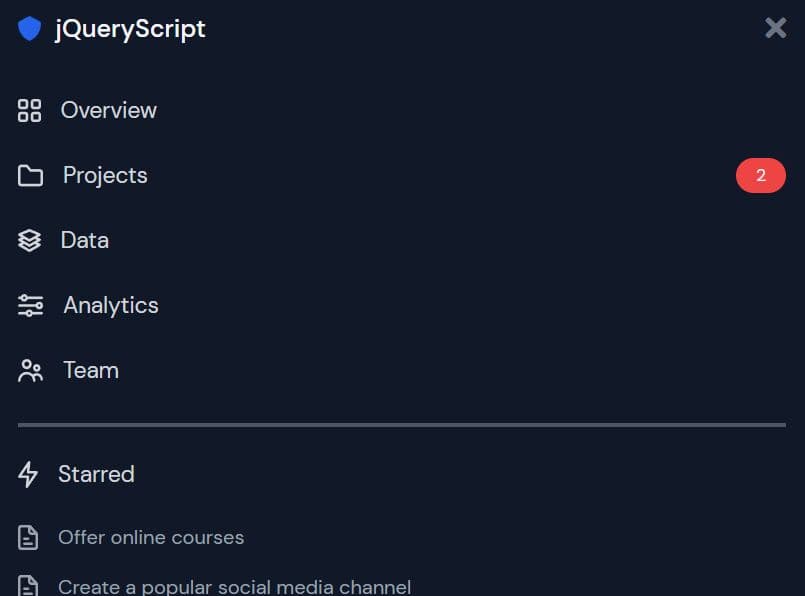
menuPanda is a jQuery & CSS3 menu for creating an animated sidebar navigation menu that works like the Facebook app.
See also:
- JS Library For Facebook Style Side Panel Menus - Snap.js
- Facebook App-Style jQuery Side Mobile Menu Plugin
How to use it:
1. Load the jQuery javascript library and jQuery menuPanda plugin in the page.
<script src="http://ajax.googleapis.com/ajax/libs/jquery/1.10.2/jquery.min.js"></script>
<script type="text/javascript" src="js/menuPanda.min.js"></script>
2. Create a multi-level navigation menu with nested ul lists.
<nav id="menu">
<!--the UL element holds the title... -->
<ul data-title="Main Menu">
<!--the LI element are horizontal (or normal) links... -->
<li><a href="#otherDiv">Internal Link</a></li>
<li><a href="#otherDiv">External Link</a></li>
<!--the UL element are nestable for multiple links layers... -->
<ul data-title="More links">
<li><a href="#otherDiv">Internal Link</a></li>
<li><a href="#otherDiv">External Link</a></li>
<!--There are can be as many layers as you want-->
<ul data-title="Even more links">
<li><a href="#">Nowhere Link</a></li>
<li><a href="#">Nowhere Link</a></li>
</ul>
</ul>
<li><a href="#">Nowhere Link</a></li>
<li><a href="#">Nowhere Link</a></li>
</ul>
</nav>
3. The CSS to style the menu and make it responsive with media queries.
.mp-layer {
position: absolute;
top: 0px;
bottom: 0px;
left: 0px;
width: 30%;
max-width: 250px;
min-width: 130px;
background-color: #191a1d;
box-shadow: inset 0 0 20px #000000;
font-family: Verdana, arial, sans-serif;
font-size: 14px;
overflow: hidden;
}
.mp-layer h1 {
font-size: 16px;
color: #8d8d8d;
width: 100%;
height: 50px;
line-height: 50px;
border-bottom: 1px solid #373737;
background-color: #121212;
margin: 0;
padding: 0;
text-indent: 30px;
background-image: url("../img/menuPanda_menuP.png");
background-position: 95% center;
background-repeat: no-repeat;
}
.mp-layerlink {
background-image: url("../img/menuPanda_arrow.png");
background-repeat: no-repeat;
background-position: 95% center;
}
 @media all and (max-width: 1024px) {
.mp-layer h1 {
background-image: none;
}
.mp-layer {
font-size: +20px;
}
}
.mp-layer ul {
margin: 0;
padding: 0;
}
.mp-layer li {
list-style: none;
display: block;
width: 100%;
height: 35px;
line-height: 35px;
text-indent: 30px;
border-bottom: solid 1px #3d3d3d;
transition: all 0.5s ease;
}
.mp-layer li:hover {
text-indent: 50px;
color: 000;
}
.mp-layer a {
color: #727272;
text-decoration: none;
transition: all 0.5s ease;
}
.mp-layer a:hover {
color: #8b8b8b;
}
.mp-wrapper {
position: absolute;
overflow: scroll;
top: 0px;
bottom: 0px;
left: 0px;
width: 100%;
}
.mp-buttom {
padding: 30px;
}
4. Call the plugin and we're done.
<script type="text/javascript">
$(document).ready(function(){
$("#menu").pandfy();
});
</script>
This awesome jQuery plugin is developed by luandev. For more Advanced Usages, please check the demo page or visit the official website.