Highly Customizable jQuery Notification Popup Plugin - Notify.js
| File Size: | 19.5 KB |
|---|---|
| Views Total: | 3570 |
| Last Update: | |
| Publish Date: | |
| Official Website: | Go to website |
| License: | MIT |
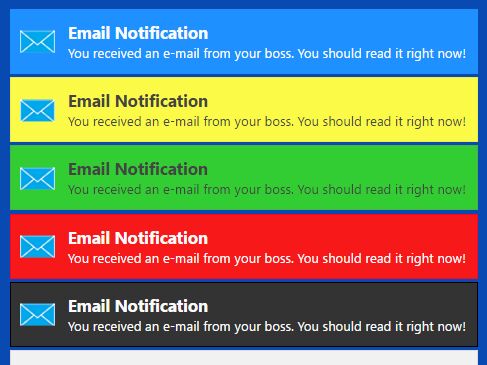
Notify.js is a simple, flexible jQuery notification plugin used to create customizable, easy-to-style notification popups on the screen.
Main Features:
- Allows to append the notification popup to any element just like the tooltip.
- 4 built-in styles: success, info, error and warning.
- Easy to add you own CSS styles.
- Custom action buttons inside the notifications.
- Supports both vertical and horizontal alignment.
- Windows metro theme included.
- Also supports Bootstrap framework.
Basic usage:
1. Add jQuery library and the jQuery Notify.js script to the html page.
<script src="//code.jquery.com/jquery.min.js"></script>
<script src="notify.js"></script>
2. Display a default notification popup that appears at the top right of the webpage.
$.notify("I am a notification popup");
3. Apply built-in styles to the notification popup.
$.notify("Success notification", "success");
$.notify("Info notification", "info");
$.notify("Warning notification", "warn");
$.notify("Error notification", "error");
4. Append the notification popup to a specific element.
$(".el").notify("I am a notification popup");
5. All default options to customize the notification popup.
$(".el").notify("I am a notification popup",{
  clickToHide: true,
  autoHide: true,
  autoHideDelay: 5000,
  arrowShow: true,
  arrowSize: 5,
  breakNewLines: true,
  elementPosition: "bottom",
  globalPosition: "top right",
  style: "bootstrap", // or metro
  className: "error",
  showAnimation: "slideDown",
  showDuration: 400,
  hideAnimation: "slideUp",
  hideDuration: 200,
  gap: 5
});
6. Add custom CSS styles to the notification popup.
// $.notify.addStyle( styleName, styleDefinition )
$.notify.addStyle('happyblue', {
  html: "<div>☺<span data-notify-text/>☺</div>",
  classes: {
    base: {
      "white-space": "nowrap",
      "background-color": "lightblue",
      "padding": "5px"
    },
    superblue: {
      "color": "white",
      "background-color": "blue"
    }
  }
});
.notifyjs-happyblue-base {
  white-space: nowrap;
  background-color: lightblue;
  padding: 5px;
}

.notifyjs-happyblue-superblue {
  color: white;
  background-color: blue;
}
This awesome jQuery plugin is developed by jpillora. For more Advanced Usages, please check the demo page or visit the official website.