Tiny jQuery Modal Extension For Materialize Framework - materializeMessages.js
| File Size: | 9.12 KB |
|---|---|
| Views Total: | 2561 |
| Last Update: | |
| Publish Date: | |
| Official Website: | Go to website |
| License: | MIT |
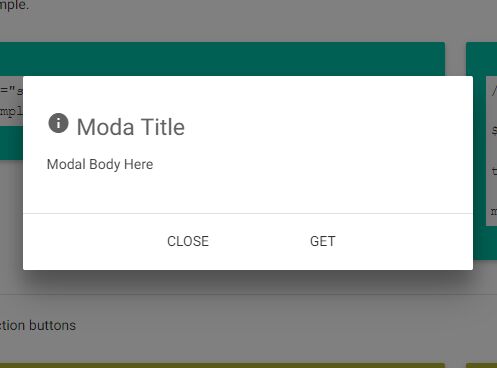
materializeMessages.js is a lightweight jQuery plugin which lets you create dynamic, Material design-style fully configurable dialog boxes and modal windows using the popular Materialize CSS framework.
How to use it:
1. Include jQuery library and Materialize CSS framework on the webpage.
<link rel="stylesheet" href="/path/to/materialize.min.css">
<script src="/path/to/jquery.min.js"></script>
<script src="/path/to/materialize.min.js"></script>
2. Include the jQuery materializeMessages.js plugin's JavaScript & CSS after jQuery.
<link rel="stylesheet" href="/path/to/materialize.min.css">
<script src="materializeMessages.js"></script>
3. Create a basic modal window which can be closed by clicking outside it.
<a href="someFooPage.html" id="example">Lanuch</a>
$('#example').materializeMessages();
4. Customizable options with default values.
$('#example').materializeMessages({

  // custom icons
  iconType : 'info',
  iconColor : 'grey',
  iconSubcolor : 'darken-2',

  // custom title
  title : 'dont forget set the title',
  titleColor : 'grey',
  titleSubColor: 'darken-2',

  // custom message
  message : 'dont forget set the message',
  messageColor : 'grey',
  messageSubColor : 'darken-3',

  // background message
  bgMessage: 'white',
  bgMessageSubcolor : '',
  bgButtonsContainer : 'white',
  bgButtonsContainerSubcolor : '',

  // text buttons
  textButtonsContainer : '',

  // button 1
  // button1Content : {
  //   text : 'Close',
  //   textColor : 'white',
  //   action: 'closeMessage'
  // },
  button1 : false,

  // button 2
  button2 : false,

  // is dismissible?
  dismissible : true,

  // title / message variables
  titleVariables : {},
  messageVariables : {}

});
Change log:
2016-09-25
- bugfix
This awesome jQuery plugin is developed by Paco-Cervantes. For more Advanced Usages, please check the demo page or visit the official website.