jQuery Plugin To Sort Nested Lists Using Drag and Drop - nestedSortable
| File Size: | 15.2 KB |
|---|---|
| Views Total: | 18642 |
| Last Update: | |
| Publish Date: | |
| Official Website: | Go to website |
| License: | MIT |
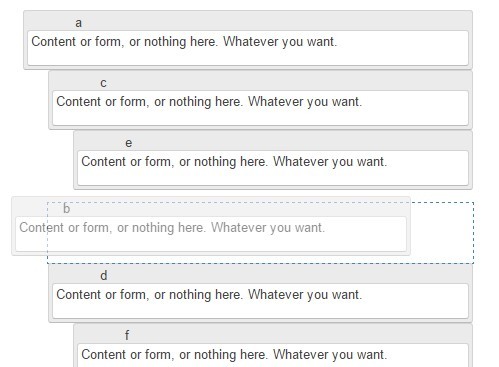
nestedSortable is a jQuery & jQuery UI extension which enables drag and drop functionality on nested lists (tree structure) to make them sortable with a handle.
How to use it:
1. Load the necessary jQuery and jQuery UI libraries in the document.
<script src="jquery.min.js"></script>
<link rel="stylesheet" href="jquery-ui.css">
<script src="jquery-ui.min.js"></script>
2. Make sure to include the jQuery nestedSortable plugin after jQuery library.
<script src="jquery.mjs.nestedSortable.js"></script>
3. Create nested lists that list items can be sorted in their own list, moved across the tree, or nested under other items.
<ol class="sortable">
  <li><div>Content 1</div></li>
  <li>
    <div>Content 2</div>
    <ol>
      <li><div>Content 2-1</div></li>
      <li><div>Content 2-2</div></li>
    </ol>
  </li>
  <li><div>Content 3</div></li>
</ol>
4. Call the plugin on the top element.
$('.sortable').nestedSortable({
  handle: 'div',
  items: 'li',
  toleranceElement: '> div'
});
5. Full plugin options.
$('.sortable').nestedSortable({

// Set this to true to lock the parentship of items.
// They can only be re-ordered within theire current parent container.
disableParentChange: false,

// Set this to true if you don't want empty lists to be removed.
doNotClear: false,

// How long (in ms) to wait before expanding a collapsed node
// useful only if isTree: true
expandOnHover: 700,

// You can specify a custom function to verify if a drop location is allowed.
isAllowed: function() { return true; },

// Set this to true if you want to use the new tree functionality.
isTree: false,

// The list type used (ordered or unordered).
listType: "ol",

// The maximum depth of nested items the list can accept.
maxLevels: 0,

// Whether to protect the root level
protectRoot: false,

// The id given to the root element
rootID: null,

// Set this to true if you have a right-to-left page.
rtl: false,

// Set this to true if you want the plugin to collapse the tree on page load
startCollapsed: false,

// How far right or left (in pixels) the item has to travel in order to be nested or to be sent outside its current list.
tabSize: 20,

// custom classes
branchClass: "mjs-nestedSortable-branch",
collapsedClass: "mjs-nestedSortable-collapsed",
disableNestingClass: "mjs-nestedSortable-no-nesting",
errorClass: "mjs-nestedSortable-error",
expandedClass: "mjs-nestedSortable-expanded",
hoveringClass: "mjs-nestedSortable-hovering",
leafClass: "mjs-nestedSortable-leaf",
disabledClass: "mjs-nestedSortable-disabled"

});
This awesome jQuery plugin is developed by ilikenwf. For more Advanced Usages, please check the demo page or visit the official website.