Simple jQuery Vertical Accordion with CSS3 Transitions
| File Size: | 7.54KB |
|---|---|
| Views Total: | 1771 |
| Last Update: | |
| Publish Date: | |
| Official Website: | Go to website |
| License: | MIT |
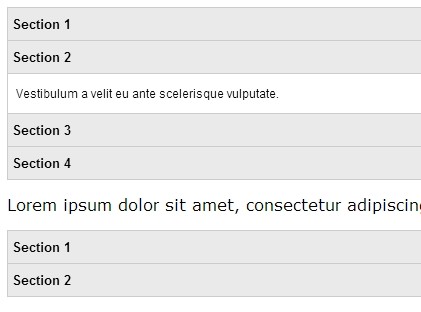
An easy and fast jQuery accordion plugin to expand/collapse Html content with CSS3 transition effects.
How to use it:
1. Include the jquery.simple-accordion.js script in the page. Ensure you have jquery loaded before as well.
<script src="http://ajax.googleapis.com/ajax/libs/jquery/1.10.2/jquery.min.js"></script>
<script type="text/javascript" src="jquery.simple-accordion.js"></script>
2. Include the animate.css for CSS3 transition effects.
<link href="css/animate.css" rel="stylesheet" type="text/css">
3. Create the html. The plugin works on any element to wrap the content, not only ul list.
<dl class="accordion" id="demo">
<dt>Section 1</dt>
<dd>Content 1</dd>
<dt>Section 2</dt>
<dd>Content 2</dd>
<dt>Section 3</dt>
<dd>Content 3</dd>
<dt>Section 4</dt>
<dd>Content 4</dd>
...
</dl>
4. Style the accordion via CSS.
.accordion dt {
background: #eaeaea;
cursor: pointer;
padding: 8px 4px;
font-size: 13px;
font-weight: bold;
}
.accordion dd {
padding: 12px 8px;
}
.accordion dt,  .accordion dd {
border-bottom: 1px solid #ccc;
margin: 0px;
}
.accordion {
width: 500px;
border: 1px solid #ccc;
border-bottom: none;
font-family: Arial, Helvetica, sans-serif;
font-size: 12px;
}
5. Initialize the accordion with options.
<script>
$(function() {
$('#demo').simpleAccordion({
animationIn: 'slideInDown',
animationOut: 'slideOutUp'
});
});
</script>
This awesome jQuery plugin is developed by ecorvo. For more Advanced Usages, please check the demo page or visit the official website.