Minimalist Sliding Push Menu with jQuery and CSS - SlideIn Menu
| File Size: | 80.5 KB |
|---|---|
| Views Total: | 2839 |
| Last Update: | |
| Publish Date: | |
| Official Website: | Go to website |
| License: | MIT |
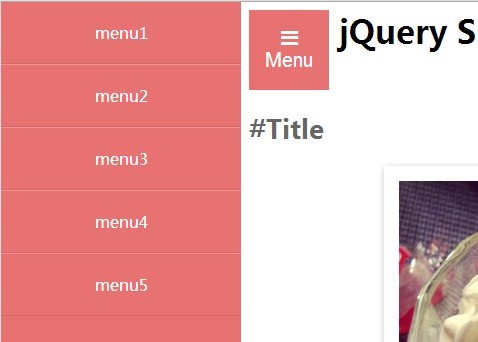
Just a simple jQuery script to create a fixed off-canvas menu that slides in from the left side while the main content slides to the right when activated.
How to use it:
1. Create a navigation menu using Html unordered list.
<nav id="slide_menu">
  <ul>
    <li><a href="#">menu1</a></li>
    <li><a href="#">menu2</a></li>
    <li><a href="#">menu3</a></li>
    <li><a href="#">menu4</a></li>
    <li><a href="#">menu5</a></li>
  </ul>
</nav>
3. The required CSS to turn the navigation into a fixed, off-canvas menu.
body {
  position: relative;
  left: 0;
  overflow-x: hidden;
}

#slide_menu {
  position: fixed;
  top: 0;
  left: -240px;
  width: 240px;
  height: 100%;
  background: #E87272;
}
3. Create a button to open the off-canvas menu.
<button id="button">Open</button>
4. Load the necessary jQuery Javascript library in the document.
<script src="http://code.jquery.com/jquery-1.11.1.min.js"></script>
5. The jQuery script to active the sliding off-canvas menu.
$(function(){
var menu = $('#slide_menu'),
    menuBtn = $('#button'),
    body = $(document.body),
    menuWidth = menu.outerWidth();

    menuBtn.on('click', function(){
      body.toggleClass('open');
        if(body.hasClass('open')){
          body.animate({'left' : menuWidth }, 300);
          menu.animate({'left' : 0 }, 300);
        } else {
          menu.animate({'left' : -menuWidth }, 300);
          body.animate({'left' : 0 }, 300);
        }
    });
});
6. Style the off-canvas menu whatever you like in the CSS.
#slide_menu ul {
  padding: 0;
  margin: 0;
}

#slide_menu li + li { border-top: solid 1px #f39191; }

#slide_menu li {
  border-bottom: solid 1px #d56767;
  list-style: none;
}

#slide_menu li a {
  display: block;
  padding: 20px 0;
  color: #fff;
  text-align: center;
  text-decoration: none;
}
This awesome jQuery plugin is developed by SaoriMiyazaki. For more Advanced Usages, please check the demo page or visit the official website.