Mobile-first Responsive Navigation Bar with jQuery and CSS3 - Paradeiser
| File Size: | 325 KB |
|---|---|
| Views Total: | 4301 |
| Last Update: | |
| Publish Date: | |
| Official Website: | Go to website |
| License: | MIT |
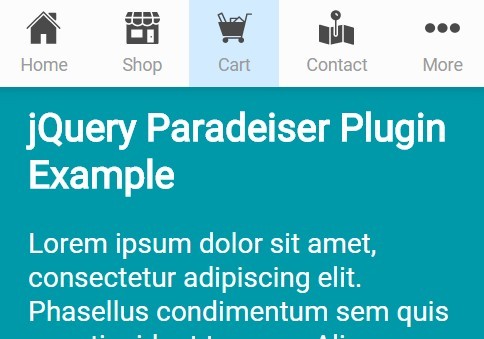
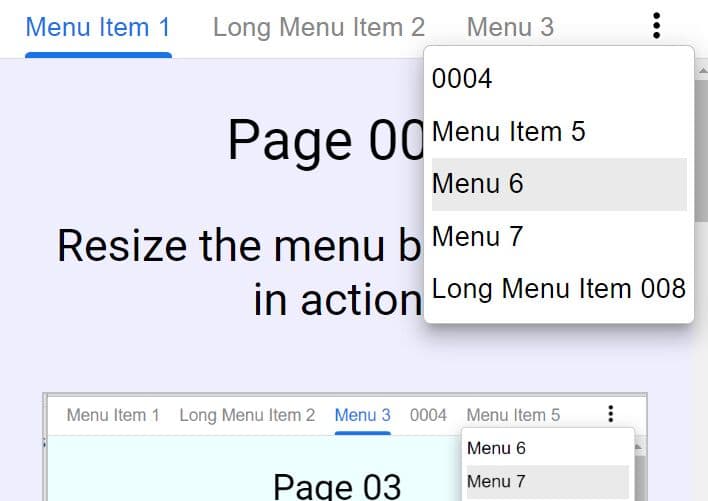
Paradeiser is an easy navigation solution for mobile that automatically displays a top navigation bar to replace the boring hamburger / off-canvas menu on mobile devices (viweport size < 728px).
Basic usage:
1. Load the core stylesheet paradeiser.min.css in the head section of the document.
<link rel="stylesheet" href="path/to/paradeiser.min.css">
2. Create a mobile navigation that is hidden on desktop.
<div class="paradeiser">
  <a href="#">
    <span>Home</span>
  </a>
  <a href="#">
    <span>Blog</span>
  </a>
  <a href="#">
    <span>Contact</span>
  </a>
  <a href="#">
    <span>Works</span>
  </a>
  <span class="paradeiser_dropdown">
    <span>More</span>
    <ul class="paradeiser_children">
        <li><a href="#">About</a></li>
        <li><a href="#">Portfolio</a></li>
        <li><a href="#">Jobs</a></li>
    </ul>
  </span>
</div>
3. Include the needed jQuery library at the bottom of the webpage.
<script src="//code.jquery.com/jquery-2.1.4.min.js"></script>
4. The jQuery script to enable the overflow dropdown button when there's not enough space to place all your navigation items.
(function() {
  var paradeiser_open;

  paradeiser_open = false;

  $('.paradeiser_dropdown :not(.paradeiser_children)').on('click', function(event) {
    var paradeiser_dropdown;
    paradeiser_dropdown = $(this);
    if (paradeiser_dropdown.parents('.paradeiser_children').length) {

    } else {
      event.preventDefault();
    }
    return $('.paradeiser_dropdown .paradeiser_children, #paradeiser-greybox').toggleClass('visible');
  });

  $('<div id="paradeiser-greybox"></div>').insertAfter('.paradeiser').on('click', function(event) {
    return $('.paradeiser_dropdown .paradeiser_children, #paradeiser-greybox').removeClass('visible');
  });

}).call(this);
Change log:
v0.2.9 (2015-09-08)
- now prefixing the non-min version as well for better browser support
- added more demos
This awesome jQuery plugin is developed by lucidlemon. For more Advanced Usages, please check the demo page or visit the official website.