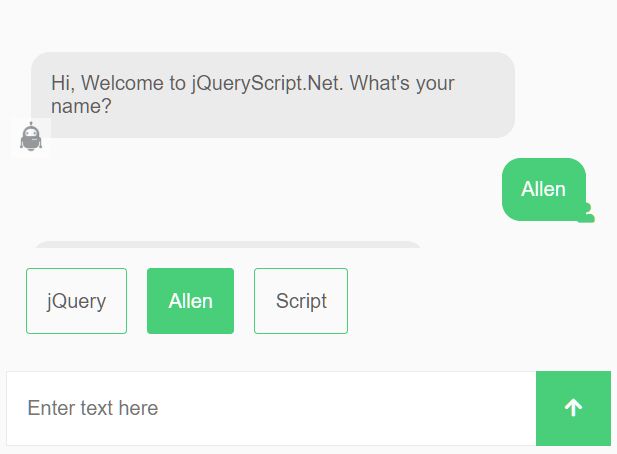
Create A Smart Chat Bot From An Html Form - convForm
| File Size: | 54.1 KB |
|---|---|
| Views Total: | 60745 |
| Last Update: | |
| Publish Date: | |
| Official Website: | Go to website |
| License: | MIT |
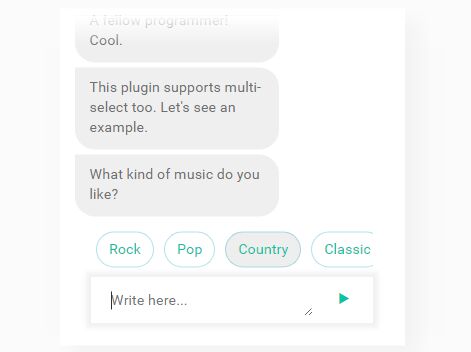
convForm is a fancy jQuery plugin to create a smart, interactive live chat bot from a normal html form that you can define your own questions for each form field using conv-* attributes.
How to use it:
1. The plugin requires the latest jQuery library is loaded properly in the document.
<script src="//code.jquery.com/jquery.min.js"></script>
2. Load the jQuery convForm plugin's JavaScript and CSS files in the document.
<link rel="stylesheet" href="dist/jquery.convform.css">
<script src="dist/jquery.convform.js"></script>
3. Define the question to ask using conv-question attribute as this:
<input type="text" name="name" conv-question="Question to ask">
4. If you'd like to show specific questions based on your user's answer.
<select name="conversation" conv-question="Question To Ask">
  <option value="yes">Yes</option>
  <option value="no">No</option>
</select>

<div conv-fork="conversation">
  <div conv-case="yes">
    <input type="text" conv-question="Question To Ask" no-answer="true">
  </div>
  <div conv-case="no">
    <select name="thought" conv-question="Question To Ask">
      <option value="yes">Yes</option>
      <option value="no">No</option>
    </select>
  </div>
</div>
5. Possible plugin options with default values.
var convForm = $('.my-conv-form-wrapper').convform({
    placeHolder : 'Type Here',
    typeInputUi : 'textarea', // 'input' or 'textarea'
    timeOutFirstQuestion : 1200,
    buttonClassStyle : 'icon2-arrow',
    selectInputStyle: 'show', // or disable, hide
    selectInputDisabledText: 'Select an option',
    eventList : {
      onSubmitForm : function(convState) {
        console.log('completed');
        convState.form.submit();
        return true;
      },
      onInputSubmit : function(convState, readyCallback) {
        if(convState.current.input.hasOwnProperty('callback')) {
          if(typeof convState.current.input.callback === 'string') {
            window[convState.current.input.callback](convState, readyCallback);
          } else {
            convState.current.input.callback(convState, readyCallback);
          }
        } else {
          readyCallback();
        }
      }
    },
    formIdName : 'convForm',
    inputIdName : 'userInput',
    loadSpinnerVisible : '',
    buttonText: '▶'
});
Changelog:
2019-03-02
- added selectInputStyle and selectInputDisabledText options
2019-02-20
- hiding scrollbars on IE
2019-02-13
- fixed disappearing chat box
2018-12-26
- adjusted wrapper height when showing options
2018-11-08
- changes to callback functions to also pass ready
2018-10-18
- multiple select not able to select bug fixed, multiple select not
2018-07-12
- new option eventList: onInputSubmit, called on every input submit.
2018-04-20
- Attributes changed to be w3c compliant
2018-03-20
- added option to change button text (buttonText)
2018-02-21
- changed default loader color, removed round border-top-right radius from
2018-02-20
- fixed a bug with rollback example, and prevent js from throwing error
2018-02-19
- callback functions now receive the ConvState object as a parameter so the user can interact with the conversation states and do cool things like rollback
2018-02-08
- fixed bug when user typed an invalid option and then clicked on a valid
2017-12-06
- fixed bug where form didn't submit when last question was a no-answer="true"
2017-08-23
- fixed bug
2017-05-26
- added callback support to options on a select
This awesome jQuery plugin is developed by eduardotkoller. For more Advanced Usages, please check the demo page or visit the official website.