Quicksilver Style Selection Control With jQuery - Flexselect
| File Size: | 20.3 KB |
|---|---|
| Views Total: | 2422 |
| Last Update: | |
| Publish Date: | |
| Official Website: | Go to website |
| License: | MIT |
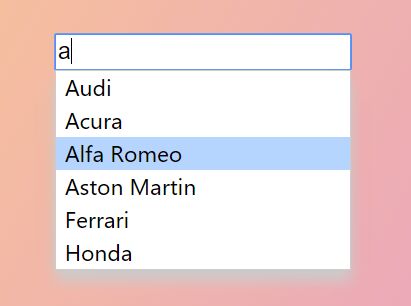
Flexselect is a simple, flexible, convenient jQuery plugin which applies the Quicksilver-style live search(autocomplete) functionality to your regular select element.
How to use it:
1. Load the Flexselect's stylesheet in the document's head section:
<link href="flexselect.css" rel="stylesheet">
2. Create a standard select element on the page.
<select class="flexselect">
  <option value="1">Acura</option>
  <option value="2">Audi</option>
  <option value="3">Alfa Romeo</option>
  <option value="4">Aston Martin</option>
  <option value="5">Chevrolet</option>
  <option value="6">Ferrari</option>
  <option value="7">Ford</option>
  <option value="8">Honda</option>
  <option value="9">Lexus</option>
  <option value="10">Mercedes-Benz</option>
</select>
3. Load the necessary JavaScript files at the end of the document.
<script src="//code.jquery.com/jquery.min.js"></script>
<script src="liquidmetal.js"></script>
<script src="jquery.flexselect.js"></script>
4. Call the function to convert the select box into a Quicksilver-style, autocompleting, flex matching selection tool.
$("select.flexselect").flexselect();
5. Possible plugin options with default values.
$("select.flexselect").flexselect({
  allowMismatch: false,
  allowMismatchBlank: true, // If "true" a user can backspace such that the value is nothing (even if no blank value was provided in the original criteria)
  sortBy: 'score', // 'score' || 'name'
  blankSortBy: 'initial', // 'score' || 'name' || 'initial'
  preSelection: true,
  hideDropdownOnEmptyInput: false,
  selectedClass: "flexselect_selected",
  dropdownClass: "flexselect_dropdown",
  showDisabledOptions: false,
  inputIdTransform:    function(id)   { return id + "_flexselect"; },
  inputNameTransform:  function(name) { return; },
  dropdownIdTransform: function(id)   { return id + "_flexselect_dropdown"; }
});
This awesome jQuery plugin is developed by rmm5t. For more Advanced Usages, please check the demo page or visit the official website.