jQuery Sticky Menu with Background Parallax & Blur Effects
| File Size: | 221 KB |
|---|---|
| Views Total: | 12025 |
| Last Update: | |
| Publish Date: | |
| Official Website: | Go to website |
| License: | MIT |
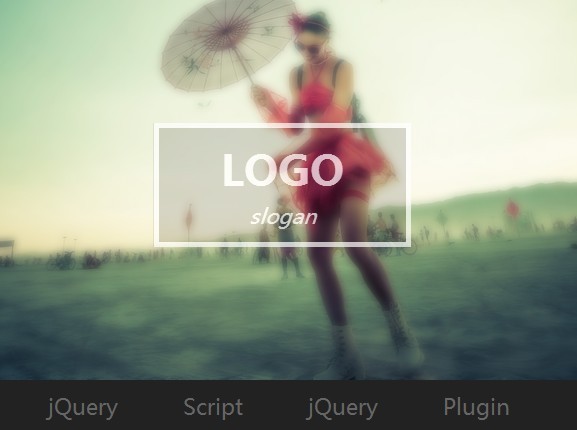
A cool jQuery plugin used to create a fixed menu with background image parallax & blur effects as you scroll down the web page.
How to use it:
1. Create a header for your web page that you will see the parallax & blur-out effects when scrolling the page.
<header>
  <div class="content">
    <hgroup>
      <h1>LOGO</h1>
      <i>slogan</i> </hgroup>
  </div>
  <div class="overlay"></div>
</header>
2. Add background image to the header and set other required styles in your CSS.
header {
  height: 100%;
  position: relative;
  overflow: hidden;
  background: url(background.jpg) center no-repeat;
  background-size: cover;
}

header .content {
  position: absolute;
  top: 0;
  left: 0;
  right: 0;
  bottom: 0;
  z-index: 1;
}

header h1,
header h2 { margin: 0; }

header h2 {
  text-transform: uppercase;
  margin-top: -.5em;
}

header hgroup {
  -webkit-transform: translate(-50%, -50%);
  -moz-transform: translate(-50%, -50%);
  -ms-transform: translate(-50%, -50%);
  -o-transform: translate(-50%, -50%);
  transform: translate(-50%, -50%);
  display: inline-block;
  text-align: center;
  position: absolute;
  top: 50%;
  left: 50%;
  color: #fff;
  border: 5px solid #fff;
  padding: .5em 3em;
  background-color: rgba(0, 0, 0, 0.2);
  z-index: 2;
}

header .overlay {
  position: absolute;
  top: 0;
  right: 0;
  left: 0;
  bottom: 0;
  background: #333 center no-repeat;
  background-size: cover;
  z-index: 0;
  opacity: 0;
  -webkit-filter: blur(4px);
}
3. Create a top menu and main content for your website as follows.
<section class="site">
  <nav>
    <a href="">Menu 1</a>
    <a href="">Menu 2</a>
    <a href="">Menu 3</a>
    ...
  </nav>

  Main content goes here

</section>
4. Style the top menu and make it sticky at the top on your website.
.site {
  padding: 20em 0;
  text-align: center;
  background-color: #efefef;
  font-size: .8em;
  color: #444;
  position: relative
}

.site a {
  color: #666;
  text-decoration: none;
}

.site a:hover { color: #222; }

.site nav {
  position: absolute;
  top: 0;
  left: 0;
  background: #222;
  width: 100%
}

.site nav a {
  padding: 10px 30px;
  font-size: 1.3em;
  display: inline-block
}

.site nav a:hover {
  background: #333;
  color: #fff
}
5. Include the necessary jQuery library at the bottom of the document.
<script src="//ajax.googleapis.com/ajax/libs/jquery/1.11.1/jquery.min.js"></script>
6. The Javascript to enable the fixed menu and the parallax & blur effects
var $content = $('header .content')
  , $blur    = $('header .overlay')
  , wHeight  = $(window).height();

$(window).on('resize', function(){
  wHeight = $(window).height();
});

window.requestAnimFrame = (function()
{
  return  window.requestAnimationFrame       ||
          window.webkitRequestAnimationFrame ||
          window.mozRequestAnimationFrame    ||
          function( callback ){
            window.setTimeout(callback, 1000 / 60);
          };
})();

function Scroller()
{
  this.latestKnownScrollY = 0;
  this.ticking            = false;
}

Scroller.prototype = {

  init: function() {
    window.addEventListener('scroll', this.onScroll.bind(this), false);
    $blur.css('background-image',$('header:first-of-type').css('background-image'));
  },


  onScroll: function() {
    this.latestKnownScrollY = window.scrollY;
    this.requestTick();
  },


  requestTick: function() {
    if( !this.ticking ) {
      window.requestAnimFrame(this.update.bind(this));
    }
    this.ticking = true;
  },

  update: function() {
    var currentScrollY = this.latestKnownScrollY;
    this.ticking       = false;


    var slowScroll = currentScrollY / 2
      , blurScroll = currentScrollY * 2
      , opaScroll = 1.4 - currentScrollY / 400;
   if(currentScrollY > wHeight)
     $('nav').css('position','fixed');
   else
     $('nav').css('position','absolute');

    $content.css({
      'transform'         : 'translateY(' + slowScroll + 'px)',
      '-moz-transform'    : 'translateY(' + slowScroll + 'px)',
      '-webkit-transform' : 'translateY(' + slowScroll + 'px)',
      'opacity' : opaScroll
    });

    $blur.css({
      'opacity' : blurScroll / wHeight
    });
  }
};


var scroller = new Scroller();
scroller.init();
This awesome jQuery plugin is developed by nodws. For more Advanced Usages, please check the demo page or visit the official website.