Accessible & Animated Dropdown Menu with jQuery and CSS3
| File Size: | 2.47 KB |
|---|---|
| Views Total: | 6639 |
| Last Update: | |
| Publish Date: | |
| Official Website: | Go to website |
| License: | MIT |
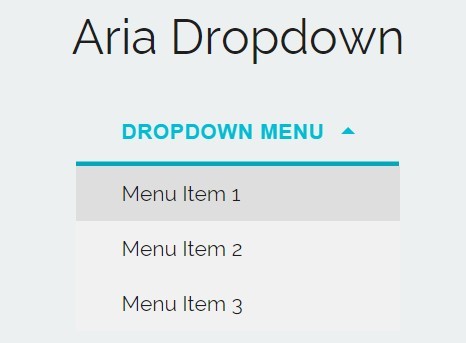
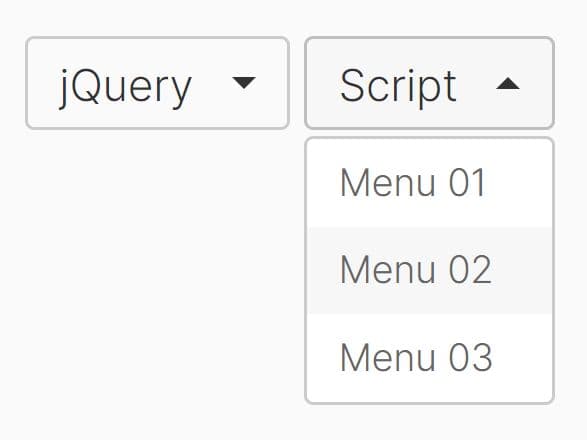
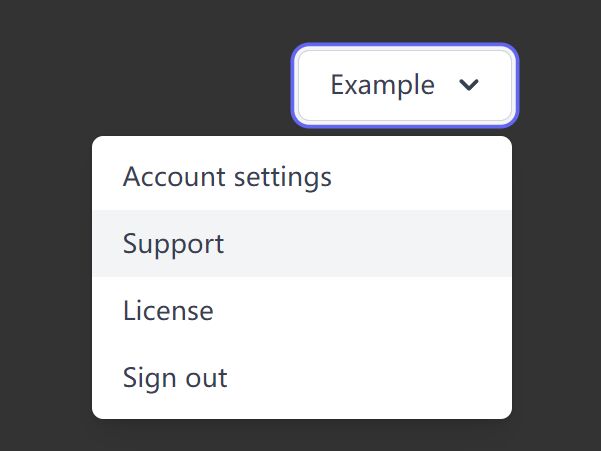
A jQuery, CSS3 animated and ul based dropdown menu that uses JavaScript to dynamically adds ARIA attributes to help make your dropdown more accessible.
How to use it:
1. Create a dropdown menu from an html unordered list.
<div class="dropdown">
  <button>Dropdown Menu</button>
  <ul id="dropdown-list">
    <li><a href="">Menu Item 1</a></li>
    <li><a href="">Menu Item 2</a></li>
    <li><a href="">Menu Item 3</a></li>
  </ul>
</div>
2. The core CSS / CSS3 to style your dropdown menu.
.dropdown {
  position: relative;
  display: inline-block;
  text-align: left;
}

.dropdown > button {
  position: relative;
  border: 0;
  padding: 15px 50px 15px 30px;
  overflow: hidden;
  background: none;
  color: white;
  font-size: 14px;
  font-weight: 700;
  letter-spacing: .03em;
  line-height: normal;
  text-transform: uppercase;
  z-index: 2;
}

.dropdown > button[aria-expanded="true"] { color: #00bcd4; }

.dropdown > button[aria-expanded="true"]:before {
  -webkit-transform: translateY(calc(100% - 3px));
  -ms-transform: translateY(calc(100% - 3px));
  transform: translateY(calc(100% - 3px));
}

.dropdown > button[aria-expanded="true"]:after {
  border-width: 0 5px 5px 5px;
  border-color: transparent transparent #00bcd4 transparent;
}

.dropdown > button:before {
  content: '';
  display: block;
  position: absolute;
  top: 0;
  right: 0;
  bottom: 0;
  left: 0;
  background: #00bcd4;
  z-index: -1;
  -webkit-transition: all 0.3s cubic-bezier(1, 0.1, 0, 0.9);
  transition: all 0.3s cubic-bezier(1, 0.1, 0, 0.9);
  -webkit-transform: translateZ(0) translateY(0);
  transform: translateZ(0) translateY(0);
}

.dropdown > button:after {
  content: '';
  position: absolute;
  top: 50%;
  right: 30px;
  display: block;
  margin-top: -3px;
  width: 0;
  height: 0;
  border-style: solid;
  border-width: 5px 5px 0 5px;
  border-color: white transparent transparent transparent;
  opacity: 1;
  -webkit-transition: all 0.3s ease;
  transition: all 0.3s ease;
}

.dropdown > button:focus:before { background: #02a7bc; }

.dropdown button + ul {
  position: absolute;
  overflow: hidden;
  top: 100%;
  left: 0;
  right: 0;
  margin: 0;
  padding: 0;
  background: #f1f1f1;
  list-style: none;
  -webkit-transition: all 0.3s cubic-bezier(1, 0.1, 0, 0.9) 0.2s;
  transition: all 0.3s cubic-bezier(1, 0.1, 0, 0.9) 0.2s;
  -webkit-transform: translateZ(0);
  transform: translateZ(0);
  max-height: 200px;
  visibility: visible;
  z-index: 1;
}

.dropdown button + ul[aria-hidden='true'] {
  max-height: 0;
  visibility: hidden;
  -webkit-transform: translateZ(0);
  transform: translateZ(0);
}

.dropdown button + ul li a {
  display: block;
  color: #1e1e1e;
  padding: 10px 30px;
  font-weight: 400;
  text-decoration: none;
  font-size: 14px;
  -webkit-transition: all 0.3s ease;
  transition: all 0.3s ease;
}

.dropdown button + ul li a:hover, .dropdown button + ul li a:focus { background: #dedede; }
3. Include the latest version of jQuery JavaScript from a CDN.
<script src="//code.jquery.com/jquery-2.1.4.min.js"></script>
4. The core function for the accessible dropdown menu.
var Dropdown = (function($) {

    var $body = $('body'),
      $dropdown = $body.find('.dropdown'),
      $trigger = $dropdown.find('button'),
      $list = $dropdown.find('ul'),
      $firstLink = $list.find('li:first a'),
      $lastLink = $list.find('li:last a');

    var init = function() {
      ariaSetup();
      bindEvents();
    }

    var ariaSetup = function() {
      var listId = $list.attr('id');

      $trigger.attr({
        'aria-expanded': 'false',
        'aria-controls': listId
      });

      $list.attr({
        'aria-hidden': true
      });
    }

    var bindEvents = function() {
      $trigger.on('click', toggleDropdown);

      $firstLink.on('keydown', function() {
        if (event.which === 9 && event.shiftKey === false) {
          return;
        } else if (event.which === 9 && event.shiftKey === true) {
          toggleDropdown();
        }
      });

      $lastLink.on('keydown', function() {
        if (event.shiftKey) return;
        toggleDropdown();
      });
    }

    var toggleDropdown = function() {
      var hidden = $list.attr('aria-hidden') === 'true' ? false : true,
        expanded = !hidden;

      $trigger.attr('aria-expanded', expanded);
      $list.attr('aria-hidden', hidden);
    }

    return {
      init: init
    }

  })(jQuery);
5. Initialize the dropdown menu.
Dropdown.init();
This awesome jQuery plugin is developed by dapacreative. For more Advanced Usages, please check the demo page or visit the official website.