jQuery Plugin To Create Bootstrap Styled Context Menus
| File Size: | 372 KB |
|---|---|
| Views Total: | 3750 |
| Last Update: | |
| Publish Date: | |
| Official Website: | Go to website |
| License: | MIT |
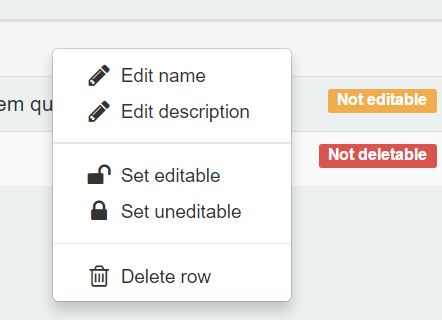
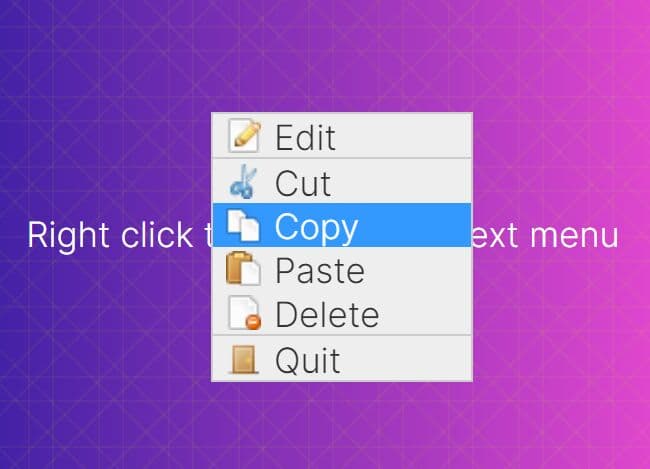
A jQuery context menu plugin for Bootstrap that enables you to attach a custom context menu to any DOM element, with support for custom actions and various trigger events.
Basic usage:
1. Include the Bootstrap Context Menu plugin's script into your Bootstrap page.
<script src="//code.jquery.com/jquery-1.11.3.min.js"></script>
<script src="dist/BootstrapMenu.min.js"></script>
2. Include the Font Awesome 4 for menu icons.
<link rel="stylesheet" href="/path/to/font-awesome.min.css">
3. Create a basic context menu with custom menu items as follow.
var menu = new BootstrapMenu('#container', {
    actions: [{
      name: 'Action 1',
      onClick: function() {
        // do something
      }
    }, {
      name: 'Action 2',
      onClick: function() {
        // do something
      }
    }, {
      name: 'Action 3',
      onClick: function() {
        // do something
      }
    }]
});
4. Configuration options.
/* container of the context menu, where it will be created and where event listeners will be installed. */
container: 'body',

/* user-defined function to obtain specific data about the currently opened element, to pass it to the rest of user-defined functions of an action. */
fetchElementData: _.noop,

/* what the source of the context menu should be when opened.
 * Valid values are 'mouse' and 'element'. */
menuSource: 'mouse',

/* how to calculate the position of the context menu based on its source.
 * Valid values are 'aboveLeft', 'aboveRight', 'belowLeft', and 'belowRight'. */
menuPosition: 'belowLeft',

/* the event to listen to open the menu.
 * Valid values are 'click', 'right-click', 'hover' */
menuEvent: 'right-click', // TODO rename to menuAction in next mayor version

/* group actions to render them next to each other, with a separator between each group. */
actionsGroups: [],

/* array or object containing the list of actions to be rendered in the context menu.
 * Actions attributes:
 * name  string|function The name of the action.
 * onClick function  Handler to run when an action is clicked.
 * iconClass string  Optional, Font Awesome class of the icon to show for the action.
 * classNames  string|object|function  Optional, classes to add to the action.
 * isShown function  Optional, decides if the action should be shown or hidden in the context menu.
 * isEnabled function  Optional, decides if the action should appear enabled or disabled in the context menu.*/
actions: [],

/* Obtain specific data about the currently opened element, to pass it to the rest of user-defined functions of an action. */
fetchElementData: function(){},

/* In some weird cases, another plugin may be installing 'click' listeners
 * in the anchors used for each action of the context menu, and stopping
 * the event bubbling before it reachs this plugin's listener.
 *
 * For those cases, _actionSelectEvent can be used to change the event we
 * listen to, for example to 'mousedown'.
 *
 * Unless the context menu is not working due to this and a workaround is
 * needed, this option can be safely ignored.
 */
_actionSelectEvent: 'click'
Change log:
2016-10-13
- show message 'No actions' when menu appears empty
2016-08-04
- v1.0.13
2016-05-12
- check if the menu was clicked outside a valid element
2015-12-18
- JS update.
This awesome jQuery plugin is developed by dgoguerra. For more Advanced Usages, please check the demo page or visit the official website.