Custom Number Input/Spinner Plugin For jQuery - number.js
| File Size: | 2.86 KB |
|---|---|
| Views Total: | 8027 |
| Last Update: | |
| Publish Date: | |
| Official Website: | Go to website |
| License: | MIT |
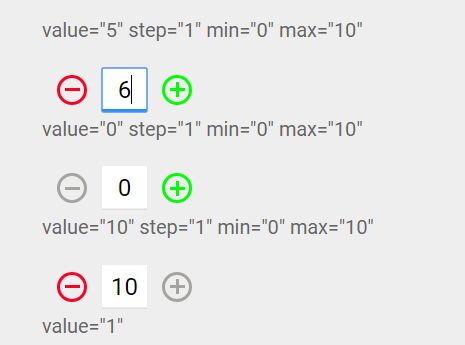
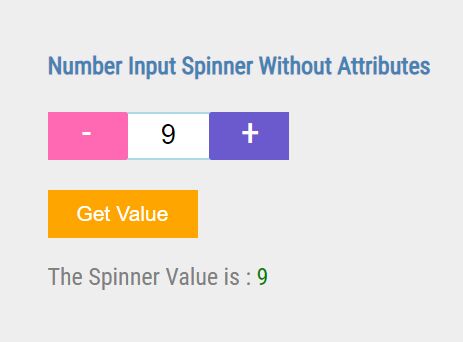
The jquery number.js plugin converts the normal input[type="number"] into a simple input spinner where the users are able to use the plus/minus buttons to increment/decrement the number values.
How to use it:
1. To use this plugin, makes sure you first have jQuery library loaded in the document.
<script src="//code.jquery.com/jquery.min.js"></script>
2. Load the jquery number.js plugin's script and stylesheet in the document.
<link rel="stylesheet" href="number.css">
<script src="number.js"></script>
3. Create a normal number input. The plugin supports the native attribute values just like 'step', 'max', 'min', etc.
<p>value="5" step="1" min="0" max="10"</p>
<input type="number" value="5" step="1" min="0" max="10">
<p>value="0" step="1" min="0" max="10"</p>
<input type="number" value="0" step="1" min="0" max="10">
<p>value="10" step="1" min="0" max="10"</p>
<input type="number" value="10" step="1" min="0" max="10">
<p>value="1"</p>
<input type="number" value="1">
4. Activate the plugin and you're done.
$('input').each(function () {

  $(this).number();

});
5. All default configuration options.
$('input').number({
  'containerClass' : 'number-style',
  'minus' : 'number-minus',
  'plus' : 'number-plus',
  'containerTag' : 'div',
  'btnTag' : 'span'
});
This awesome jQuery plugin is developed by AlexandrKrymov. For more Advanced Usages, please check the demo page or visit the official website.