jQuery Form: AJAX Form Submission & File Upload Plugin
| File Size: | 391 KB |
|---|---|
| Views Total: | 1 |
| Last Update: | |
| Publish Date: | |
| Official Website: | Go to website |
| License: | MIT |
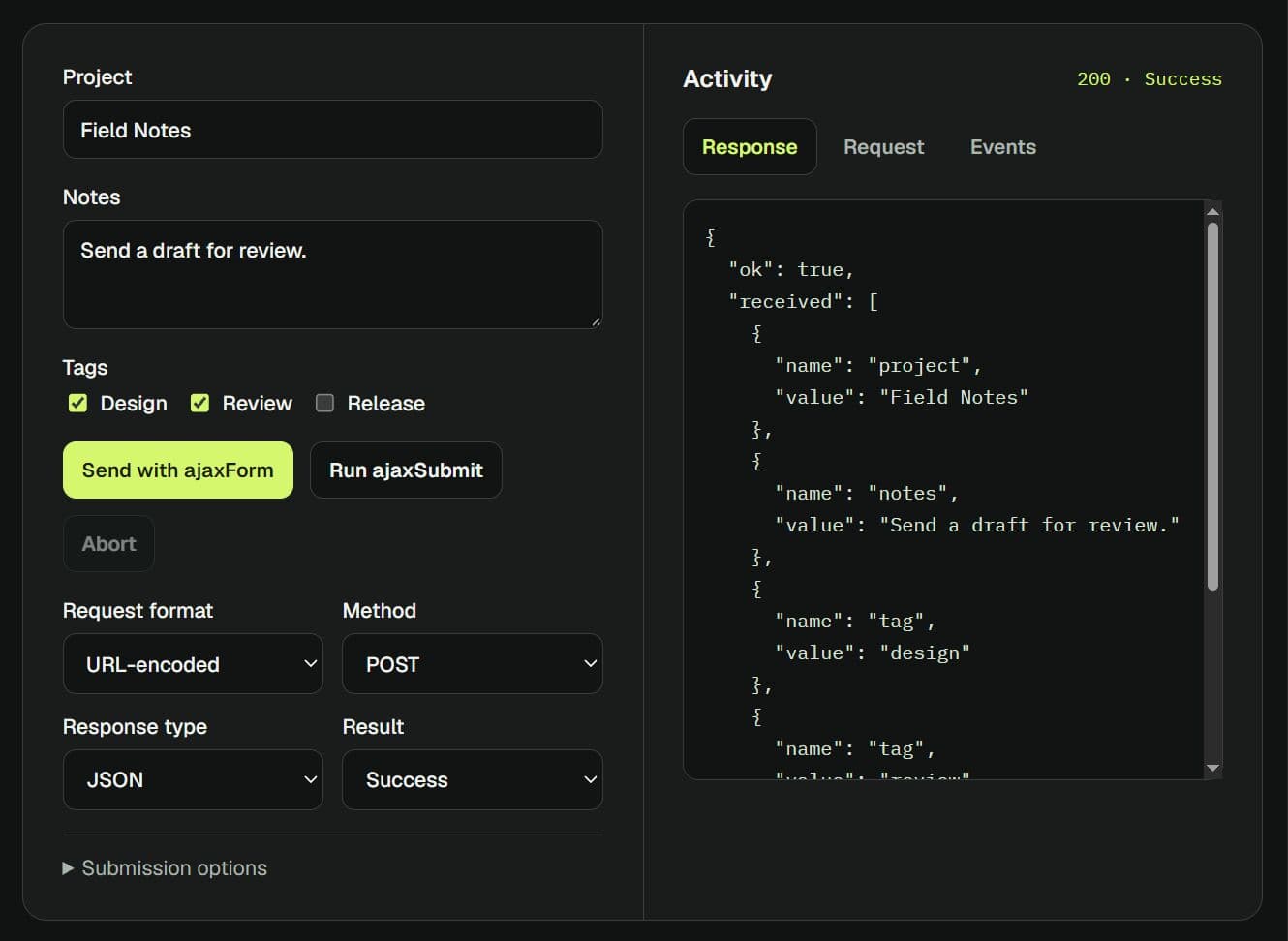
jQuery Form is a jQuery plugin for submitting HTML forms through AJAX with ajaxForm() or ajaxSubmit().
It uses the form's existing action and method attributes and supports file uploads with progress callbacks.
Features
- Automatic submit-event binding or direct AJAX submission from a custom handler.
- Request settings inherited from
$.ajax(), including URL, method, and response type. FormDatauploads, with iframe fallback where XHR file uploads are unavailable.- Cancellable callbacks before serialization and submission.
- HTML response insertion, success/error handlers, and optional form reset.
- Serialization helpers for complete forms and selected fields.
- Methods for clearing inputs, reading field values, and changing control states.
How to Use It
1. Install jQuery Form
Load the dist/jquery.form.min.js after the latest jQuery library.
<script src="https://code.jquery.com/jquery-4.0.0.min.js"></script>
<script src="/dist//jquery.form.min.js"></script>
Or install & import it with NPM:
npm install jquery [email protected]
import $ from 'jquery'; import 'jquery-form';
2. Bind automatic AJAX submission
Point the form's action at your submission endpoint. ajaxForm() binds AJAX submission to the form's normal submit event.
<form id="feedbackForm" action="/feedback" method="post">
  <label for="replyEmail">Email</label>
  <input id="replyEmail" type="email" name="email" required>

  <label for="feedbackText">Feedback</label>
  <textarea id="feedbackText" name="feedback" required></textarea>

  <button type="submit">Send feedback</button>
</form>
<p id="feedbackStatus" role="status"></p>

<script>
$(function () {
  $('#feedbackForm').ajaxForm({
    beforeSubmit: function (fields, $form, options) {
      $('#feedbackStatus').text('Sending...');
    },
    success: function () {
      $('#feedbackStatus').text('Feedback sent.');
    },
    error: function () {
      $('#feedbackStatus').text('Submission failed.');
    }
  });
});
</script>
3. Submit from a custom handler
Use ajaxSubmit() in place of the ajaxForm() binding above when your application owns the submit handler.
$(function () {
  $('#feedbackForm').on('submit', function (event) {
    event.preventDefault();
    $(this).ajaxSubmit({
      success: function () {
        $('#feedbackStatus').text('Feedback sent.');
      },
      error: function () {
        $('#feedbackStatus').text('Submission failed.');
      }
    });
  });
});
4. Upload a file and display progress
Post the file to an endpoint that accepts multipart/form-data. The uploadProgress callback runs during XHR file uploads.
<form id="documentUpload" action="/upload-document" method="post" enctype="multipart/form-data">
  <label for="documentFile">Document</label>
  <input id="documentFile" type="file" name="document" required>
  <button type="submit">Upload document</button>
</form>
<progress id="uploadProgress" value="0" max="100"></progress>
<p id="uploadStatus" role="status"></p>

<script>
$(function () {
  $('#documentUpload').ajaxForm({
    uploadProgress: function (event, position, total, percentComplete) {
      $('#uploadProgress').val(percentComplete);
    },
    success: function () {
      $('#uploadStatus').text('Upload finished.');
    },
    error: function () {
      $('#uploadStatus').text('Upload failed.');
    }
  });
});
</script>
Configuration Options
Both submission methods accept these plugin options and standard $.ajax() settings, including headers, timeout, and contentType.
Request and response
url(String): Submission endpoint. Default: the form'sactionattribute.method(String): HTTP method. Default: the form'smethodattribute, orGET.type(String): Alias formethod. An explicitmethodtakes precedence.data(Object|Function): Extra submitted fields. A function receives the serialized field array. Default:{}.dataType(String): Expected server response format, such asjson,xml, orscript. Default:null.target(Selector|Element|jQuery): Insert a string response as HTML whendataTypeis unset. Parsed JSON/XML responses do not update the target. Default:null.replaceTarget(Boolean): Replace the target element itself. Default:false(updates its contents).resetForm(Boolean): Reset form values after a successful request. Default:null.clearForm(Boolean): Clear form fields after a successful request. Default:null.includeHidden(Boolean|Selector): Include matching hidden inputs whenclearFormclears fields. By default, hidden inputs are retained.
Submission callbacks and event binding
beforeSerialize(Function): Called with($form, options)before field extraction. Returningfalsecancels submission.beforeSubmit(Function): Called with(formData, $form, options)after serialization and before sending. Returningfalsecancels submission.beforeFormUnbind(Function): Called with($form, options)beforeajaxForm()replaces its event handlers.filtering(Function): Filters form controls during extraction. Receives(element, index).success(Function|Array): Receives(data, textStatus, jqXHR, $form)after a successful request. An array of functions is also accepted.error(Function): Receives(jqXHR, textStatus, errorThrown, $form)on request failure.complete(Function): Standard jQuery AJAX callback; receives(jqXHR, textStatus, $form)after completion.uploadProgress(Function): Receives(event, position, total, percentComplete)for XHR file uploads.delegation(Boolean): Bind delegated submit events for dynamic forms. On jQuery 3 and later, it handles submissions from all forms, regardless of the selected form selector. Bind handlers after insertion for selector-specific behavior.
Upload and serialization
formData(FormData): Supply a prebuiltFormDataobject for an XHR file upload. This replaces the plugin-generated upload data.iframe(Boolean): Force the iframe upload transport. Default:false.iframeSrc(String): Initial iframe URL. The plugin generally usesabout:blank.iframeTarget(Element|Selector): Supply an existing iframe for uploads. The plugin leaves its response handling to the application. Default:null.forceSync(Boolean): Remove the short delay before iframe upload submission. Default:false.semantic(Boolean): Preserve strict semantic order when serializing image-submit controls. Default:false.
API Methods
// Bind automatic AJAX handling; does not submit immediately.
$('#feedbackForm').ajaxForm({});

// Submit immediately; use in a custom submit handler.
$('#feedbackForm').ajaxSubmit({});

// Remove directly bound handlers registered by ajaxForm().
$('#feedbackForm').ajaxFormUnbind();

// Read the jqXHR after ajaxSubmit() has dispatched a request.
var xhr = $('#feedbackForm').data('jqxhr');

// formToArray(semantic, elements, filtering) returns field objects.
var fields = $('#feedbackForm').formToArray();

// Serialize successful controls (excluding disabled or unchecked controls).
var query = $('#feedbackForm').formSerialize();
var partial = $('#feedbackForm [name="email"]').fieldSerialize();

// Read matched field values as an array.
var values = $('#feedbackForm [name="email"]').fieldValue();
var everyValue = $('#feedbackForm input').fieldValue(false); // Include disabled controls

// Restore original values or clear values.
$('#feedbackForm').resetForm();
$('#feedbackForm').clearForm();
$('#feedbackForm [name="email"]').clearFields();
$('#feedbackForm [name="email"]').clearInputs(); // clearFields() alias

// Additional field helpers exposed by the plugin.
$('#feedbackForm input').enable(true);
$('#feedbackForm input[type="checkbox"]').selected(true);
Custom Events
$('#feedbackForm')
  .on('form-pre-serialize', function (event, $form, options, veto) {
    // Set veto.veto = true to cancel before field extraction.
  })
  .on('form-submit-validate', function (event, fields, $form, options, veto) {
    // Set veto.veto = true to cancel before sending the request.
  })
  .on('form-submit-notify', function (event, $form, options) {
    // Runs after the request has been dispatched.
  });
Alternatives and Related Resources
- Submit Form Data Over AJAX - jQuery ajaxform
- jQuery Plugin For Submitting A Form with Ajax - FormSubmit
- Beautiful jQuery File Upload Plugin with Bootstrap
This awesome jQuery plugin is developed by jquery-form. For more Advanced Usages, please check the demo page or visit the official website.
- Prev: Turn Duration Into Human-friendly Minutes - jQuery bsTimeDuration
- Next: None