jQuery Plugin for Adding Custom Value to Dropdown List - Custom Combo Box
| File Size: | 22.5KB |
|---|---|
| Views Total: | 10994 |
| Last Update: | |
| Publish Date: | |
| Official Website: | Go to website |
| License: | MIT |
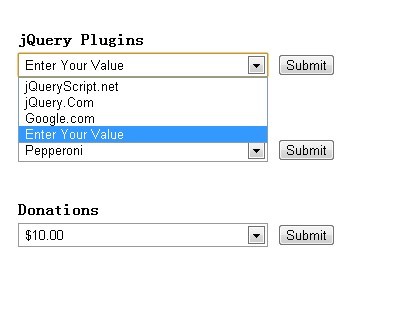
Custom Combo Box is a lightweight and useful jQuery plugin that allows your users to add custom values to dropdown list according to their practical requirements.
How to use it:
1. Include both jquery library and customComboBox.js in the head section of your page
<script src="http://ajax.googleapis.com/ajax/libs/jquery/1.9.1/jquery.min.js"></script>
<script type="text/javascript" src="customComboBox.js"></script>
2. Markup
<form>
<select name='fruit'>
<option value="apples">Apples</option>
<option value="bananas">Bananas</option>
<option value="oranges">Oranges</option>
</select>
<input type='button' value='Submit' />
</form>
3. The CSS
.mytipclass {
font-style: italic;
color: red;
}
select {
width: 250px;
padding: 2px;
margin-top: 5px;
border: 1px solid #999
}
4. Javascript
<script type="text/javascript">
$(document).ready(function() {

    $("select").customComboBox({

        tipText : "Enter Your Value",

        tipClass : "mytipclass",

        allowed : /[A-Za-z0-9\$\.\s]/,

        notallowed : /[\<\>]/,

        index : 'last',

        isEditing : function(el, status, value) {
            if (typeof window.console!='object') { return; }
            console.info('Editing status changed to (', status, ') on ', el, ' combo box and the selected value is "', value, '"');
        },
        onKeyDown : function(el, character, fulltext) {
            if (typeof window.console!='object') { return; }
            console.info('The character (', character, ') was just typed into ', el, ' combo box and the complete text is now "', fulltext, '"');
        },
        onDelete : function(el, fulltext) {
            if (typeof window.console!='object') { return; }
            console.info('A character was deleted from ', el, ' combo box and the complete text is now "', fulltext, '"');
        }
        });

        $("form").find('input').on('click',function(e) {
            var sel = $(e.currentTarget).prev('select');
            var name = sel.attr('name').toUpperCase();
            var val = sel.find('option:selected').val();
            $("#result").text(name+" combo box value is " + val);
        });


    });
</script>
This awesome jQuery plugin is developed by unknown. For more Advanced Usages, please check the demo page or visit the official website.