Responsive Select Based Mobile Menu with jQuery and CSS3
| File Size: | 5.11 KB |
|---|---|
| Views Total: | 5445 |
| Last Update: | |
| Publish Date: | |
| Official Website: | Go to website |
| License: | MIT |
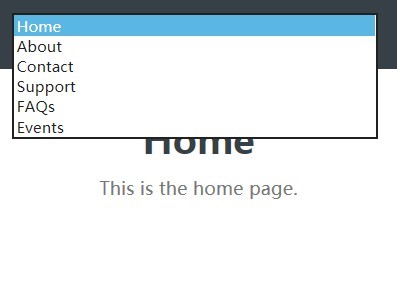
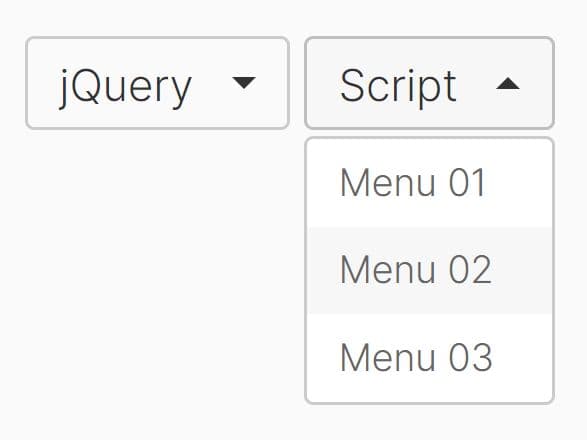
A simplest responsive mobile menu that collapses your horizontal navigation into a drop down menu with the <select> element when the viewport size reaches a breakpoint specified in the CSS3 media queries.
See also:
- Minimalist jQuery Responsive Dropdown Menu Plugin - Input Menu
- Lightweight jQuery Responsive Dropdown Menu Plugin - ReSmenu
Basic usage:
1. Create a list of links for your navigation menu.
<div id="menu">
  <ul>
    <li class="selected"><a href="#">Home</a></li>
    <li><a href="#">About</a></li>
    <li><a href="#">Contact</a></li>
    <li><a href="#">Support</a></li>
    <li><a href="#">FAQs</a></li>
    <li><a href="#">Events</a></li>
  </ul>
</div>
2. Style the navigation menu whatever you like.
#menu {
  background: #384047;
  height: 60px;
  padding: 0 5px 0;
  text-align: center;
}

ul { list-style: none; }

ul li {
  display: inline-block;
  width: 84px;
  text-align: center;
}

ul li a {
  color: #fff;
  width: 100%;
  line-height: 60px;
  text-decoration: none;
}

ul li.selected { background: #fff; }

ul li.selected a { color: #384047; }
3. Style the select element on mobile viewport sizes.
select {
  width: 94%;
  margin: 11px 0 11px 2%;
  float: left;
}
4. Set the breakpoint using CSS3 media queries.
@media (min-width: 320px) and (max-width: 568px) {

#menu ul { display: none; }

}

@media (min-width: 568px) {

#menu select { display: none; }

}
5. Load the needed jQuery library in the document.
<<script src="//ajax.googleapis.com/ajax/libs/jquery/1.11.2/jquery.min.js"></script>
6. The core JavaScript to enable the responsive mobile menu.
// Create a <select> and append to #menu
var $select = $('<select></select>');
$('#menu').append($select);

// Cycle over menu links
$('#menu a').each(function(){
  var $anchor = $(this);

  // Create an option
  var $option = $('<option></option>');

  // Deal with selected options depending on current page
  if($anchor.parent().hasClass('selected')) {
    $option.prop('selected', true);
  }

  // Option's value is the href
  $option.val($anchor.attr('href'));

  // Option's text is the text of link
  $option.text($anchor.text());

  // Append option to <select>
  $select.append($option);

});

$select.change(function(){
  window.location = $select.val();
});
This awesome jQuery plugin is developed by roymcfarland. For more Advanced Usages, please check the demo page or visit the official website.