Extendable Form Validation Plugin For Bootstrap 4 - vindicate
| File Size: | 6.06 KB |
|---|---|
| Views Total: | 12626 |
| Last Update: | |
| Publish Date: | |
| Official Website: | Go to website |
| License: | MIT |
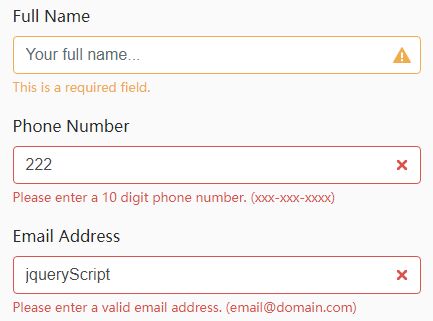
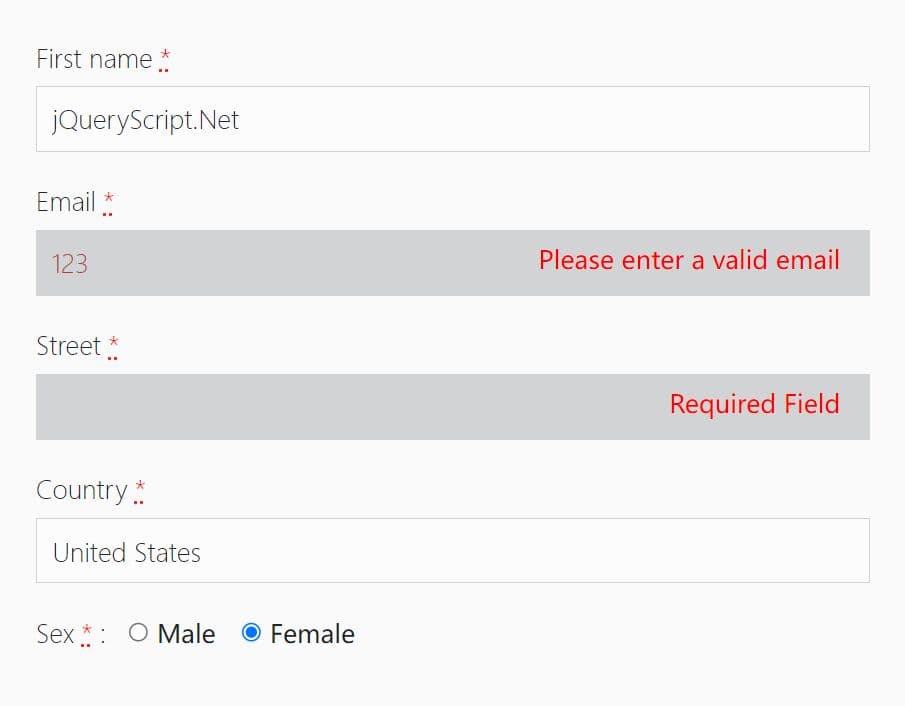
vindicate is a lightweight yet extendable and customizable jQuery form validation plugin for Bootstrap 4 that provides visual feedback as the users are typing something in the form fields.
How to use it:
1. Load the needed jQuery library and Bootstrap 4 framework in your html page.
<link rel="stylesheet" href="https://maxcdn.bootstrapcdn.com/bootstrap/4.0.0-alpha.6/css/bootstrap.min.css" integrity="sha384-rwoIResjU2yc3z8GV/NPeZWAv56rSmLldC3R/AZzGRnGxQQKnKkoFVhFQhNUwEyJ" crossorigin="anonymous">
<script src="https://code.jquery.com/jquery-3.1.1.slim.min.js" integrity="sha384-A7FZj7v+d/sdmMqp/nOQwliLvUsJfDHW+k9Omg/a/EheAdgtzNs3hpfag6Ed950n" crossorigin="anonymous"></script>
<script src="https://cdnjs.cloudflare.com/ajax/libs/tether/1.4.0/js/tether.min.js" integrity="sha384-DztdAPBWPRXSA/3eYEEUWrWCy7G5KFbe8fFjk5JAIxUYHKkDx6Qin1DkWx51bBrb" crossorigin="anonymous"></script>
<script src="https://maxcdn.bootstrapcdn.com/bootstrap/4.0.0-alpha.6/js/bootstrap.min.js" integrity="sha384-vBWWzlZJ8ea9aCX4pEW3rVHjgjt7zpkNpZk+02D9phzyeVkE+jo0ieGizqPLForn" crossorigin="anonymous"></script>
2. Load the jQuery vindicate plugin's script after jQuery.
<script src="js/vindicate.js"></script>
3. Load the Font Awesome for the feedback icons (optional).
$("form").vindicate("init");
4. Add the validation rules to your form fields as these:
- format: validates a specific data format (date, time, numeric, alphanumeric, email, decimal, url, phone7, phone10, creditcard)
- min: minimum required length
- required: forces field for submission if true, or can be a least of fields, or list of fields and values
- requiredGroup: one of the elements in this Group must be filled
- active: if true, validate on element blur
- match: data must match another element
data-form-validation="format:email|name='Email Address'|required|active"
5. Default plugin settings.
$("form").vindicate({

  // if true, do not submit form even if validation is correct
  soft: true,

  // if true, validate on element blur
  activeForm: false,

  // shows success messages
  showSuccess: true,

  // URL, if present, converts data to a request and posts to URL provided
  submitTo: "",

  // message to show for required fields
  requiredMessage: "This is a required field.",

  // parent container
  parent: "form-group",

  // CSS helper
  helper: "form-control-feedback",

  // custom styles based on the states
  validationStates: {
    valid: {
      parent: "has-success",
      input: "form-control-success"
    },
    warning: {
      icon: "has-warning",
      color: "form-control-warning"
    },
    invalid: {
      icon:"has-danger",
      color:"form-control-danger"
    }
  },

  // custom validation rules
  formats: {
    alpha: {
      regex: /^[a-zA-Z0-9]+/,
      message: "This field only accepts alphabetic characters. (a-z)"
    },
    alphanumeric: {
      regex: /^[a-zA-Z0-9]+/,
      message: "This field does not accept any special characters. (a-z, 0-9)"
    },
    creditcard: {
      regex: /^d{16}/,
      message: "Please enter a valid credit card number."
    },
    date: {
      regex: /([0-9]{4}.[0-9]{1,2}.[0-9]{1,2})|([0-9]{1,2}.[0-9]{1,2}.[0-9]{4})/,
      message: "Please enter a valid date. (YYYY-MM-DD)",
    },
    decimal: {
      regex: /^\d+$/,
      message: "Please enter a decimal value (xxx.xx)"
    },
    email: {
      regex: /^[A-Za-z0-9._%+-]+@[A-Za-z0-9.-]+\.[A-Za-z]{2,4}$/,
      message: "Please enter a valid email address. ([email protected])"
    },
    numeric: {
      regex: /^\d+$/,
      message: "This field only accepts numbers. (0-9)"
    },
    phone: {
      regex: /^([0-9]{3}[-\s\.]?[0-9]{3}[-\s\.]?[0-9]{4})/,
      message: "Please enter a 10 digit phone number. (xxx-xxx-xxxx)"
    },
    time: {
      regex: /[0-9]{1,2}(\:[0-9]{0,2})?/,
      message: "Please enter a valid time (xx:xx)"
    },
    url: {
      regex: /^\d+$/,
      message: "Please enter a valid url. (www.website.com/example)"
    }
  }
});
Change log:
2017-09-19
- JS update
2017-09-18
- RequiredFields updates
2017-09-06
- requiredField Updates, new methods
This awesome jQuery plugin is developed by legendary-jld. For more Advanced Usages, please check the demo page or visit the official website.