Mobile-friendly Responsive Navigation Plugin - Swipe Navigation
| File Size: | 13.3 KB |
|---|---|
| Views Total: | 6817 |
| Last Update: | |
| Publish Date: | |
| Official Website: | Go to website |
| License: | MIT |

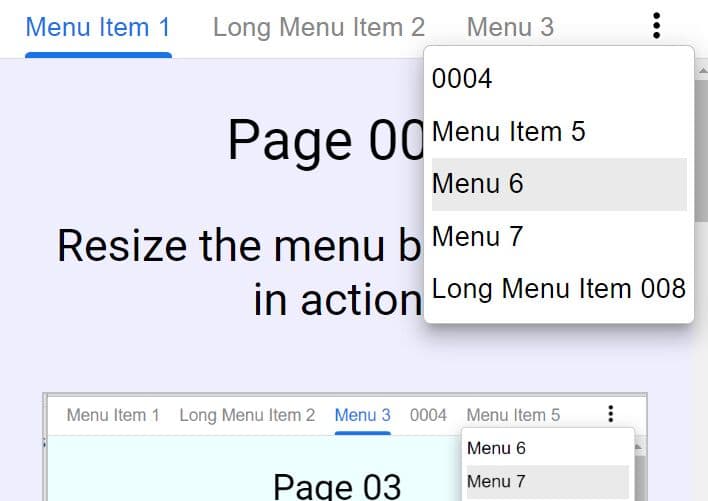
A mobile-friendly, responsive jQuery navigation plugin which collapses your menu into a horizontal, swipeable scroller when screen's size is too small to fit all menu items.
How to use it:
1. Load jQuery library and other required JavaScript files in the page.
<script src="/path/to/jquery.min.js"></script>
<script src="/path/to/underscore-min.js"></script>
<script src="javascripts/all.js"></script>
2. Load the jQuery Swipe Navigation plugin's CSS file in the header of the webpage.
<link href="stylesheets/swipenavigation.css" rel="stylesheet">
3. Load the Font Awesome for the navigation icons (OPTIONAL).
<link href="stylesheets/swipenavigation.css" rel="stylesheet">
4. Load the jQuery mousewheel plugin to provide mouse wheel support (OPTIONAL).
<script src="/path/to/jquery.mousewheel.js"></script>
5. Create the header navigation following the markup structure like this:
<header class="swipenavigation js-swipenavigation">
  <ul>
    <li>
      <a href="#">
        0
      </a>
    </li>
    <li>
      <a href="#">
        1
      </a>
    </li>
    <li>
      <a href="#">
        2
      </a>
    </li>
    <li>
      <a href="#">
        3
      </a>
    </li>
    ...
  </ul>
  <a class="next" href="#">
    <i class="fa fa-caret-right"></i>
  </a>
  <a class="back" href="#">
    <i class="fa fa-caret-left"></i>
  </a>
</header>
This awesome jQuery plugin is developed by is8r. For more Advanced Usages, please check the demo page or visit the official website.