Async Modal Dialog That Replaces window.prompt - bsPrompt
| File Size: | 9.8 KB |
|---|---|
| Views Total: | 85 |
| Last Update: | |
| Publish Date: | |
| Official Website: | Go to website |
| License: | MIT |
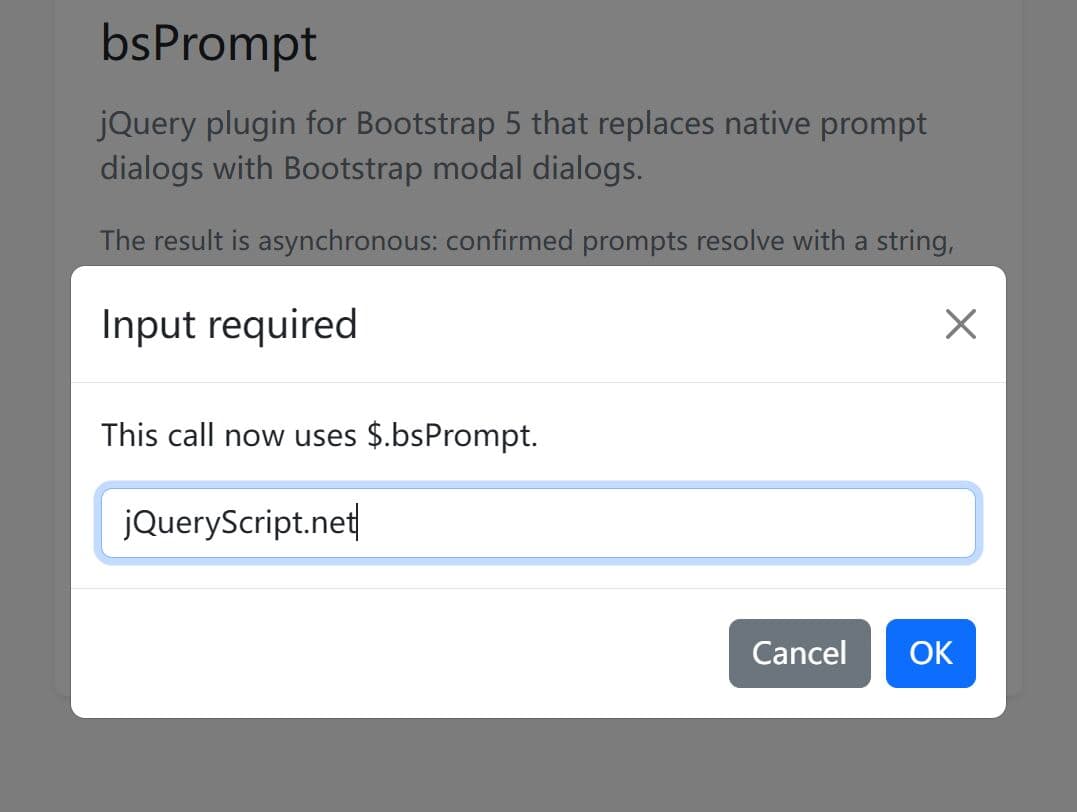
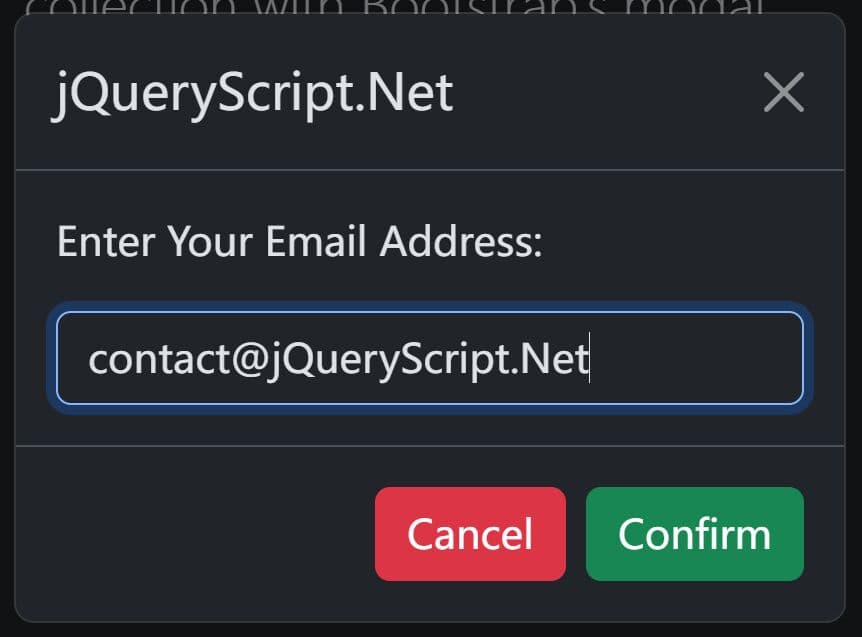
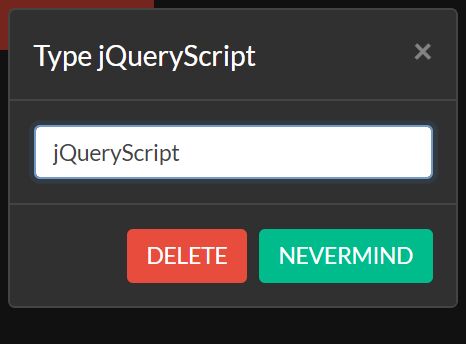
bsPrompt is a jQuery plugin that replaces the browser's native window.prompt with a customizable prompt dialog using Bootstrap's modal dialog.
The browser's built-in prompt blocks JavaScript execution and renders as an OS-level dialog with no styling control.
This plugin automatically creates the dialog modal from jQuery DOM elements and passes it to Bootstrap's Modal constructor.
The dialog is asynchronous. $.bsPrompt() returns a jQuery Deferred Promise that resolves with the submitted string on confirm and null on cancel.
Features:
- Collects text, password, email, number, URL, date, time, and textarea input.
- Resolves submitted values through an async Promise flow.
- Returns null when the user cancels the prompt.
- Validates required values before the modal closes.
- Custom validation messages.
- Allows you to change default titles and button text.
- Creates and removes modal markup at runtime.
- Focused input behavior after the modal opens.
How to use it:
1. Load the required JavaScript & CSS files in the document.
<!-- jQuery + Bootstrap Framework -->
<link rel="stylesheet" href="/path/to/cdn/bootstrap.min.css" />
<script src="/path/to/cdn/jquery.min.js"></script>
<script src="/path/to/cdn/bootstrap.bundle.min.js"></script>

<!-- jQuery bsPrompt Plugin -->
<script src="/path/to/dist/bs-prompt.js"></script>
2. bsPrompt creates its own modal markup. You only need an element that triggers the prompt.
<button id="renameProjectBtn" type="button" class="btn btn-primary">
  Rename project
</button>

<p id="projectNamePreview" class="mt-3">Current project: Client Portal</p>
3. Attach a click handler to the trigger button and reads the submitted value from the Promise.
$(function () {
  $('#renameProjectBtn').on('click', function () {
    $.bsPrompt({
      title: 'Rename project',
      message: 'Enter the new project name.',
      label: 'Project name',
      value: 'Client Portal',
      required: true
    }).then(function (value) {
      // Cancel resolves with null.
      if (value === null) {
        return;
      }

      // Confirm resolves with the submitted string.
      $('#projectNamePreview').text('Current project: ' + value);
    });
  });
});
4. All configuration options and callback functions.
title(String): Sets the modal title text.message(String): Sets the text above the input field.label(String or null): Adds a label for the input field.value(String): Sets the initial input value.type(String): Sets the input type. Supported values includetext,password,email,number,url,tel,date,time,textarea,color,datetime-local,month,search, andweek.name(String): Sets the inputnameattribute.id(String or null): Sets a custom input ID. The plugin generates one when this value stays empty.placeholder(String): Sets placeholder text for the input.helpText(String): Adds Bootstrap form help text below the input.required(Boolean): Blocks empty submissions.trim(Boolean): Trims string values before validation and submission.validate(Function or null): Runs custom validation. Returntrue,false, or an error message string.invalidFeedback(String): Sets the Bootstrap invalid feedback text.okText(String): Sets the confirm button text.cancelText(String): Sets the cancel button text and close button label.okClass(String): Sets CSS classes on the confirm button.cancelClass(String): Sets CSS classes on the cancel button.size(String or null): Sets the Bootstrap modal size suffix, such assm,lg, orxl.centered(Boolean): Adds vertical centering to the modal dialog.scrollable(Boolean): Adds Bootstrap scrollable modal behavior.backdrop(String or Boolean): Sets Bootstrap modal backdrop behavior. The default value keeps the prompt open after a backdrop click.keyboard(Boolean): Controls Escape key close behavior.autofocus(Boolean): Focuses and selects the input after the modal opens.attributes(Object): Adds custom HTML attributes to the generated input.appendTo(String or Element): Sets the DOM location for the generated modal.modalClass(String): Adds custom classes to the generated modal wrapper.inputClass(String): Adds custom classes to the generated input or textarea.rows(Number): Sets textarea rows whentypeusestextarea.onConfirm(Function or null): Runs after valid confirmation. Use it for side effects.onCancel(Function or null): Runs after cancellation.onShown(Function or null): Runs after the Bootstrap modal finishes opening.
$.bsPrompt({
  title: 'Input required',
  message: '',
  label: null,
  value: '',
  type: 'text',
  name: 'bsPromptInput',
  id: null,
  placeholder: '',
  helpText: '',
  required: false,
  trim: true,
  validate: null,
  invalidFeedback: 'Please enter a value.',
  okText: 'OK',
  cancelText: 'Cancel',
  okClass: 'btn btn-primary',
  cancelClass: 'btn btn-secondary',
  size: null,
  centered: true,
  scrollable: false,
  backdrop: 'static',
  keyboard: true,
  autofocus: true,
  attributes: {},
  appendTo: 'body',
  modalClass: '',
  inputClass: '',
  onConfirm: null,
  onCancel: null,
  onShown: null
})
5. API methods.
// Open a prompt modal and read the result through a jQuery Promise.
$.bsPrompt({
  title: 'Update account label',
  label: 'Account label',
  required: true
}).then(function (value) {
  if (value === null) {
    return;
  }

  console.log(value);
});

// Open a prompt using the short string form.
$.bsPrompt('Enter an account label', 'Primary account').then(function (value) {
  console.log(value);
});

// Set global defaults for later prompt dialogs.
$.bsPrompt.setDefaults({
  title: 'Input needed',
  okText: 'Save',
  cancelText: 'Close',
  invalidFeedback: 'Enter a valid value.'
});

// Replace window.prompt with an async Bootstrap modal prompt.
$.bsPrompt.replaceNative({
  required: true
});

// Use the replaced prompt function.
// This returns a Promise, not a direct string.
prompt('Enter a workspace name', 'Marketing').then(function (value) {
  console.log(value);
});

// Restore the original browser prompt function.
$.bsPrompt.restoreNative();
Related Resources:
- jQuery Dialog Box Plugin for Bootstrap - Bootbox
- 10 Best Dialog Plugins To Replace The Native JS Popup Boxes
- 10 Best JavaScript UI Components For Bootstrap 5
- Discover Vanilla JS UI Components for Bootstrap
FAQs:
Q: Is bsPrompt a drop-in replacement for synchronous window.prompt calls?
A: It is not a drop-in for synchronous code. Native window.prompt returns a string immediately. $.bsPrompt() returns a jQuery Promise. Any code that reads the result must run inside .then().
Q: Why does the plugin throw an error about "Bootstrap 5 modal JavaScript" when I call it?
A: The plugin checks for window.bootstrap.Modal at call time, not at page load. Bootstrap must load before the first $.bsPrompt() call.
Q: How does the validate option work?
A: Pass a function as the validate option. The function receives the trimmed input value, the jQuery input element, and the options object. Return true to accept the value, false to show the invalidFeedback message, or a string to display a custom error message inline in the dialog.
This awesome jQuery plugin is developed by ThomasDev-de. For more Advanced Usages, please check the demo page or visit the official website.