Dynamic Select Menu Plugin For Bootstrap - Bootmenu
| File Size: | 11.7 KB |
|---|---|
| Views Total: | 2508 |
| Last Update: | |
| Publish Date: | |
| Official Website: | Go to website |
| License: | MIT |
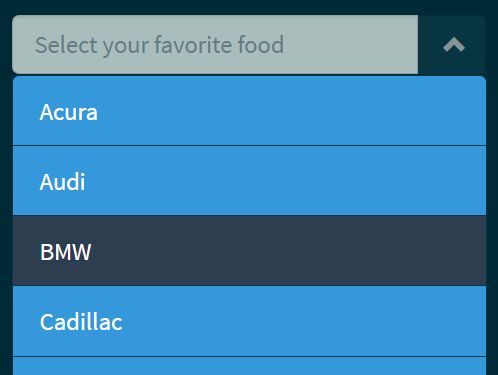
Bootmenu is a simple, lightweight jQuery plugin used to create an animated, dynamic, auto-complete dropdown select menu for your Bootstrap project.
How to use it:
1. The plugin requires Bootstrap's stylesheet loaded properly in the document.
<link rel="stylesheet" href="/path/to/bootstrap.min.css">
2. Create an empty container to place the select menu.
<div id="selectMenu"></div>
3. Include both jQuery library and the jQuery Bootmenu plugin's script at the end of the document.
<script src="//code.jquery.com/jquery.min.js"></script>
<script src="js/bootmenu.js"></script>
4. Insert your own data into a JS array for the select menu.
var brands = new Array('Acura', 'Audi', 'BMW', 'Cadillac', "Ferrari", "Land Rover", "Lexus", "Mercedes-Benz");
5. Initialize the select menu as this:
$("#selectMenu").bootmenu({
  items: brands
});
6. Default configuration options and callbacks.
$("#selectMenu").bootmenu({
  defaultText: "Select here!",
  listName: "listOne",
  color: "white",
  background: "#3498DB",
  hoverColor: "#2C3E50",
  listAnimation: "slideDown",
  animationDuration: 500,
  callback: function() {}
});
Change log:
2017-04-28
- JS update
This awesome jQuery plugin is developed by mariomed7at. For more Advanced Usages, please check the demo page or visit the official website.