Bootstrap 5 Number Spinner Plugin with Formatters - bsTouchspin
| File Size: | 125 KB |
|---|---|
| Views Total: | 97 |
| Last Update: | |
| Publish Date: | |
| Official Website: | Go to website |
| License: | MIT |
bsTouchspin is a jQuery/Bootstrap number input spinner plugin that turns standard text inputs into user-friendly quantity controls with increment and decrement buttons. It can help you build a Bootstrap 5 number input spinner for product quantities, pricing fields, percentage controls, dashboard filters, and any form field that needs safer numeric input.
The plugin depends on Bootstrap 5 CSS and Bootstrap Icons for its styles. It wraps the target <input> in a Bootstrap input-group, adds styled up/down buttons using Bootstrap Icons, and handles value clamping, decimal precision, and locale-aware number formatting through a straightforward options API.
Features:
- Adds increment and decrement buttons to numeric inputs.
- Minimum and maximum value limits.
- Fixed or dynamic step values.
- Formats values as numbers, currency, or percentages.
- Locale-aware number display.
- Adds prefix and postfix labels around values.
- Supports small and large Bootstrap input sizes.
- Reports start, stop, and initial values to your code.
- Updates prefixes, postfixes, and values at runtime.
- Restores the original input after removal.
How to use it:
1. Load the required jQuery library, Bootstrap Icons, and Bootstrap's stylesheet in the document.
<link rel="stylesheet" href="/path/to/cdn/bootstrap.min.css">
<link rel="stylesheet" href="/path/to/cdn/bootstrap-icons.css">
<script src="/path/to/cdn/jquery.min.js"></script>
2. Download and load the bsTouchspin plugin after jQuery.
<script src="/path/to/bs-touchspin.min.js"></script>
3. Call the plugin on your input selector. The spinner renders immediately on page load:
<label for="cartQuantity" class="form-label">Quantity</label>
<input id="cartQuantity" type="text" value="1">
$('#cartQuantity').bsTouchspin({
  min: 1,
  max: 20,
  step: 1,
  postfix: 'pcs'
});
4. You can also use native step, min, and max attributes. These input attributes take priority over JavaScript options during initialization.
<input id="ticketCount" type="text" value="2" min="1" max="10" step="1">
5. Global configurations. Use $.bsTouchspin.setConfig() before you create new instances when you need shared behavior across a page.
minSpeed(number): Sets the fastest repeat speed in milliseconds when a user holds a button.startSpeed(number): Sets the initial repeat speed in milliseconds after button hold starts.delay(number): Sets the delay before the stop callback fires after interaction ends.locale(string): Sets the locale for number, currency, and percent formatting.maximumMax(number|null): Sets the fallback maximum value when an instance has nomax.maximumMin(number|null): Sets the fallback minimum value when an instance has nomin.inputMinWidth(number): Sets the minimum pixel width for the input and formatted display.
$.bsTouchspin.setConfig({
  minSpeed: 10,
  startSpeed: 500,
  delay: 800,
  locale: 'en-US',
  inputMinWidth: 90
});
6. Available instance Options. Pass these options into $(selector).bsTouchspin(options). You can also use jQuery data attributes for matching option keys. Native input attributes for step, min, and max take priority.
size(string|null): Sets Bootstrap input group size. Usesm,lg, ornull.step(number|string): Sets the increment and decrement value. Use"any"for dynamic decimal steps.decimals(number|null): Sets fixed decimal precision for value display and normalization.min(number|null): Sets the lowest accepted value.max(number|null): Sets the highest accepted value.prefix(string|null): Adds content before the numeric value.postfix(string|null): Adds content after the numeric value.allowInput(boolean): Lets users edit the value manually when set totrue.buttons.up.class(string): Sets CSS classes for the increment button.buttons.up.icon(string): Sets the normal increment button icon class.buttons.up.iconSetZero(string): Sets the increment icon class near the zero transition state.buttons.down.class(string): Sets CSS classes for the decrement button.buttons.down.icon(string): Sets the normal decrement button icon class.buttons.down.iconSetZero(string): Sets the decrement icon class near the zero transition state.formatter(string|function): Sets display formatting. Usenumber,currency,percent, or a custom formatter function.currency(string): Sets the ISO currency code for currency formatting.onInit(function): Runs after the plugin initializes and receives the initial value.onStart(function): Runs when a user starts a button or input interaction.onStop(function): Runs after interaction stops and receives the final value plus the difference from the start value.
7. API methods.
// Set the value through the plugin lifecycle.
// This validates min, max, step, formatting, button state, and input width.
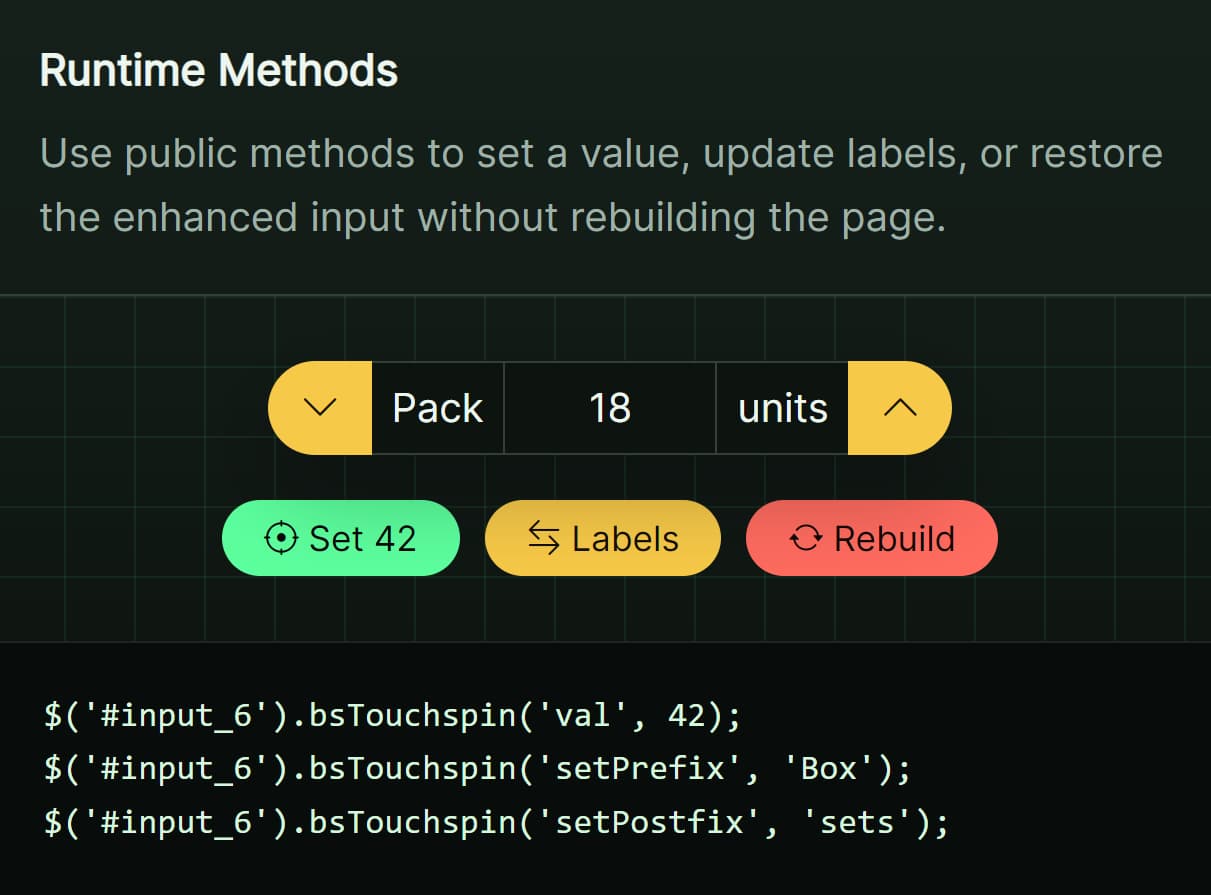
$('#cartQuantity').bsTouchspin('val', 5);

// Update the prefix text at runtime.
$('#cartQuantity').bsTouchspin('setPrefix', '$');

// Update the postfix text at runtime.
$('#cartQuantity').bsTouchspin('setPostfix', 'items');

// Remove plugin markup, events, stored data, and restore the original input.
$('#cartQuantity').bsTouchspin('destroy');

// Change default instance options for future plugin calls.
$.bsTouchspin.setDefaults({
  buttons: {
    up: { class: 'btn-primary rounded-end-pill fw-bold' },
    down: { class: 'btn-primary rounded-start-pill fw-bold' }
  }
});

// Read the current default instance options.
const defaults = $.bsTouchspin.getDefaults();

// Change global behavior for future plugin instances.
$.bsTouchspin.setConfig({
  locale: 'de-DE',
  delay: 600
});

// Read the current global configuration.
const config = $.bsTouchspin.getConfig();

// Count decimal places from a numeric step or value.
const decimalCount = $.bsTouchspin.utils.getDecimalBySteps(0.025);

// Format a number with fixed decimals and locale rules.
const formattedNumber = $.bsTouchspin.utils.formatNumber(1234.5, 2, 'en-US');

// Format a value as currency.
const formattedPrice = $.bsTouchspin.utils.formatCurrency(49.9, 2, 'en-US', 'USD');

// Format a value as a percentage.
const formattedPercent = $.bsTouchspin.utils.formatPercent(0.15, 1, 'en-US');
8. Events.
// Fires after initialization.
// Payload: event, startValue
$('#cartQuantity').on('init.bs.touchspin', function (event, startValue) {
  console.log('Initial spinner value:', startValue);
});

// Fires when the user starts editing or pressing a spinner button.
// Payload: event, startValue
$('#cartQuantity').on('start.bs.touchspin', function (event, startValue) {
  console.log('Spinner interaction started at:', startValue);
});

// Fires after the user stops editing or releases a spinner button.
// Payload: event, stopValue, diff
$('#cartQuantity').on('stop.bs.touchspin', function (event, stopValue, diff) {
  console.log('Final spinner value:', stopValue);
  console.log('Value change:', diff);
});
Real-world Examples
Product Quantity Spinner For An Order Form
Use this setup for product quantity fields that need a minimumquantity, a maximum quantity, and a visible unit label.
<form id="orderForm" class="p-3 border rounded">
  <label for="productUnits" class="form-label">Product units</label>
  <input id="productUnits" type="text" value="1">
  <p class="small text-muted mt-2" id="quantityNote">Choose 1 to 12 units.</p>
</form>

<script>
  $('#productUnits').bsTouchspin({
    min: 1,
    max: 12,
    step: 1,
    postfix: 'units',
    onStop: function (value) {
      // Update helper text after the user finishes the interaction.
      $('#quantityNote').text('Selected quantity: ' + value + ' units.');
    }
  });
</script>
Currency Spinner For A Pricing Field
Use the currency formatter for pricing tools, fee editors, donation forms, or admin price controls.
<div class="row g-3 align-items-end">
  <div class="col-auto">
    <label for="planPrice" class="form-label">Monthly price</label>
    <input id="planPrice" type="text" value="19.99">
  </div>

  <div class="col-auto">
    <strong id="pricePreview">$19.99</strong>
  </div>
</div>

<script>
  $.bsTouchspin.setConfig({
    locale: 'en-US'
  });

  $('#planPrice').bsTouchspin({
    min: 0,
    max: 499.99,
    step: 0.25,
    decimals: 2,
    formatter: 'currency',
    currency: 'USD',
    buttons: {
      up: {
        class: 'btn-success rounded-end-pill fw-bold',
        icon: 'bi bi-plus-lg',
        iconSetZero: 'bi bi-trash'
      },
      down: {
        class: 'btn-outline-secondary rounded-start-pill fw-bold',
        icon: 'bi bi-dash-lg',
        iconSetZero: 'bi bi-trash'
      }
    },
    onStop: function (value) {
      // Keep a separate preview in sync with the final spinner value.
      const price = $.bsTouchspin.utils.formatCurrency(value, 2, 'en-US', 'USD');
      $('#pricePreview').text(price);
    }
  });
</script>
Percent Spinner For A Dashboard Filter
Use percent formatting when the stored value uses decimals such as 0.15, but the UI should show a readable percentage.
<div class="mb-3">
  <label for="conversionTarget" class="form-label">Conversion target</label>
  <input id="conversionTarget" type="text" value="0.10">
</div>

<div class="alert alert-secondary" id="targetStatus">
  Target change has not started.
</div>

<script>
  $('#conversionTarget').bsTouchspin({
    min: 0,
    max: 1,
    step: 0.01,
    decimals: 2,
    formatter: 'percent',
    onStart: function (value) {
      // Show the value before the user starts changing it.
      $('#targetStatus').text('Previous target: ' + value);
    },
    onStop: function (value, diff) {
      // Show the final value and the change from the starting value.
      $('#targetStatus').text('New target: ' + value + '. Change: ' + diff);
    }
  });
</script>
Dynamic Spinner Updated From AJAX Data
Use the val, setPrefix, and setPostfix methods after async data arrives. Initialize the input first, then update it through plugin methods.
<div class="mb-3">
  <label for="stockLimit" class="form-label">Warehouse stock limit</label>
  <input id="stockLimit" type="text" value="0">
</div>

<button id="loadStockData" type="button" class="btn btn-primary">
  Load stock rule
</button>

<script>
  $('#stockLimit').bsTouchspin({
    min: 0,
    max: 1000,
    step: 5,
    postfix: 'items'
  });

  $('#loadStockData').on('click', function () {
    // Simulated AJAX response for a product rule.
    const response = {
      value: 250,
      unit: 'boxes',
      label: 'Stock'
    };

    // Use plugin methods after async data changes the field.
    $('#stockLimit').bsTouchspin('val', response.value);
    $('#stockLimit').bsTouchspin('setPrefix', response.label);
    $('#stockLimit').bsTouchspin('setPostfix', response.unit);
  });
</script>
Alternatives:
- Touch-enabled jQuery Input Spinner Plugin For Bootstrap - touchspin
- 10 Best Number Input (Input Spinner) Plugins In JavaScript
FAQs:
Q: Does the plugin require Bootstrap JavaScript?
A: No. The spinner uses Bootstrap CSS classes and Bootstrap Icons. Add Bootstrap JavaScript only when your page needs other Bootstrap components.
Q: Why do my spinner icons look blank?
A: Bootstrap Icons probably did not load. Include the Bootstrap Icons stylesheet or replace the icon classes in the button options.
Q: Why did my JavaScript min, max, or step option not apply?
A: Check the input attributes first. The plugin gives the native min, max, and step attributes priority during initialization.
Q: How should I update a spinner value after an AJAX response?
A: Use $('#input').bsTouchspin('val', newValue).
Q: Can I use different currencies on the same page with different spinners?
A: Yes. Each instance uses its own currency option for the ISO code. The locale setting is global and applies to all spinners. Set it once with $.bsTouchspin.setConfig({ locale: 'en-US' }) before initializing your spinners.
Changelog:
v1.0.8 (09/16/2026)
- Added German number parsing for values such as `1,5` and `1.000,5`.
- Added validation and safe fallbacks for invalid numeric `step`, `min`, and `max` settings to prevent `NaN` values.
This awesome jQuery plugin is developed by ThomasDev-de. For more Advanced Usages, please check the demo page or visit the official website.