Show/Hide Password Field Text with jQuery and Bootstrap
| File Size: | 282 KB |
|---|---|
| Views Total: | 60315 |
| Last Update: | |
| Publish Date: | |
| Official Website: | Go to website |
| License: | MIT |
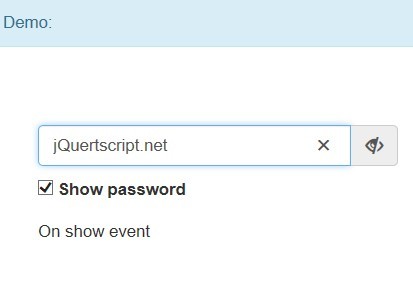
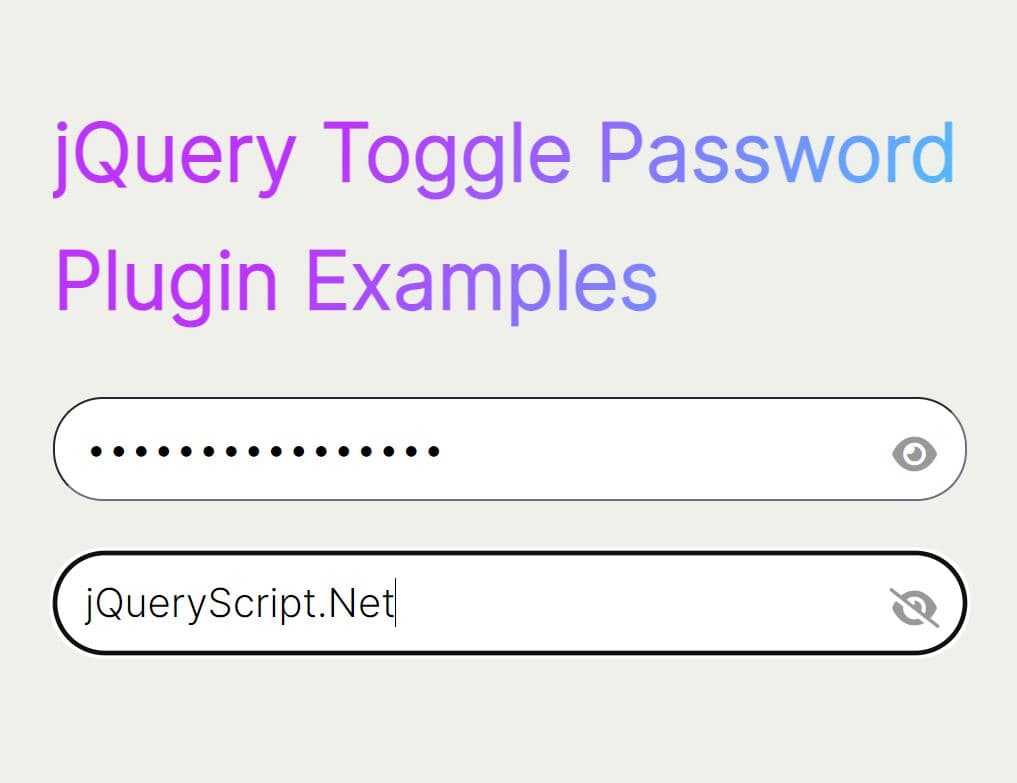
Bootstrap Show Password is a jQuery plugin that allows the visitor to toggle the password input field text visibility by clicking the toggle icon/checkbox.
Supports the latest Bootstrap 5, Bootstrap 4 and Bootstrap 3 frameworks.
See also:
- jQuery Plugin For Previewing Password Field Values - Prevue
- Simple jQuery Plugin To Show Hidden Password - preventPassTypo
- Toggle Password Visibility With jQuery - hideShowPassword
- jQuery Plugin For Windows 8 Password Reveal Feature - Sauron
- Anti-Bot Icon Captcha Plugin With jQuery And PHP - IconCaptcha
How to use it:
1. Include the Bootstrap 3 or Bootstrap 4 framework on the web page.
<link rel="stylesheet" href="/path/to/bootstrap.min.css">
<script src="/path/to/bootstrap.min.js"></script>
2. Include the boostrap show password plugin after JQuery javascript library.
<script src="/path/to/jquery.min.js"></script>
<script src="/path/to/bootstrap-show-password.min.js"></script>
3. Include the Font Awesome 5 for the icons (required for Bootstrap 4).
<link rel="stylesheet" href="/path/to/fontawesome.min.css">
4. Create a password input field on the page. You can specify the maximum number for characters for the password field using the native maxlength attribute:
<input
  id="password"
  class="form-control"
  type="password"
  maxlength="12"
  placeholder="Enter the password">
5. Initialize the plugin with default options. Done.
$(function() {
  $('#password').password()
})
6. You can also auto-initialize the plugin by using the data-toggle attribute.
<input
  data-toggle="password"
  id="password"
  class="form-control"
  type="password"
  maxlength="12"
  placeholder="Enter the password">
7. All default plugin options.
$('#password').password({

  // 'before' or 'after'
  placement: 'after',

  // message
  message: 'Click here to show/hide password',

  // custom icon
  eyeClass: 'fa',
  eyeOpenClass: 'fa-eye',
  eyeCloseClass: 'fa-eye-slash',

  // true or false
  eyeClassPositionInside: false

})
8. API methods.
// show the password
$('#password').password('show');

// hide the password
$('#password').password('hide');

// toggle the visibility of the password
$('#password').password('toggle');

// move the focus to the password field
$('#password').password('focus');

// get or set the value
$('#password').password('val', Value);
9. Event handlers.
$('#password').on('show.bs.password', function (e) {
  // on show
});

$('#password').on('hide.bs.password', function (e) {
  // on hide
});
Changelog:
v1.3.0 (2024-02-19)
- New: Supported bootstrap v5.
- New: Supported all attributes without data-*.
- Update: Fix bootstrap v3 old version is undefined bug.
v1.2.1 (2019-05-09)
- New: Added font-awesome svg support.
- New: Added size option of the input group.
v1.2.0 (2019-05-08)
- Rewrote the src to ES6.
- Supported bootstrap v4.
- Use Font Awesome v5 as default.
- Supported maxlength attribute.
- Supported disabled attribute.
- Updated the docs and added examples.
2017-12-10
- Update to 1.1.2
2017-10-17
- Update to 1.1.1
2016-06-02
- Update to 1.0.3
This awesome jQuery plugin is developed by wenzhixin. For more Advanced Usages, please check the demo page or visit the official website.